

TL;DR:
- WordPress plugin security focuses on protecting sites from vulnerabilities by keeping plugins updated and monitoring for threats. The fastest-growing attack vector, plugins saw nearly 8,000 vulnerabilities in 2024, emphasizing the need for layered defenses. Best practices include rigorous development discipline, trusted security plugins, server-level protection, and ongoing security audits to prevent breaches.
WordPress plugin security is defined as the practice of protecting a WordPress site by ensuring every installed plugin is free from exploitable vulnerabilities, kept up to date, and monitored for malicious behaviour. Plugins are the primary attack vector for WordPress sites, and the numbers confirm it. There were 7,966 new plugin vulnerabilities disclosed in 2024, a 68% year-over-year increase. That figure means the threat is not static. Tools like Wordfence, Sucuri, and All-In-One Security (AIOS) are among the most widely trusted for managing plugin security, but choosing the right approach requires understanding what you are actually defending against.
What are the common vulnerabilities in WordPress plugins?
Plugin vulnerabilities are coding failures that allow attackers to manipulate a site in ways the developer never intended. Understanding the most common types helps you spot risk before it becomes a breach.
The most frequently exploited weaknesses include:
- SQL injection: Unvalidated user input is passed directly into database queries, allowing attackers to read, alter, or delete data.
- Cross-site scripting (XSS): Malicious scripts are injected into pages viewed by other users, often stealing session tokens or redirecting visitors.
- Cross-site request forgery (CSRF): Attackers trick authenticated users into performing unintended actions, such as changing account settings.
- Missing capability checks: A plugin performs sensitive actions without verifying whether the current user has permission to do so.
- Unsanitised input: Data from forms or URL parameters is processed without cleaning, opening the door to multiple attack types.
One of the most overlooked plugin vulnerabilities is the “nonce-without-capability” flaw. A nonce (a one-time token) confirms a request is intentional, but it does not confirm the user is authorised to act. Developers who verify a nonce but skip the capability check leave a door open for any authenticated user, including subscribers, to trigger privileged actions. This is a frequent cause of real-world breaches.
The consequences of these failures are serious. A single exploited plugin can result in a full site compromise, customer data exposure, search engine blacklisting, or a complete defacement. For agencies managing client sites, one incident can damage a client relationship that took years to build.

Which security plugins offer the best protection?
The market for the best security plugins for WordPress is well-developed, but not all tools address the same risks. The table below compares the leading options across the features that matter most for plugin security.
| Plugin | Free tier | Paid from | Key strengths | Best for |
|---|---|---|---|---|
| Wordfence | Yes | ~£70/year | Firewall, malware scanner, live traffic | Sites needing real-time monitoring |
| Sucuri | Limited | ~£150/year | Cloud firewall, post-hack cleanup | High-value or high-traffic sites |
| MalCare | Yes | ~£80/year | One-click malware removal, staging safe | Agencies managing multiple sites |
| AIOS | Yes | ~£50/year | Login hardening, 2FA, brute-force protection | Small businesses on a budget |
| Tegatai Secure | N/A | Hosting-level | Server-level threat blocking before WordPress loads | Performance-critical environments |
Premium security suites typically cost between £70 and £230 per year, though free versions of AIOS and Wordfence provide effective basic hardening. That cost range means most small businesses can access solid protection without a significant budget commitment.
Tegatai Secure is worth highlighting separately. It operates at the server level, intercepting malicious traffic before it ever reaches WordPress or PHP. That approach reduces server load and closes attack vectors that PHP-based plugins simply cannot reach.
Pro Tip: Do not install two firewall plugins simultaneously. Wordfence and Sucuri, for example, can conflict at the firewall layer and create performance problems. Choose one and configure it properly rather than stacking tools.
If you manage WordPress sites for multiple clients, use the WordPress Profit Calculator to see how much recurring revenue you could be generating from security and maintenance care plans in under 90 seconds.
How to implement plugin security best practices
Securing plugins is not a one-time task. It requires consistent development discipline and a repeatable review process. The five core practices every developer and site manager should apply are:
- Sanitise input. Every value arriving from a user, a URL, or an external source must be cleaned before use. WordPress provides functions like
sanitize_text_field()andwp_kses()for this purpose. - Escape output. Data displayed on screen must be escaped to prevent XSS. Use
esc_html(),esc_attr(), andesc_url()consistently. - Verify nonces. Use
wp_verify_nonce()on every form submission and AJAX request to confirm the action was intentional. - Check user capabilities. Always pair nonce verification with
current_user_can(). Confirming identity is not the same as confirming permission. - Use prepared statements. Never concatenate variables directly into SQL queries. Use
$wpdb->prepare()to prevent injection attacks.
Beyond development practices, scanning tools add a critical layer of protection. Static analysis tools can catch vulnerabilities in plugin code before installation. Running a plugin through a scanner like the Royal Plugins security scanner before deploying it to a live site is a low-effort step that catches a surprising number of issues.
For agencies and site managers, a practical security review checklist should include: confirming all plugins are from reputable sources with active maintenance histories, checking the WordPress vulnerability database for known issues, testing updates on a staging environment before pushing to production, and scheduling quarterly security audits.
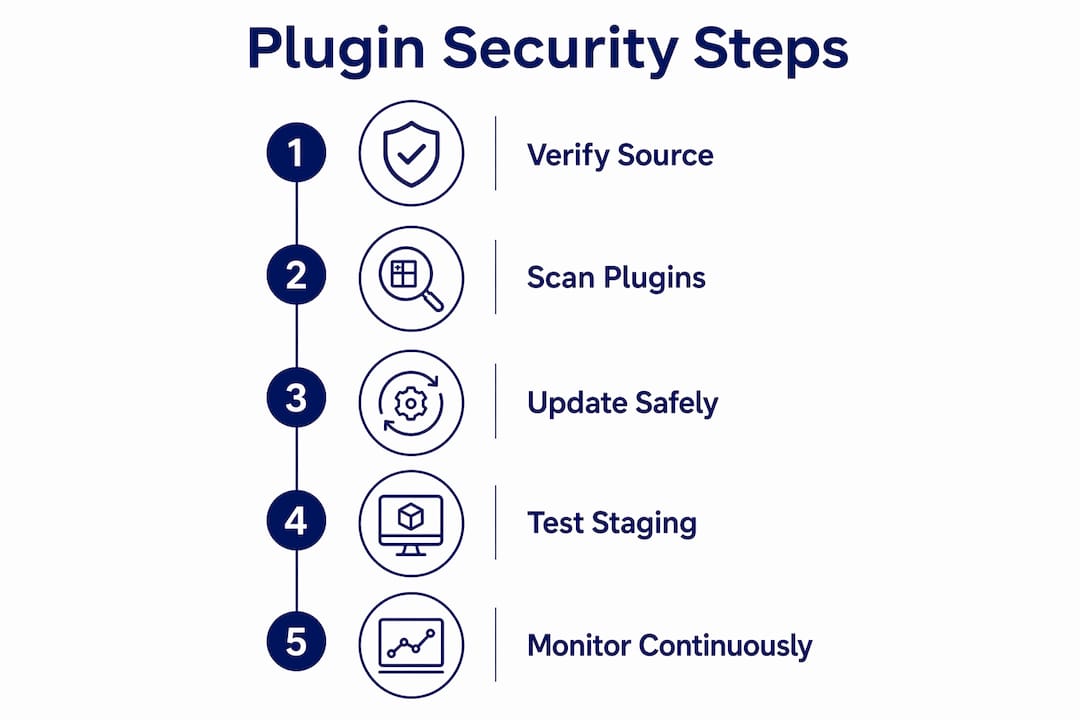
Pro Tip: Always test plugin updates on a staging site first. A plugin update that breaks a payment gateway or contact form on a live client site is an emergency. On staging, it is a five-minute fix.
What are the emerging trends in plugin security for 2026?
The threat environment is changing faster than traditional signature-based scanning can keep up with. Several developments in 2026 are reshaping how agencies and developers approach plugin security.
- Behavioural analysis tools like Bouncer detect zero-day plugin threats by monitoring deviations from normal plugin behaviour rather than matching known malware signatures. This matters because new exploits, by definition, have no signature yet. Behavioural monitoring catches what signature scanners miss.
- Server-level security is gaining traction as the most effective first line of defence. Experts assert that security is strongest outside WordPress, using Nginx or Apache rules to block threats before they reach the plugin environment. Tegatai Secure is one implementation of this model.
- WordPress’s ‘Protect The Shire’ initiative, launching in june 2026, introduces a mandatory 24-hour delay for new plugin updates before broad deployment. The cooling-off period is designed to catch malicious code injected into plugin updates before it reaches millions of sites. For agencies running auto-updates, this changes the workflow. You need to account for that delay in your update schedules.
- Holistic security strategies are now considered the baseline. Security experts confirm that plugins alone are insufficient. Performance-optimised hosting, proactive monitoring, and off-site backups are all required components of a complete security posture. Choosing the right hosting provider is as consequential as choosing the right security plugin.
The shift toward server-level and behavioural protection reflects a broader maturity in the WordPress security space. Relying solely on a PHP-based plugin to protect a PHP-based application has always been a structural limitation. The industry is moving past it.
Key takeaways
Effective WordPress plugin security requires layered protection: secure development practices, trusted scanning tools, server-level defences, and proactive monitoring working together.
| Point | Details |
|---|---|
| Plugin vulnerabilities are rising fast | There were 7,966 new vulnerabilities in 2024, a 68% increase, making plugins the top attack vector. |
| Nonce alone is not enough | Always pair nonce verification with capability checks to prevent authorisation flaws. |
| Security plugins vary significantly | Match your tool to your site’s scale and needs; Wordfence suits monitoring, MalCare suits agencies. |
| Server-level protection is most effective | Tools like Tegatai Secure block threats before WordPress loads, closing gaps PHP plugins cannot. |
| Holistic strategy is the standard | Hosting quality, off-site backups, and monitoring are as important as any security plugin. |
Why I think most agencies are one plugin update away from a crisis
After years of working with agencies across the UK, the pattern I see most often is not negligence. It is misplaced confidence. An agency installs Wordfence, ticks the security box, and moves on. The plugin does its job quietly in the background, and nobody thinks about it again until something goes wrong.
The problem is that plugin security is not a product you install. It is a discipline you maintain. The agency security guide we put together at Wpcto covers this in detail, but the short version is this: a firewall plugin cannot protect you from a vulnerability introduced by a plugin update you pushed without testing. It cannot protect you from a plugin that was abandoned by its developer six months ago and has a known SQL injection flaw sitting in the WordPress vulnerability database.
What I have found actually works is treating plugin security as a workflow, not a product. That means staging environments for every update, a vetted list of approved plugins, quarterly audits, and someone accountable for the process. For most agencies, that someone should not be a designer or an account manager. It should be a specialist.
The ‘Protect The Shire’ initiative from WordPress is a welcome development, but it also signals something important. The platform itself is acknowledging that the plugin ecosystem is a risk that needs structural management. Agencies that have not yet formalised their security update workflows should treat that signal as a prompt to act.
Security and usability are not in conflict. A well-maintained, properly hardened WordPress site performs better, loads faster, and gives clients more confidence. The agencies that get this right turn security into a selling point, not a cost centre.
— Marcel
How Wpcto handles plugin security for agencies

Wpcto provides specialist WordPress maintenance and security monitoring for design, brand, and digital agencies across the UK. We handle plugin management, security scanning, update testing, and ongoing monitoring so your team never has to touch a WordPress support ticket again. Our agency services are built to sit invisibly behind your agency, keeping your clients’ sites protected while you focus on the work you were hired to do. If you want to understand how much recurring revenue your existing WordPress client base could generate through structured care plans, the WordPress Profit Calculator gives you a clear answer in under 90 seconds.
FAQ
What is WordPress plugin security?
WordPress plugin security is the practice of protecting a WordPress site by ensuring installed plugins are free from vulnerabilities, regularly updated, and monitored for threats. Plugins are the leading attack vector for WordPress sites, accounting for the majority of disclosed vulnerabilities each year.
How many WordPress plugin vulnerabilities were reported in 2024?
There were 7,966 new plugin vulnerabilities disclosed in 2024, a 68% increase on the previous year. That figure makes plugins the single largest source of WordPress security risk.
What are the best security plugins for WordPress in 2026?
Wordfence, Sucuri, MalCare, and AIOS are among the most trusted options. The right choice depends on your site’s scale, budget, and whether you need features like malware removal, a cloud firewall, or multi-site management.
What is the most common coding mistake in WordPress plugins?
The most commonly overlooked flaw is nonce verification without a capability check. Verifying a nonce confirms a request was intentional but does not confirm the user has permission to perform the action, leaving a significant authorisation gap.
Do I need more than a security plugin to protect my WordPress site?
Yes. Security experts confirm that plugins alone are not sufficient. Effective protection requires quality hosting, off-site backups, proactive monitoring, and server-level defences working alongside any installed security plugin.