

In 2025, the surge in cyber threats has made security wordpress a critical concern for every site owner. WordPress powers over 64.2% of the CMS market, making it a prime target, with 86 billion password attacks blocked in just one year.
Ignoring security can lead to devastating data loss, costly downtime, erosion of customer trust, and serious legal consequences. To help you stay protected, this article unveils the 7 essential security WordPress tips you need in 2025, offering a practical checklist to keep your website safe.
Why WordPress security matters in 2025
The need for robust security wordpress measures has never been greater. In 2025, the WordPress ecosystem faces an unprecedented wave of cyber threats. Increased adoption and a growing reliance on digital presence have turned WordPress into a primary target for attackers. If you manage a WordPress site, understanding the risks is critical to protecting your business, reputation, and data.
The growing threat landscape
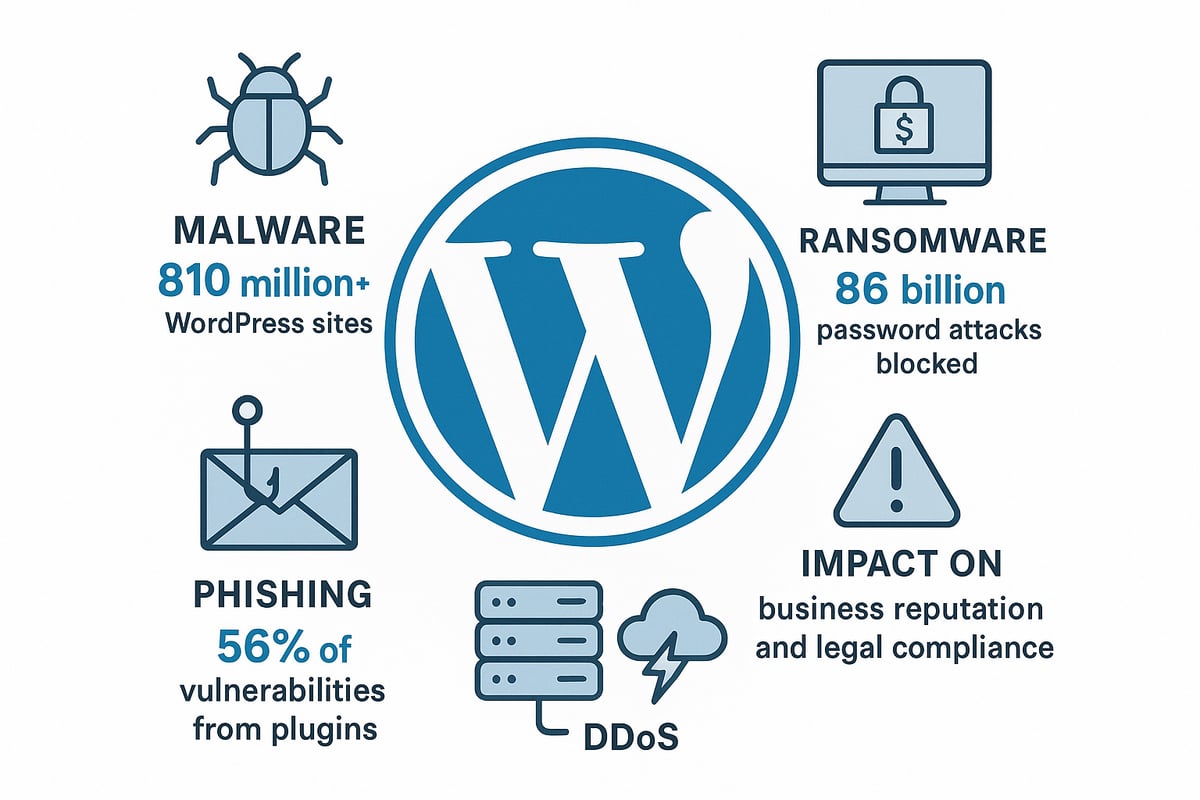
WordPress powers over 810 million websites worldwide, making it the most popular content management system. This massive adoption creates a vast attack surface for cybercriminals. Security wordpress concerns are heightened by the fact that hackers are constantly probing for weaknesses in plugins, themes, and the WordPress core.
Incidents of malware, ransomware, and data theft within the WordPress ecosystem continue to rise. For example, a vulnerability in the LiteSpeed Cache plugin affected more than 4 million sites in 2023, exposing countless businesses to risk. When a site is compromised, the consequences can be severe: financial losses, customer data breaches, and operational downtime.
The impact of a security breach goes beyond immediate disruption. Search engines penalise hacked or insecure sites, leading to a drop in SEO rankings and visibility. Regulatory frameworks such as GDPR place additional pressure on site owners to maintain strong security wordpress practices, with potential legal liabilities for non-compliance.
| Impact of a WordPress Security Breach | Consequence |
|---|---|
| Data loss | Loss of critical business data |
| Business downtime | Revenue loss and brand damage |
| Customer trust erosion | Reduced conversions and retention |
| Legal/regulatory penalties | Fines and investigations |
Key security statistics and trends
Statistics reveal the scale of the security wordpress challenge. According to the Wordfence 2021 report, 56% of WordPress vulnerabilities are linked to plugins. Over 86 billion password attacks were blocked by security plugins in a single year, showing the relentless nature of brute force attempts.
Attacks are not limited to large enterprises. DDoS, brute force, and phishing attacks increasingly target small and medium businesses. A clear correlation exists between outdated software and successful hacks, highlighting the need for regular updates and patch management.
Regular security audits and monitoring are essential for early threat detection and response. For a comprehensive overview of current trends, the WordPress Security Statistics 2025 resource offers in-depth insights into common vulnerabilities and evolving attack methods.
With the threat landscape evolving rapidly, implementing a proactive security wordpress strategy is vital for any site owner. Staying informed and vigilant will help prevent costly breaches and ensure ongoing site integrity.
7 essential security WordPress tips you must know in 2025
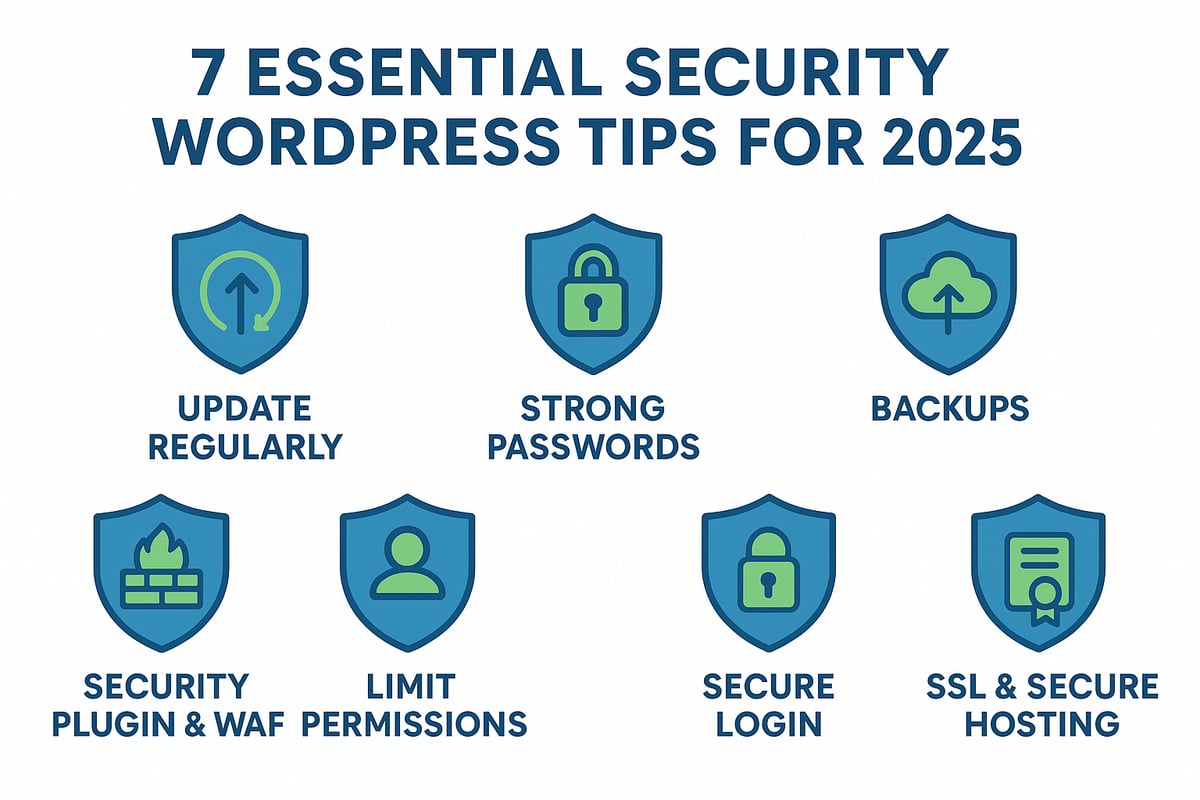
WordPress powers the majority of the internet, making security wordpress an urgent priority for site owners in 2025. The risks are real and growing—hackers are constantly evolving their tactics, targeting vulnerabilities in everything from plugins to admin accounts. Below, you will find the seven critical steps every WordPress administrator must implement to keep their site secure, resilient, and compliant.
1. Keep WordPress core, themes, and plugins up to date
Maintaining up-to-date software is the most effective way to reduce your exposure to security wordpress threats. Hackers routinely exploit outdated plugins, themes, and even the WordPress core itself. In 2023, a major LiteSpeed Cache plugin vulnerability exposed millions of sites, underscoring the risks of neglecting updates.
Automatic updates can help, but manual oversight is still needed. Not every update is compatible with your existing setup, so test changes in a staging environment before applying them to your live site. This prevents compatibility issues from disrupting your business.
Unused plugins and themes expand your attack surface. Remove anything you do not actively use. Regularly audit your extensions, checking how frequently each is updated and how responsive the developer is to security issues.
Statistics show that most successful hacks target known, unpatched vulnerabilities. A simple update could be the difference between a secure site and a costly breach.
Update checklist:
- Enable automatic updates for core, plugin, and theme files
- Test all updates first in a staging environment
- Remove unused extensions promptly
- Schedule monthly audits of your plugin and theme inventory
Never underestimate how quickly a zero-day exploit can spread. Staying current is your strongest first line of defence against security wordpress risks.
2. Use strong, unique passwords and enforce two-factor authentication
Weak passwords remain one of the easiest entry points for attackers in the security wordpress landscape. Brute force attacks, where bots rapidly try combinations of usernames and passwords, are still common. In 2024, WordFence reported billions of such attacks blocked due to improved password policies and two-factor authentication (2FA).
Every user account, from administrators to contributors, should have a strong, unique password. Password managers such as LastPass or 1Password make generating and storing complex credentials simple. Avoid password reuse, as one compromised account can jeopardise your entire site.
Enforcing 2FA adds an essential layer of protection. Plugins like WP 2FA make this easy to implement, requiring a second form of verification, such as a code sent to your phone.
Best practices:
- Require strong, unique passwords for all accounts
- Implement 2FA for all users, especially administrators
- Educate users about phishing and the importance of not reusing passwords
- Regularly audit user credentials and enforce password changes
A security wordpress breach often starts with a single weak password. By combining robust credentials and multi-factor authentication, you vastly reduce your risk of unauthorised access.
3. Regularly back up your website and database
Backups are your safety net in the security wordpress world. If your site is hacked, suffers data loss, or is damaged by a faulty update, a recent backup allows you to recover quickly without significant downtime or data loss.
Automate daily or weekly backups using reputable plugins, or leverage your hosting provider’s backup tools. Always store backups offsite—either in the cloud or on a remote server—to prevent them being compromised alongside your main site.
Do not forget to test your backup restoration process. A backup is only useful if it works when you need it most. For larger or frequently updated sites, incremental backups can reduce resource usage and ensure minimal data loss.
Backup essentials:
- Automate regular backups of files and databases
- Store backups in a secure, offsite location
- Test restoration procedures at least quarterly
- Include both site files and databases in your backup routine
A real-world example: many businesses have avoided disaster by restoring a clean backup after a malware infection. In security wordpress practice, this is your best insurance policy.
4. Install a reputable security plugin and enable web application firewall (WAF)
A robust security plugin is foundational for any security wordpress strategy. These tools provide malware scanning, vulnerability detection, and real-time threat blocking. A web application firewall (WAF) adds another layer, filtering out malicious traffic before it ever reaches your site.
There are several leading plugins to consider:
| Plugin | Malware Scan | WAF | Real-Time Alerts | Free Version |
|---|---|---|---|---|
| Wordfence | Yes | Yes | Yes | Yes |
| Sucuri | Yes | Yes (DNS) | Yes | Yes |
| iThemes Security | Yes | Yes | Yes | Yes |
Enable real-time monitoring and configure alerts for suspicious activity. For example, Sucuri’s DNS-level WAF can block DDoS attacks and reduce server load, keeping your site available even during large-scale assaults.
Do not rely on a single tool. Combine multiple layers of security wordpress protection for best results. Regularly review plugin logs and act on any warnings.
For those seeking expert assistance, consider Security updates and enhancements to ensure your defences are always up to date and professionally managed.
5. Limit user roles, permissions, and access
Applying the principle of least privilege is key to security wordpress management. Only grant users the access they need—nothing more. Assign roles (Contributor, Author, Editor, Administrator) carefully and review them regularly.
Remove any outdated or unused accounts immediately. Shared accounts pose a significant risk, as it is harder to track activity and enforce accountability. Monitor user activity logs to spot unusual behaviour that could signal a compromise.
Restrict file editing and admin access to only those who truly need it. Implement session timeouts and force logouts after periods of inactivity to prevent unauthorised use.
User management steps:
- Assign the lowest necessary privilege to every user
- Delete unused or former staff accounts
- Monitor user activity, especially changes to key settings or files
- Educate your team about account security and the dangers of sharing credentials
Effective user management minimises the human risk factor in security wordpress and helps prevent both accidental and deliberate damage.
6. Secure your login page and change default settings
The default login page and admin username are prime targets for attackers in the security wordpress space. Change the default “admin” username to something unique, and consider moving your login page to a custom URL using plugins like WPS Hide Login.
Limit login attempts and add CAPTCHA to deter automated bots. Disabling XML-RPC, if not required, can remove a common attack vector. Use .htaccess rules to restrict access to wp-admin and wp-login.php by IP address.
Regularly review failed login attempts and block suspicious IPs. By changing these defaults and adding friction for attackers, you make your site a much harder target.
Login security checklist:
- Use a unique admin username
- Hide or customise the login page URL
- Limit login attempts and add CAPTCHA
- Disable XML-RPC unless necessary
- Restrict access to admin areas by IP
These steps, fundamental to security wordpress, significantly reduce the risk of brute force attacks and automated exploits.
7. Switch to HTTPS/SSL and choose secure hosting
SSL encryption is now a non-negotiable requirement for security wordpress. It protects all data exchanged between your site and visitors, safeguarding logins, transactions, and user information. Search engines also prefer HTTPS sites, giving you an SEO advantage.
Many hosting providers offer free SSL certificates via Let’s Encrypt. Choose a host with strong security features, such as integrated firewalls, malware scanning, and DDoS protection. Sites hosted on secure platforms with SSL see fewer successful attacks and higher customer trust.
Ensure your entire site, including admin and login pages, is served over HTTPS. Regularly audit your hosting environment for vulnerabilities and keep server software updated.
Hosting security tips:
- Enable SSL for your entire site
- Select a host with robust security infrastructure
- Schedule regular server and environment audits
- Update server software and monitor for vulnerabilities
A secure foundation is essential for any security wordpress effort, providing peace of mind for you and your users.
How to check if your WordPress site is secure
Maintaining a secure WordPress site is essential for protecting your business, data, and customer trust. Routine checks help you spot vulnerabilities before attackers exploit them. But how can you be confident your security wordpress measures are up to date and truly effective?
Using online security scanners and plugins
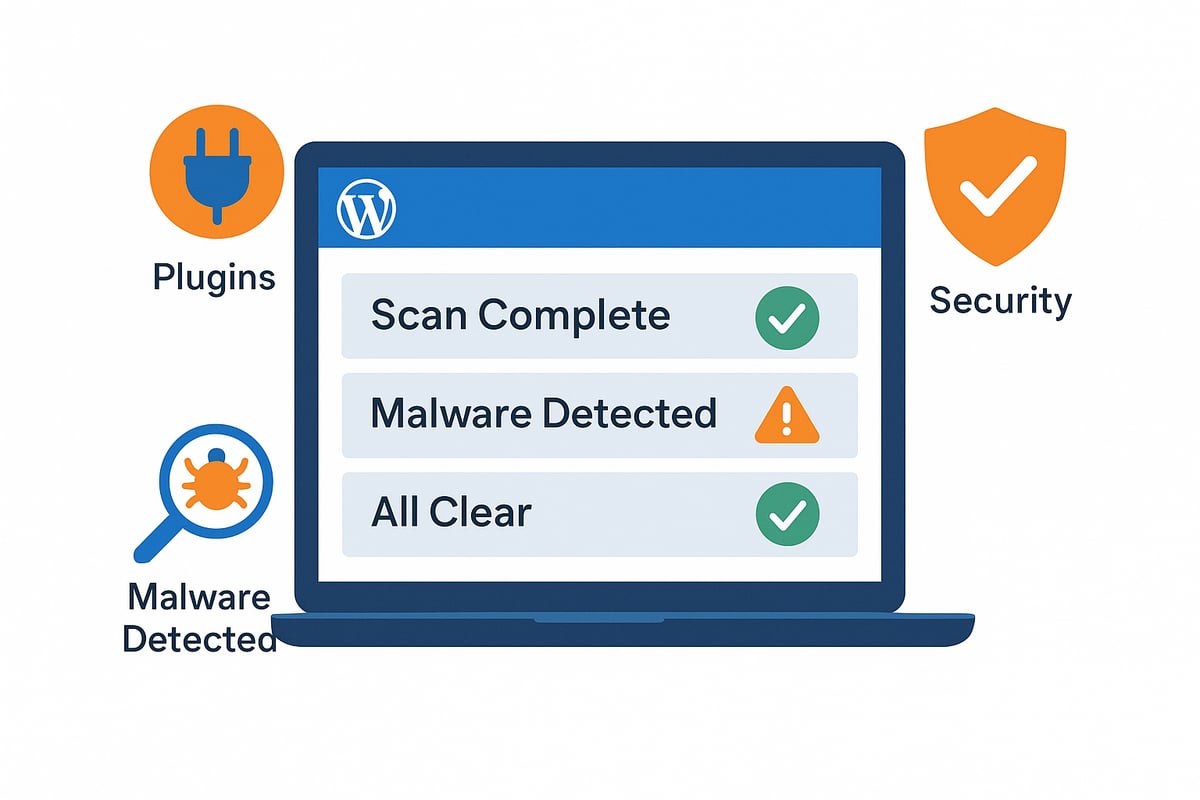
Online scanners are a fast and effective way to assess your security wordpress status. Tools such as Qualys, SiteLock, and VirusTotal can quickly scan your website for malware, blacklisting, and known vulnerabilities. Many leading WordPress security plugins offer built-in health checks and real-time vulnerability scanning, giving you ongoing insight without manual effort.
For example, SiteLock’s free scanner identifies outdated plugins or themes and flags suspicious files. Regular scans help you detect threats early, so you can act before any damage occurs. It is best practice to schedule automated scans as part of your maintenance routine, ensuring no gaps in your security wordpress defences.
Combining automated tools with manual inspections delivers the most comprehensive results. For more on maintaining your site’s security through regular routines, see Website maintenance for WordPress security. Keep a security audit log to track scans, issues found, and actions taken, supporting accountability and future reviews.
Key indicators your site may be at risk
Even with strong security wordpress measures, certain warning signs can signal a compromise. Watch for unexpected site slowdowns, pop-ups, or redirects, which often indicate malware infections. Unauthorised user accounts or unexplained content changes are strong red flags. Search engine warnings or blacklisting can further damage your reputation and traffic.
Other critical indicators include outdated core files, plugins, or themes visible in your dashboard. Frequent failed login attempts or unusual IP addresses in your access logs may point to brute force attacks. Loss of your SSL certificate or “Not Secure” browser warnings should prompt immediate investigation.
If you spot any of these signs, act quickly. Isolate your site, reset passwords, and restore a clean backup if needed. Address vulnerabilities without delay to minimise damage and restore trust. Proactive monitoring and swift action are key to maintaining robust security wordpress protection.
How to choose safe plugins and themes in 2025
Choosing the right plugins and themes is a crucial part of any security wordpress strategy. With thousands of options available, making smart choices protects your site from vulnerabilities that could result in costly breaches or downtime.
Vetting plugins and themes for security
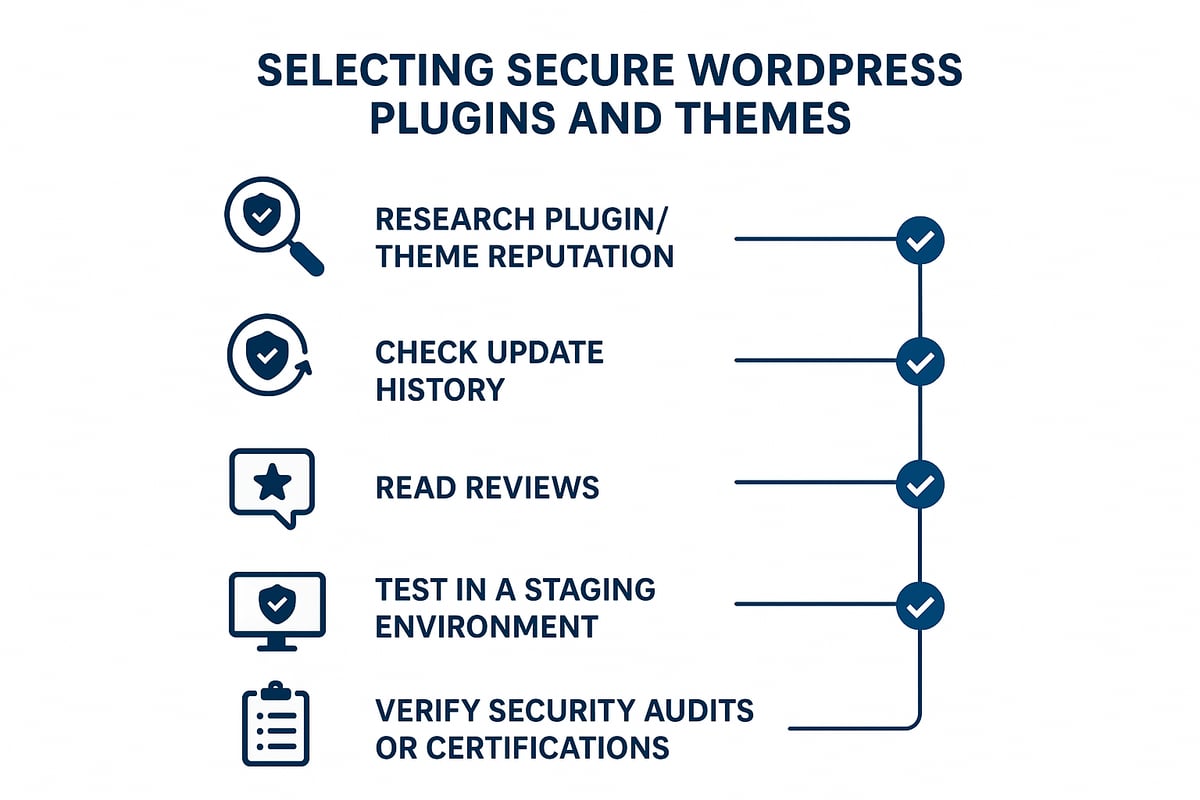
Every plugin or theme added to your site introduces potential risk, making a robust vetting process essential for security wordpress. Start by researching the reputation of any extension, checking active installs, recent reviews, and the history of updates. Avoid plugins or themes with infrequent updates or poor developer responses.
Always test new plugins and themes in a staging environment before deploying them live. This helps prevent unexpected conflicts or vulnerabilities from affecting your production site. Use tools such as WPScan to check for known vulnerabilities before installation.
Prioritise extensions that have undergone third-party security audits or hold reputable certifications. For example, the Critical WordPress Theme Vulnerability reported in 2024 highlights the very real risk of using outdated or insecure themes. Remove any plugins or themes that are unused or abandoned, reducing your exposure to attack.
Best practices for ongoing plugin and theme management
Maintaining a secure wordpress site requires regular attention to plugins and themes. Schedule periodic reviews of all installed extensions, ensuring each is still supported and regularly updated. Where possible, enable automatic updates, but monitor your site for compatibility issues that may arise.
Subscribe to vulnerability alerts for your chosen plugins and themes, and document every change made to your site’s stack for transparency and easy rollback. Educate your team or clients on the dangers of installing unverified extensions or neglecting updates.
Only download plugins and themes from trusted sources, such as the official WordPress repository or reputable third-party vendors. Always create a backup before making significant changes to your site. For a comprehensive guide on best management practices, visit WordPress management best practices. These steps, combined with diligent monitoring, will significantly strengthen your security wordpress efforts.
If you’re feeling unsure about your WordPress site’s security or want peace of mind knowing you’re protected against the latest threats in 2025, you’re not alone. We’ve covered the essential steps—from robust passwords to choosing the right plugins—to help you stay ahead of cyber risks. But sometimes, it helps to have a dedicated expert by your side, especially when your business and reputation are on the line. If you’d like tailored advice or hands-on support implementing these best practices, Ready to transform your WordPress website?