

TL;DR:
- Most WordPress security breaches stem from plugins and can be prevented with proper hardening techniques. Continuous maintenance, proper plugin management, and layered server controls are essential for effective protection. Agencies should standardize security solutions, prioritize role hygiene, and integrate ongoing monitoring to safeguard client sites efficiently.
WordPress powers over 40% of the web, which makes it the most attacked content management system on the planet. If you manage WordPress sites for clients, you already know that a single compromised site can unravel months of trust built with that client. The good news is that most WordPress breaches are not sophisticated zero-day exploits. They are avoidable. Implementing the right wordpress security enhancements, in the right order, stops the overwhelming majority of attacks before they start. This guide covers exactly what to do, with no wasted steps.
Table of Contents
- Key takeaways
- 1. Harden authentication and login controls first
- 2. Audit and manage plugins and themes rigorously
- 3. Build a maintenance and monitoring routine
- 4. Harden the file system and server configuration
- 5. Choose the right security plugin for your workflow
- My honest view on where agencies go wrong with WordPress security
- How Wpcto takes security off your plate entirely
- FAQ
Key takeaways
| Point | Details |
|---|---|
| Plugins are the primary risk | Nearly 97% of vulnerabilities stem from plugins, not WordPress core, so plugin vetting is non-negotiable. |
| Login hardening blocks most attacks | Four login defences together block over 95% of automated brute-force attempts against WordPress sites. |
| Ongoing maintenance is the real work | Security is a continuous process, not a one-time setup, requiring regular updates, scans, and role audits. |
| File system controls add a critical layer | Restricting file editing and PHP execution in uploads directories limits what attackers can do once inside. |
| Security is a billable agency service | Packaging security as a recurring care plan turns a cost centre into predictable monthly revenue for agencies. |
1. Harden authentication and login controls first
Authentication hardening is where wordpress security best practices begin. Four login defence measures block over 95% of automated brute-force attack patterns, which means you can shut out the vast majority of attackers before they even touch your content.
The controls to put in place are:
- Change the default login URL. Moving away from "/wp-admin
and/wp-login.php` removes you from automated scanning lists. Note that changing the login URL alone is insufficient. URL changes need edge-layer enforcement via a tool like Cloudflare to be reliably effective. - Enforce two-factor authentication (2FA) for all admin users. This is the single most impactful control available. Read the Wpcto guide on deploying 2FA for clients for a practical walkthrough.
- Limit login attempts. After three to five failed attempts, lock the IP out temporarily. This breaks the automation cycle attackers rely on.
- Disable XML-RPC unless you specifically need it. XML-RPC is a legacy remote access protocol that attackers routinely use to bypass login attempt limits entirely.
- Enforce strong, unique passwords with a rotation policy. Credential reuse accounts for 68% of CMS breaches, which means recycled passwords are one of your biggest silent risks. Use a password manager and enforce expiry on admin credentials every 90 days.
Pro Tip: When managing a portfolio of client sites, IP-based rate limiting is becoming less reliable as attackers use slower, distributed patterns to bypass it. Two-factor authentication is the control that holds regardless of how the attack is structured.
2. Audit and manage plugins and themes rigorously
Nearly 97% of vulnerabilities identified in the WordPress ecosystem come from plugins, not core. That is the single most important number in WordPress security. It means your plugin selection and ongoing management decisions carry the most security weight of anything you do.
When vetting a plugin before installation, look at:
- Update frequency. Has it been updated within the last 90 days? Abandoned plugins are open doors.
- Active install count and ratings. High install counts with strong ratings suggest an active developer community paying attention to security reports.
- Changelog transparency. Developers who clearly document security fixes in their changelogs are taking responsibility seriously.
- Permission scope. A contact form plugin has no business requesting database write access beyond its own tables.
Equally important is removing plugins you are not actively using. Every inactive plugin is an attack surface with no corresponding benefit. Regular plugin vetting and updates mitigate the majority of plugin-related vulnerabilities, so routine removal of unused code is as important as updating what remains.
Pro Tip: Never install nulled (pirated) plugins or themes. They routinely contain obfuscated malware payloads that are deliberately hard to detect, and they receive no security updates. The licensing cost of a legitimate plugin is trivial compared to the incident response cost of a compromised client site.

The Wpcto guide on why plugin updates matter covers the specific risks in more detail, including how to structure an update review process across a client portfolio.
3. Build a maintenance and monitoring routine
Security without monitoring is just hope. Traditional defences block only 26% of WordPress-specific vulnerability attacks, which means application-level monitoring and rapid response are not optional extras.
A practical monthly maintenance routine covers five areas:
- Malware scanning and file integrity monitoring. Run automated scans at least weekly. File integrity monitoring alerts you when core files are modified unexpectedly, which is often the first sign of a compromise. Note that signature-based delete-only approaches are insufficient against modern threats. You need tools capable of surgical remediation, not just quarantine.
- WordPress core, plugin, and theme updates. Apply security patches promptly. For major version updates, test on a staging environment first. Staging minor updates for 48 hours before pushing to production reduces plugin compatibility failures while keeping security current.
- User activity log monitoring. Unexpected admin account creation, plugin installations at odd hours, or role changes you did not authorise are all red flags. Activity logs surface these events before they escalate.
- Scheduled backups with off-server storage. Daily or hourly backups stored off-server are the only reliable recovery mechanism against ransomware or complex file-system attacks. On-server backups are deleted in the same breach that takes the site down.
- Role hygiene and session management. Role hygiene is consistently the most overlooked control in WordPress security. Demoting inactive admin accounts, removing accounts that no longer need access, and setting session timeouts limit the blast radius of any compromised credential. A compromised editor account is far less damaging than a compromised administrator account.
Comprehensive monthly maintenance takes three to five hours per site when done thoroughly. That is time most agencies simply cannot spare, which is why it consistently gets deprioritised until something breaks.
4. Harden the file system and server configuration
Application-level security needs a hardened foundation beneath it. These wordpress vulnerability solutions operate at the server and file system level, adding controls that remain effective even if an attacker gets past your login defences.
Key hardening measures to implement:
- Set correct file and directory permissions. Files should be set to 644, directories to 755. The
wp-config.phpfile should be 600 or 440. Overly permissive settings are one of the most common misconfigurations found on WordPress sites. - Disable in-dashboard file editing. Adding
define('DISALLOW_FILE_EDIT', true);towp-config.phpprevents an attacker who gains admin access from modifying theme and plugin files directly through the WordPress dashboard. - Restrict PHP execution in the uploads directory. The uploads folder is world-writable by design. Blocking PHP execution there via an
.htaccessrule prevents uploaded malicious scripts from executing. - Change default database table prefixes. The default
wp_prefix makes automated SQL injection attacks easier. Changing database prefixes and restricting database user privileges reduces the impact of any SQL injection that does succeed. - Restrict REST API exposure. The WordPress REST API exposes user data including usernames by default. Restricting unauthenticated access to sensitive endpoints removes a common reconnaissance vector.
| Control | Default state | Hardened state |
|---|---|---|
| File permissions | Often misconfigured | 644 files / 755 directories |
| Dashboard file editing | Enabled | Disabled via wp-config.php |
| PHP in uploads | Allowed | Blocked via .htaccess |
| Database prefix | wp_ | Custom prefix |
| REST API user data | Publicly accessible | Restricted to authenticated users |
5. Choose the right security plugin for your workflow
Security plugins are the practical implementation layer for most of the controls above. The market has matured considerably, and the right choice depends on your workflow and the scale of sites you manage.
Here is how the leading options compare:
| Plugin | Firewall | Malware scan | Login protection | Activity log | Best for |
|---|---|---|---|---|---|
| Wordfence | Yes | Yes | Yes | Yes | Single-site deep scanning |
| Patchstack | Yes | Yes | Yes | Limited | Agency portfolios, virtual patching |
| iThemes Security | Limited | Partial | Yes | Yes | Smaller agencies, ease of use |
| Solid Security (formerly iThemes) | Yes | Yes | Yes | Yes | Agencies wanting an all-in-one |
Security plugins like Wordfence and Patchstack offer layered protection including firewall rules, login security controls, and intrusion monitoring. Their free tiers provide alerts on file changes, admin account additions, and plugin installs.
For agencies managing multiple client sites, Patchstack is worth particular attention. Its virtual patching feature applies temporary protection at the firewall level within hours of a vulnerability being disclosed, before a plugin developer has released an official fix. That window between disclosure and patch release is where many attacks happen.
For WooCommerce-based client sites, the selection criteria shift slightly toward plugins with strong e-commerce-specific rules. The top security plugins for WooCommerce breakdown is a useful reference if you manage online stores for clients.
The practical agency approach is to standardise on one security plugin across your client portfolio. Managing five different plugins across twenty sites creates operational complexity and gaps. Pick one, learn it deeply, and build your processes around it.
My honest view on where agencies go wrong with WordPress security
I have worked with a lot of agencies on their WordPress security posture, and the pattern I see most often is not ignorance. It is prioritisation. The technical knowledge is there. The time and system to act on it consistently are not.
The thing I keep coming back to is role hygiene. It is genuinely the most impactful control that almost nobody does well. I have seen breaches where the attacker used a two-year-old editor account belonging to a freelancer who worked on the project once. The account was never removed. The damage was significant. A ten-minute audit every quarter would have prevented it.
On plugin updates, I have found a tiered approach works far better than blanket auto-updates. Auto-update security patches immediately. Stage everything else in a testing environment for 48 hours before pushing live. This gives you security without the unexpected breakages that make clients ring you on a Friday afternoon.
The other thing I would push back on is the idea that IP blocking is a solid primary defence. Attackers have adapted. Modern brute-force campaigns are slow and distributed, which means IP-rate-limiting rules often do not catch them. Two-factor authentication does not have this weakness. It does not matter where the login attempt comes from. Without the second factor, it fails.
The agencies I have seen handle this well treat security as a structured recurring service, not a reactive fix. They have a documented maintenance process, a standardised plugin stack, and they bill clients monthly for the care plan. Security becomes revenue instead of a hidden cost absorbed into every project.
— Marcel
How Wpcto takes security off your plate entirely
Running proper wordpress site protection measures across a growing client portfolio is genuinely difficult to scale without dedicated resource. Most agencies absorb the time cost invisibly, uncharged, until it becomes unsustainable.
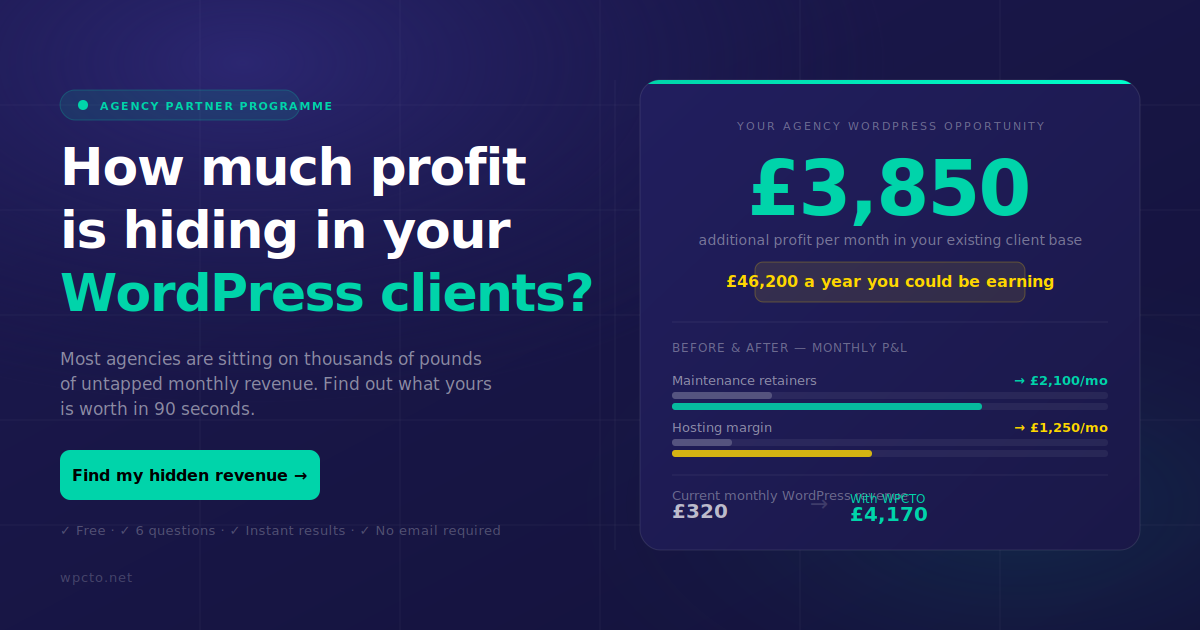
Wpcto’s WordPress security update services handle the full security maintenance cycle for your client sites, including plugin and theme updates, malware scanning, file integrity monitoring, and proactive vulnerability patching. We work behind the scenes, under your brand if you prefer, so your clients experience your agency’s care without your team spending hours on tickets. If you manage several WordPress client sites and have not calculated how much unbilled maintenance time you are absorbing, the Wpcto WordPress Profit Calculator shows you the number in under 90 seconds. For agencies ready to offer WordPress security as a formal service, our agency support services and white-label options are built exactly for that.
FAQ
What are the most effective wordpress security enhancements?
The most impactful enhancements are two-factor authentication, limiting login attempts, keeping plugins updated, and implementing regular malware scanning. Together, these address the majority of real-world WordPress attack vectors.
Why do plugins cause most WordPress security issues?
Nearly 97% of WordPress vulnerabilities originate in plugins rather than core, because plugins are developed by thousands of independent teams with varying security standards and update frequencies.
How often should WordPress sites be backed up?
Daily or hourly backups stored on a separate server or cloud location are recommended. On-server backups are often deleted or corrupted in the same attack that compromises the site.
Should agencies use the same security plugin across all client sites?
Yes. Standardising on one security plugin across your portfolio simplifies monitoring, reduces training overhead, and makes it easier to apply consistent wordpress security best practices at scale.
What is virtual patching and why does it matter for agencies?
Virtual patching applies a firewall-level rule to block exploitation of a known vulnerability before the plugin developer releases an official fix. For agencies managing many sites, it closes the gap between vulnerability disclosure and patch deployment.