

More than forty percent of all websites worldwide run on WordPress, including many British brands and organisations. This explosive growth brings both flexibility and new challenges for anyone managing a website in the United Kingdom. Understanding what WordPress plugins really do helps you unlock powerful site features while avoiding common security and performance mistakes. This guide reveals the facts behind plugin use, so British website owners can make smarter digital decisions backed by real data.
Table of Contents
- WordPress Plugins: What They Really Do
- Security Risks From Outdated Plugins
- Performance And Compatibility Issues Explained
- Benefits Of Regular Plugin Updates
- Common Mistakes To Avoid When Updating
Key Takeaways
| Point | Details |
|---|---|
| Importance of Plugins | WordPress plugins enhance website functionality, allowing for customisation without coding knowledge. They can transform a basic site into a powerful digital platform tailored to specific needs. |
| Security Risks of Outdated Plugins | Regular updates are essential to mitigate security vulnerabilities; outdated plugins can expose websites to cyber attacks and compromise data integrity. |
| Performance Management | Overuse of plugins can slow down website performance and cause compatibility issues, necessitating regular audits to ensure efficiency and user experience. |
| Update Best Practices | Implementing a systematic update strategy with staging environments and backups reduces risks and maintains site stability during plugin updates. |
WordPress Plugins: What They Really Do
WordPress plugins are software packages that extend and enhance the functionality of a WordPress website beyond its core capabilities. Think of them as modular add-ons that transform a basic website into a powerful digital platform tailored to specific needs. Just as WooCommerce illustrates how plugins can convert a standard WordPress site into a fully functional e-commerce platform, these tools provide remarkable flexibility for website owners.
At their core, plugins operate as specialised software modules that integrate seamlessly with WordPress’s underlying architecture. They can add complex features ranging from search engine optimisation tools and security enhancements to contact forms, image galleries, and advanced analytics tracking. Each plugin typically performs a discrete function, allowing website owners to customise their digital presence without requiring advanced coding knowledge. Some plugins modify front-end design elements, while others work behind the scenes to improve site performance, security, or administrative efficiency.
The WordPress plugin ecosystem is incredibly diverse, with thousands of free and premium options available. Developers worldwide contribute to this ecosystem, creating solutions for almost every imaginable website requirement. From small business websites to large corporate platforms, plugins enable rapid customisation and functionality expansion. Professional website managers often curate a specific set of plugins that work harmoniously to create a robust, feature-rich digital experience.
Pro Tip – Plugin Selection: Always prioritise reputable plugins with regular updates, strong user ratings, and compatibility with your current WordPress version to ensure optimal site performance and security.
Security Risks From Outdated Plugins
WordPress plugins can become significant security vulnerabilities when left unupdated, exposing websites to potential cyber attacks. Academic research demonstrates how attackers systematically exploit unpatched plugins to gain unauthorized access, turning seemingly harmless software modules into potential entry points for malicious activities. The SCANTRAP study highlights that many website owners remain unaware of the critical security risks lurking within outdated plugin architectures.
The threat landscape for WordPress plugins is increasingly complex, with cybercriminals developing sophisticated techniques to infiltrate websites through plugin weaknesses. Recent studies on prompt injection risks in third-party AI chatbot plugins underscore the evolving nature of security threats, revealing how even seemingly innocuous plugins can become potential vectors for system compromise. These vulnerabilities can range from simple data exposure to complete site takeover, making regular plugin maintenance a non-negotiable aspect of digital security.
Understanding the specific risks helps website owners appreciate the importance of proactive plugin management. Common security threats from outdated plugins include cross-site scripting (XSS) vulnerabilities, SQL injection possibilities, remote code execution risks, and potential backdoor creation. Each unpatched plugin represents a potential weakness that sophisticated attackers can systematically exploit, compromising not just individual websites but potentially creating networks of compromised digital infrastructure.
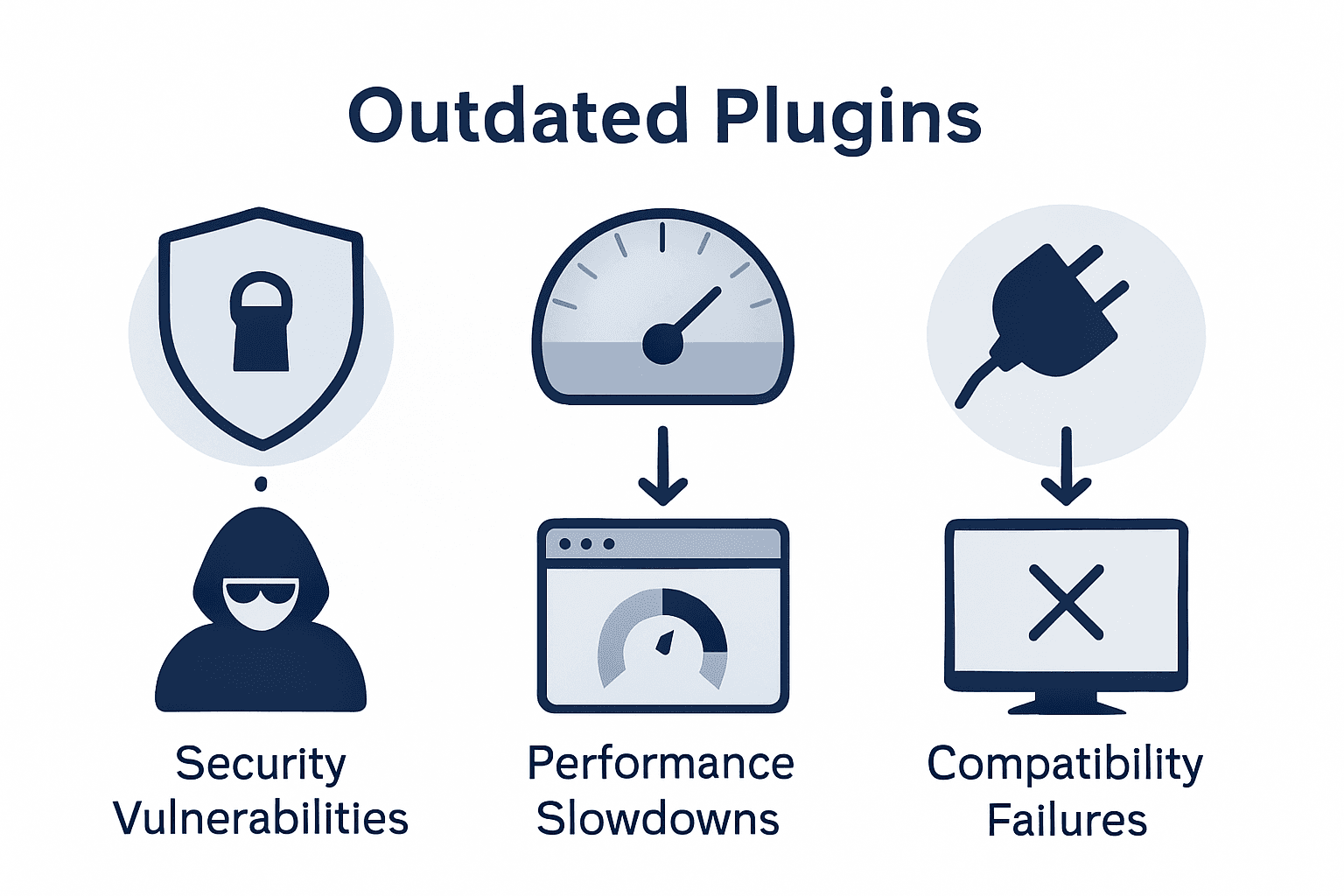
To better understand plugin management, here is a summary of main risks from outdated plugins and their potential consequences:
| Risk Type | Real-World Consequence | Example Impact |
|---|---|---|
| Cross-site scripting (XSS) | User data can be stolen | Compromised login details |
| SQL injection | Entire database may be accessed | Exposure of customer records |
| Remote code execution | Malicious code can run on your server | Unauthorised access, system takeover |
| Backdoor creation | Future attacks made much easier | Persistent access for attackers |
Pro Tip – Security Vigilance: Implement a monthly plugin audit schedule, checking for updates, removing unused plugins, and verifying the reputation of each installed plugin to minimise potential security risks.
Performance And Compatibility Issues Explained
WordPress plugins play a crucial role in website functionality, but they can significantly impact site performance and system compatibility if not managed strategically. Each plugin added to a WordPress website introduces additional code that must be processed, potentially creating bottlenecks in website loading speed and resource consumption. The cumulative effect of multiple plugins can transform a once-nimble website into a sluggish digital experience that frustrates visitors and damages user engagement.

Compatibility represents another critical dimension of plugin management. WordPress undergoes frequent updates to its core architecture, and plugins must evolve correspondingly to maintain seamless integration. Outdated plugins may create conflicts with newer WordPress versions, theme frameworks, or other installed plugins, resulting in unexpected behavioural issues such as broken website layouts, functionality disruptions, or complete system failures. These compatibility challenges underscore the importance of selecting well-maintained plugins from reputable developers who consistently update their software to align with the latest WordPress standards.
Performance degradation often manifests through multiple technical symptoms that website owners should monitor closely. These include increased page load times, higher server resource consumption, database query inefficiencies, and memory management challenges. Some plugins may run unnecessary background processes, generate excessive database entries, or load scripts on pages where they are not required, further compromising overall website performance. Professional website managers must conduct regular performance audits, analysing plugin impact through tools that measure speed, resource utilisation, and potential conflicts.
Pro Tip – Plugin Performance: Conduct quarterly plugin performance reviews, using diagnostic tools to measure individual plugin resource consumption and remove any plugins that do not provide demonstrable value to your website’s functionality.
Explore our comprehensive guide to WordPress updates and maintenance.
Benefits Of Regular Plugin Updates
Systematic research demonstrates that regular plugin updates are crucial for maintaining robust website security and functionality, offering website owners a proactive defence against potential digital threats. By consistently updating plugins, organisations can patch known vulnerabilities, significantly reducing the risk of potential cyber attacks that target outdated software modules. These updates serve as a critical shield, protecting websites from emerging security exploits and potential system compromises.
Keeping plugins current ensures seamless compatibility with the latest web technologies and technological standards, which directly translates into enhanced website performance and user experience. Modern plugins are designed to integrate smoothly with evolving web frameworks, providing improved functionality, faster loading times, and more sophisticated features. This continuous technological alignment allows websites to remain competitive, responsive, and capable of delivering cutting-edge digital experiences to visitors.
Beyond security and performance, regular plugin updates offer additional strategic advantages for website managers. Updated plugins typically introduce new features, improve existing functionalities, optimise code efficiency, and address potential bugs discovered in previous versions. These incremental improvements can lead to more stable website operations, reduced server resource consumption, and enhanced overall digital infrastructure resilience. Professional website managers view plugin updates not as optional maintenance but as a critical component of digital asset management.
Pro Tip – Update Strategy: Implement a monthly plugin review schedule, prioritising updates from reputable developers and testing changes in a staging environment before applying them to your live website.
Explore our comprehensive guide to WordPress update processes.
Common Mistakes To Avoid When Updating
WordPress plugin updates require meticulous planning and strategic execution to prevent potential catastrophic website disruptions. One of the most critical errors website managers make is neglecting comprehensive website backups before initiating any update process. Failing to create a complete site backup can transform a routine update into a potential disaster, risking irretrievable data loss and extended website downtime. Professional website administrators understand that preparation is the cornerstone of successful plugin management.
The WordPress plugin ecosystem presents complex challenges, particularly when managers overuse plugins or rely on poorly documented software modules. Each additional plugin introduces potential compatibility risks, increasing the likelihood of conflicts during updates. Sophisticated website managers carefully curate their plugin selections, prioritising well-maintained, actively supported solutions from reputable developers. Understanding the intricate relationships between different plugins becomes crucial in maintaining a stable, performant website infrastructure.
Technical complexity multiplies when updates are applied without proper testing protocols. Many website owners mistakenly update plugins directly on their live production environment, exposing themselves to unnecessary risks. Best practices dictate creating a staging environment that mirrors the live website, allowing thorough testing of plugin updates before implementation. This approach enables comprehensive validation of plugin compatibility, functionality, and potential performance impacts without compromising the primary website’s operational integrity.
Below is a practical comparison between recommended and poor plugin update practices for WordPress management:
| Practice | Recommended Approach | Poor Approach |
|---|---|---|
| Update environment | Use a separate staging site | Update directly on live site |
| Backup policy | Full site backup before any updates | No backup, risking data loss |
| Plugin selection | Curate well-maintained, trusted plugins | Overuse or use poorly documented ones |
| Testing updates | Test thoroughly before deployment | Skip tests, risking site instability |
Pro Tip – Update Safeguarding: Create a dedicated staging website environment for testing plugin updates, ensuring complete isolation from your live site and minimising potential disruption risks.
Learn essential WordPress update strategies in our comprehensive checklist guide.
Protect Your WordPress Site With Expert Plugin Management
Updating WordPress plugins is essential but can be daunting due to risks like security vulnerabilities, performance slowdowns, and compatibility issues. If you feel overwhelmed maintaining your plugin ecosystem or worried about exposing your site to cyber threats, WPCTO.net offers trusted WordPress website management solutions designed to keep your digital presence secure and efficient. Our professional services address critical pain points including regular plugin updates, performance optimisation, and safeguarding against attacks described in this article.
Take decisive control over your website’s health today. Partner with WPCTO.net for expert plugin audit, timely updates, and ongoing support that transforms complex plugin maintenance into a seamless, worry-free experience. Don’t wait until outdated plugins compromise your business — explore our services on WPCTO.net and learn more about WordPress security strategies and update processes to keep your site robust and future-proof.
Frequently Asked Questions
Why is it important to update WordPress plugins regularly?
Regular updates for WordPress plugins are essential for maintaining security and functionality. They help patch known vulnerabilities, improve compatibility with the latest WordPress versions, and often introduce enhancements that optimise performance.
What are the potential risks of using outdated plugins on my WordPress site?
Outdated plugins can create significant security vulnerabilities, exposing your site to cyber attacks. Risks include cross-site scripting (XSS), SQL injection, and remote code execution, which can lead to data loss or compromised site control.
How can I ensure safe plugin updates on my WordPress site?
To ensure safe plugin updates, always create a complete backup of your site before making changes. Additionally, test updates in a staging environment to catch any potential compatibility issues or performance impacts without affecting the live site.
What should I do if a plugin update causes my site to malfunction?
If a plugin update causes issues, immediately disable the plugin through your WordPress dashboard or by renaming its folder via FTP. Restore your site from a recent backup if necessary, and consider testing the plugin in a staging environment before reactivating it.