

Planned corrective maintenance is a scheduled programme of updates, bug fixes and conflict resolution for WordPress sites, run to a fixed cadence under a white-label agreement rather than fixed in a panic when something breaks. For agencies, it means every plugin conflict, broken layout or failed update gets caught on a testing schedule before a client ever notices.
The immediate benefit is stability. Sites stop breaking at 6pm on a Friday, and your account managers stop fielding calls they were never trained to answer. Capacity that used to disappear into unbilled fire-fighting goes back into design and strategy work.
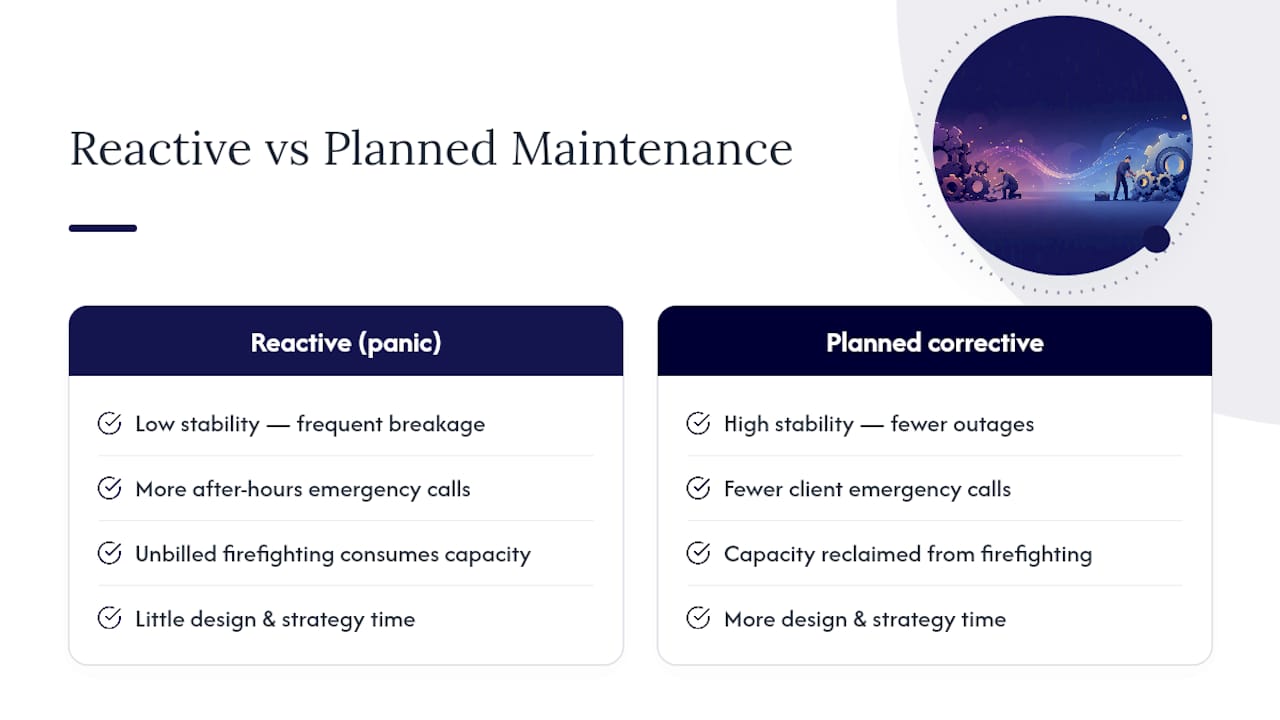
Before you read further, work out what that capacity is actually worth. The WordPress Profit Calculator shows how much recurring revenue is sitting unclaimed in your existing client base, in under 90 seconds.
Key Takeaways
Planned corrective maintenance succeeds when scheduled updates, tested restorations and clear SLAs replace ad hoc firefighting under a white-label agreement.
| Point | Details |
|---|---|
| Define scope precisely | Set clear boundaries between scheduled corrective work and separately billed feature or emergency work. |
| Test before you push | Staging-tested update workflows cut the incidents that turn into client emergencies. |
| Vet SLAs in writing | Confirm P1/P2/P3 response windows and off-site backup storage before signing any partner agreement. |
| Price maintenance as revenue | Uncaptured maintenance revenue sits in most existing client contracts once handoff pricing is fixed. |
| Wpcto handles delivery | Wpcto runs weekly tested updates, off-site backups and white-labelled monthly reporting behind your agency’s brand. |
Table of Contents
- What does planned corrective maintenance cover for WordPress sites?
- What tasks belong in a planned corrective maintenance plan?
- Why should agencies treat maintenance as a growth lever?
- How do you choose the right white-label maintenance partner?
- What happens during onboarding and the first 90 days?
- How does WPCTO run planned corrective maintenance for agencies?
- What do agencies underestimate about maintenance?
- Ready to stop firefighting? Here’s your next step
- Useful links and tools
- Frequently asked questions
- Sources
What does planned corrective maintenance cover for WordPress sites?
Planned corrective maintenance sits between routine housekeeping and full support desk work. It includes plugin, theme and core updates run to schedule, conflict diagnosis when an update breaks a layout or function, and restorations from backup when a fix fails or a site goes down. It does not include new feature builds, analytics strategy, or anything touching legal or regulatory compliance work. Maintenance is scheduled and proactive; support is reactive and triggered by an incident, and combined plans are common for business-critical sites that need both.
Scope boundaries matter because vague contracts create scope creep. A partner should be explicit about what falls inside the retainer versus what triggers a separate quote.
- Weekly plugin, theme and core update cycles
- Conflict diagnosis and corrective patching
- Backup verification and tested restorations
- Security scanning and uptime monitoring
- Emergency response outside the standard cadence, governed by its own SLA
Pro Tip: Ask a prospective partner to show you their update log format before you sign anything. If they can’t produce one, they’re not testing on staging first.
What tasks belong in a planned corrective maintenance plan?
The operational core of any plan is the update workflow: changes get pushed to a staging copy first, tested manually, then approved and pushed live. This staged approach is what separates a professional operation from someone applying updates directly to a production site and hoping for the best.
- Plugin, theme and core updates tested on staging before going live
- Conflict diagnosis (a common one: a page builder update breaking a third-party WooCommerce extension)
- Daily or weekly backups with tested, not just scheduled, restorations
- Malware scanning and uptime monitoring on a fixed cycle
A staged testing workflow before pushing updates to production reduces the incidents that turn into client emergencies. The boundary that matters most is when a maintenance task becomes a support ticket: if a fix requires more than a scheduled patch, say a corrupted database table or a hacked site needing forensic clean-up, it should move into a defined emergency SLA rather than get absorbed silently into the retainer.
Why should agencies treat maintenance as a growth lever?
Maintenance run properly does something most agencies underrate: it protects the billable hours of your most expensive people. Every hour a senior designer spends untangling a plugin conflict is an hour not spent on the strategic work that actually built your reputation.
- Frees senior staff and account leads from unplanned WordPress interruptions
- Converts one-off project fees into predictable monthly recurring revenue
- Reduces emergency frequency and the downtime costs that come with it
- Builds client trust through consistent reporting rather than silence between crises
Outsourcing this work means your team stops absorbing the day-to-day interruptions that pull senior staff off billable work. The financial case is straightforward too: reactive ownership tends to cost more over time once you account for emergency developer rates, lost revenue during downtime, and the SEO damage a prolonged outage causes.
Pro Tip: Run every client site through the WordPress Profit Calculator before your next leadership meeting. It’s the fastest way to put a number on maintenance revenue you’re currently giving away.
For agencies managing a portfolio under roughly fifty sites, partnering with a white-label provider generally beats building an internal team once hiring, tooling and after-hours coverage are factored into the real cost.
How do you choose the right white-label maintenance partner?
Vetting a partner properly takes twenty minutes on a discovery call, if you ask the right questions in the right order.
- Ask for exact SLA numbers by priority level. P1 (site down) should carry a response window measured in hours, not “as soon as possible.”
- Ask where backups are stored. Off-site, geographically separate storage is non-negotiable; backups on the same server as the live site are not backups.
- Ask how restorations are tested. A partner who has never actually restored a backup is guessing that it works.
- Ask how reporting is white-labelled. You want your logo and your client relationship, not a co-branded report that exposes the subcontractor.
- Ask about NDA and communication policy. Your partner should never contact your client directly without your sign-off.
Written SLA commitments matter more than most agencies realise: providers should give clear P1, P2 and P3 response numbers in writing, and a vague verbal promise is the first sign of trouble.
Watch for these red flags:
- Vague language like “we’ll get to it quickly” instead of stated hours
- No staging environment mentioned at any point in the conversation
- Backups stored on the same infrastructure as the live site
- Willingness to speak to your client without checking with you first
On pricing, most white-label partners work in per-site or tiered monthly retainers. Map any quote against your existing client fee before you commit, so you know your margin before the first invoice goes out. Fatlab’s guidance on build, buy or partner decisions is worth reading in full if you’re weighing an internal hire against outsourcing.
What happens during onboarding and the first 90 days?
The first month is about visibility, not speed. Rushing a migration without proper staging tests is how agencies end up with the exact emergencies they were trying to eliminate.
- Days 1 to 30: full site inventory, staging environment set up for each site, baseline performance audit, backup system verified with a real test restoration, and the first scheduled update run completed and logged.
- Days 30 to 90: reporting format tuned to your brand, a health-scoring system introduced across the portfolio, and a quarterly-style review cadence established with your account team.
Best practice is to run 30 days of overlap with any outgoing provider, migrating sites in batches and verifying each one on staging before cutting the previous arrangement.
Typical service tiers break down roughly like this:
- Basic: core updates, weekly backups, uptime monitoring
- Standard: adds staging-tested updates, malware scanning, monthly reporting
- Premium: adds faster emergency SLA windows, WooCommerce-specific checks, and a small monthly allowance of content or technical edits
Optional premium add-ons like WooCommerce monitoring and expedited emergency response are common upsells once a client’s site becomes revenue-critical for them.
How does WPCTO run planned corrective maintenance for agencies?
Wpcto builds its planned corrective maintenance service around exactly the checklist above: weekly staging-tested updates, daily backups stored off-site, daily malware scanning, continuous uptime monitoring, and monthly reports carrying your agency’s own branding, not ours.
- Weekly update cycles tested on staging before anything touches a live site
- Daily off-site backups with periodically tested restorations
- Malware scanning and uptime monitoring running continuously
- Monthly white-labelled reports your account managers can hand straight to clients
- Fractional CTO support for agencies that need strategic technical guidance without a full-time hire
Our tickets integrate into your existing workflow, so your team never has to explain to a client who “the other company” is. Monthly reporting isn’t just good practice either: detailed monthly reports correlate strongly with lower client cancellation rates than plans that go quiet between renewals.
Pro Tip: If you’re weighing partners, look closely at our white-label WordPress support page for exactly how reporting and NDA handling work in practice.
What do agencies underestimate about maintenance?
Most agencies think of maintenance as a cost centre they tolerate rather than a capability that protects margin. That’s backwards. The agencies doing this well have realised the shift is organisational as much as technical: once senior staff stop being interrupted by plugin conflicts, they get their actual jobs back.
The mistake I see most often is agencies pricing maintenance as an afterthought at project handoff, if they price it at all. That’s uncaptured recurring revenue sitting in every client contract you’ve ever signed. Fix that pricing gap before you fix anything else, and the WordPress Profit Calculator is the fastest way to see exactly how much you’re leaving on the table.

Ready to stop firefighting? Here’s your next step
There are other ways to handle this: hire in-house, run it ad hoc between projects, or keep absorbing the Sunday evening calls. None of them scale the way a dedicated white-label partner does.
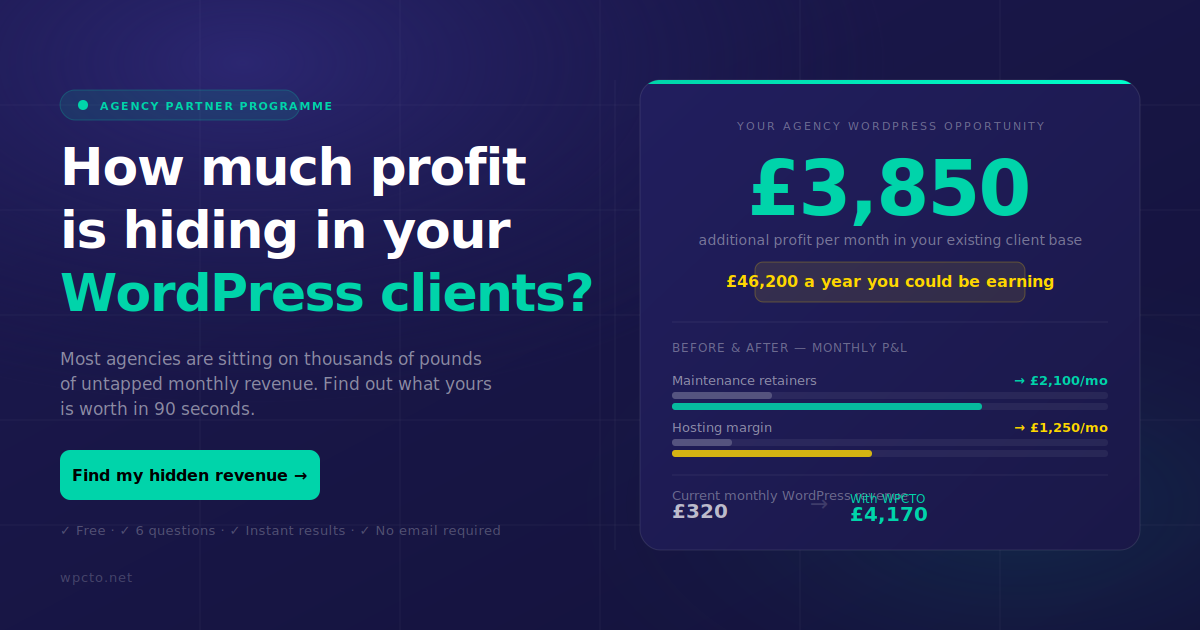
Wpcto exists to sit behind your agency invisibly, running planned corrective maintenance under your brand while you keep the client relationship and the recurring revenue. You get weekly tested updates, off-site backups, monthly reports with your logo on them, and a fractional CTO on call when a client needs strategic technical advice you’re not staffed to give.
The fastest way to see what this is worth to your business is the WordPress Profit Calculator. Run your client list through it, then book a look at our agency services page to see how the white-label handover works in practice.
Useful links and tools
- White-label WordPress support for delivery and reporting detail
- Outsourcing WordPress management for a deeper onboarding guide
- Website management services for a broader managed-services perspective
Frequently asked questions
What is planned corrective maintenance in a WordPress agency context?
It’s a scheduled programme of updates, conflict resolution and tested restorations run under a fixed cadence and SLA, distinct from reactive emergency support.
How is planned corrective maintenance different from support?
Maintenance is proactive and scheduled; support is reactive and triggered by an incident. Many agency plans combine both for business-critical sites.
What should an SLA include?
Written response times for P1, P2 and P3 issues, backup retention periods, and off-site storage confirmation, all specified in the contract, not just discussed verbally.
Is outsourcing cheaper than hiring in-house?
For most agencies managing fewer than around fifty sites, partnering costs less than hiring and training an internal team once after-hours coverage is included.
How do I estimate the revenue opportunity in my client base?
Run your client list through the WordPress Profit Calculator to see uncaptured recurring revenue in under 90 seconds.
Sources
- WordPress support vs maintenance: complete guide (2026)
- WordPress emergency recovery vs proactive maintenance
- White-label WordPress maintenance: agency guide (2026)
- WordPress maintenance for agencies: build, buy, or partner?
- Why smart agencies outsource WordPress maintenance