

The standard WordPress maintenance categories are: core, plugin and theme updates; security monitoring and hardening; backups and disaster recovery; uptime and performance monitoring; incident response; staging and compatibility testing; access and configuration management; and developer support or fractional CTO. Here is what each delivers in a white-label maintenance model:
- Updates — weekly core, plugin and theme updates, staged and tested before going live
- Security monitoring and hardening — daily malware scanning, firewall rules, vulnerability alerts, and hardening configuration
- Backups and disaster recovery — daily automated off-site backups with an appropriate retention window and tested restores
- Uptime and performance — continuous uptime checks every few minutes, Core Web Vitals tracking and server response monitoring
- Incident response — defined escalation paths, on-call coverage and post-incident reporting
- Staging and compatibility testing — pre-deployment QA on a staging environment before any change reaches the live site
- Access and configuration management — credential audits, role hygiene, two-factor authentication and environment documentation
- Developer support / fractional CTO — overflow engineering hours for custom fixes, migrations and strategic WordPress consultancy
Pro Tip: Ask any prospective partner to confirm their restore-test cadence before signing. A partner who cannot tell you the last date they restored from backup is not running a real disaster-recovery programme.
Key takeaways
The most effective white-label maintenance model maps each category to a defined tier, a tested cadence and a written SLA — then lets a specialist partner deliver it invisibly under your brand.
| Point | Details |
|---|---|
| Eight core categories | Updates, security, backups, uptime, incident response, staging, access management and developer support form the complete scope. |
| Cadence matters | Continuous monitoring, weekly updates, monthly hygiene and quarterly restore tests are the minimum operational standard. |
| Three-tier packaging | Basic, Standard and Pro tiers let you match deliverables and response times to client value and willingness to pay. |
| Partner when under 50 sites | Building in-house maintenance capability rarely makes commercial sense below roughly 50 sites under management. |
| Wpcto as your partner | Wpcto delivers all eight categories invisibly for UK agencies, with branded reporting and clear SLAs from day one |
Table of Contents
- What does each maintenance category actually include?
- How should you package these categories into white-label plan tiers?
- Scoping and onboarding a new maintenance client
- What service levels and reporting should you define?
- Red flags and questions to ask a white-label partner
- Sample three-tier white-label plan mapped to categories
- How do specialist partners organise delivery across these categories?
- Wpcto handles all of this so your agency does not have to
- A peer-level note on where agencies go wrong
- Sources
What does each maintenance category actually include?
A complete white-label maintenance plan covers weekly updates tested in staging, daily automated off-site backups with an appropriate retention window, continuous uptime and security monitoring, and branded monthly reporting. The key is understanding who owns each task.
Updates (weekly, partner technical team)
- Review changelogs for breaking changes before applying any update
- Apply updates to staging, run functional checks on critical pages and forms
- Promote to live only after QA passes; retain rollback capability for 48 hours
- Professional maintenance requires human changelog review and staged testing, not blind automation
Security monitoring and hardening (continuous, partner technical team)
- Daily automated malware scans at server and application level
- Web Application Firewall (WAF) rules kept current
- Vulnerability alerts actioned within hours of disclosure — the median time from vulnerability disclosure to mass exploitation can be as short as five hours, which makes continuous monitoring non-negotiable
- Login hardening: two-factor authentication, XML-RPC disabled, admin URL obscured
Backups and disaster recovery (daily automated, partner; quarterly restore test, partner)
- Off-site storage, separate from the hosting environment
- Retention window of 30–90 days depending on tier
- Documented restore procedure with a defined recovery time objective
- Quarterly restore tests with a written result — this is the single most important trust signal to request from any partner
Uptime and performance (continuous, partner monitoring layer)
- Multi-location uptime checks every 1–5 minutes
- Core Web Vitals tracked monthly with trend reporting
- Database optimisation and log clean-up monthly
Access and configuration management (quarterly audit, agency + partner)
- Shared credential policy aligned with UK data protection expectations; client data handled under a clear data processing agreement
- Role-based access: no shared admin accounts, no stale credentials
- Environment documentation kept in a living runbook
Pro Tip: Package change control and visual regression testing together. A screenshot baseline of key pages before and after every update catches layout regressions that functional testing misses — and saves the conversation with the client.
How should you package these categories into white-label plan tiers?
Agencies commonly structure three tiers — starter, standard and premium — with progressively higher SLAs and developer hours. Here is a practical framing you can adapt.
Pricing models to consider
- Per-site flat fee — predictable margin, easy to resell; works well for homogeneous portfolios
- Per-site plus pooled development hours — adds a shared hour bank for minor fixes; reduces per-incident billing friction
- Retainer vs per-incident — maintenance is proactive and preventive; support is reactive troubleshooting. Price them separately to protect your margin and avoid scope creep absorbing your retainer
- White-label markup — most agencies apply a 40–80% markup on the partner’s wholesale rate, depending on the SLA tier and client relationship
Emergency SLA uplift (sub-one-hour response) and WooCommerce-specific monitoring are natural add-ons that justify a higher line item without restructuring the base plan.
Quantify what you are leaving on the table. Before you set prices, run your portfolio through the Wpcto WordPress Profit Calculator — it shows uncaptured recurring revenue across your existing client base in under 90 seconds. Most agencies are surprised by the number.
Pro Tip: Keep maintenance and support as separate SKUs in your proposals. Clients who understand the distinction are far less likely to treat a retainer as an unlimited support ticket.
Scoping and onboarding a new maintenance client
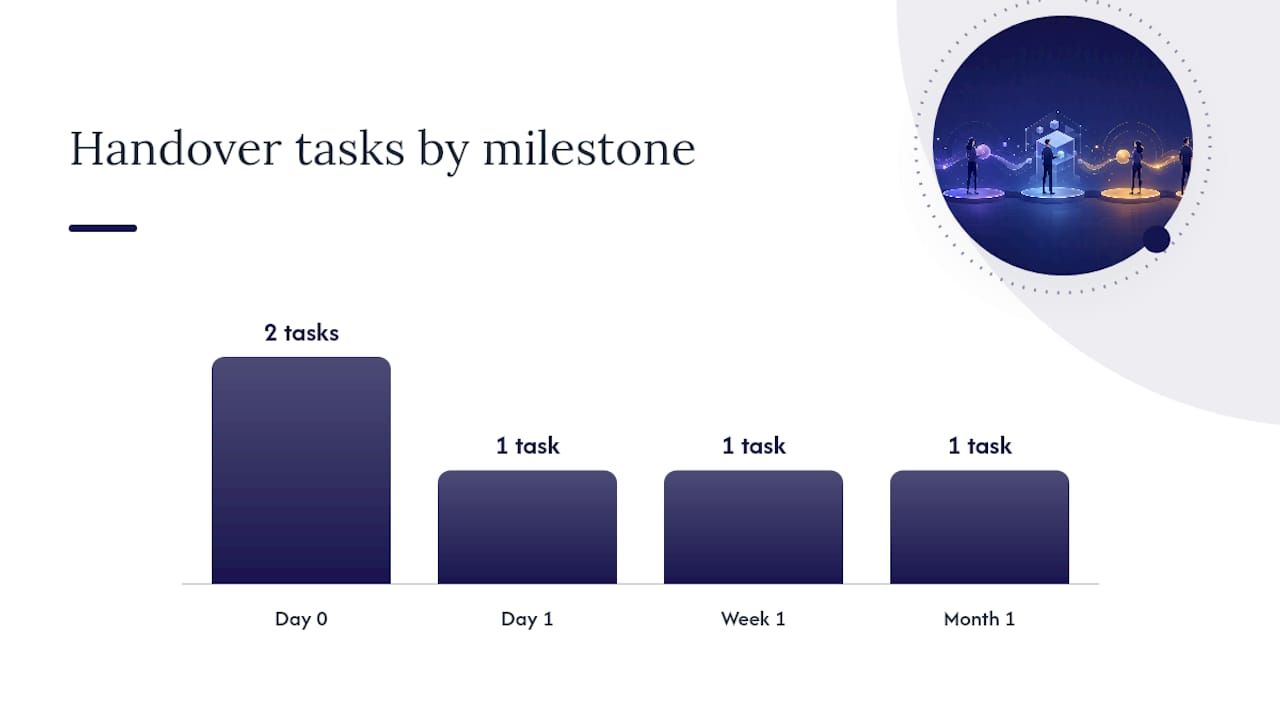
A clean handover means the partner can start work on day one without chasing credentials. Use this sequence.
- Day 0 — access and backups confirmed: hosting control panel login, WordPress admin credentials, repository access (if applicable), DNS provider login, and a verified full backup taken before any work begins
- Day 0 — plugin and theme inventory: full list of active plugins, themes and any custom code dependencies; note any plugins with known conflicts or end-of-life status
- Day 1 — staging environment live: staging clone created, URL documented, basic smoke test completed on critical pages (homepage, checkout, contact form, key landing pages)
- Week 1 — baseline audit: security scan, performance benchmark (Core Web Vitals), uptime monitoring activated, access roles reviewed and tightened
- Month 1 — SLA and reporting cadence confirmed: first monthly report delivered to the agency in white-label format; reporting template agreed; escalation contacts confirmed on both sides
For website maintenance best practices and a fuller checklist, the Wpcto guide covers the pre-launch and ongoing phases in detail.
Pro Tip: Capture a “known issues” runbook at handover — a short document listing any existing bugs, workarounds or quirks the client has already accepted. Without it, the partner will spend the first month investigating issues that are not their fault, and you will spend it fielding calls.
What service levels and reporting should you define?
SLAs protect both you and your client. These are the buckets most white-label plans use.
- Standard (non-critical): 24–48 hour response for routine requests, minor content fixes and low-priority bugs
- High (business impact): 4–12 hour response for degraded functionality, broken forms or checkout issues
- Critical (site down or security incident): 1–4 hour response with active incident management and client notification
Monthly reporting is the single most effective retention tool in a maintenance programme. Clients who receive detailed monthly reports cancel at a fraction of the rate of those who do not. A white-label report should include:
- Uptime percentage for the period
- Backups status and last successful restore test date
- Updates applied (core, plugins, themes) with changelog notes
- Security incidents or alerts and resolution status
- Core Web Vitals trend (LCP, CLS, INP)
- Open items and planned work for the next period
Trust signals to require from any partner before signing: a published SLA document, a named restore-test date, at least two UK agency references, and a sample white-label report you can review before committing.
Pro Tip: Ask for proactive monitoring evidence, not just reactive incident logs. A partner who only reports problems after they happen is not running a maintenance programme — they are running a repair shop.
Red flags and questions to ask a white-label partner
Vet partners hard before you hand over client credentials. These are the deal-breakers.
Red flags
- No documented restore-test history
- No staging workflow — updates applied directly to live sites
- No rollback capability after updates
- SLAs that are verbal rather than written
- Unclear incident ownership (“we’ll look into it” with no defined response time)
- No branded reporting — you receive raw technical logs, not a client-ready document
- No UK references or case studies
Questions to ask in the vetting call
- “When did you last restore a site from backup, and what was the outcome?”
- “Walk me through how you test a plugin update before it goes live.”
- “What tooling do you use for uptime monitoring and vulnerability scanning?”
- “What are your escalation times and what happens if you miss them?”
- “Can you show me a sample white-label report?”
- “Do you have a data processing agreement we can review before signing?”
A reliable partner will answer questions 1 and 2 without hesitation. Vague answers to either are a signal to keep looking.
Sample three-tier white-label plan mapped to categories
| Category | Basic | Standard | Pro |
|---|---|---|---|
| Updates cadence | Monthly | Weekly (staged) | Weekly (staged + visual QA) |
| Backup retention | 30–90 days | 30 days | 90 days |
| Restore test | On request | Quarterly | Monthly |
| Security scanning | Weekly | Daily | Continuous |
| Uptime monitoring | Hourly | Every 5 min | Every 1 min, multi-location |
| Response time (critical) | 24 hours | 4–12 hours | 1–4 hours |
| Developer hours | None | 1 hour/month | 3 hours/month |
| Reporting | Quarterly | Monthly | Monthly + executive summary |
Adaptation notes by agency segment
- Small portfolio (under 20 sites): Basic or Standard tier for most clients; reserve Pro for any client with e-commerce or high traffic. Keep pricing simple — a flat per-site fee is easiest to resell.
- Growth agencies (20–50 sites): Standard as the default, with Pro available as an upsell for WooCommerce or membership sites. Pooled developer hours reduce per-incident billing friction.
- Enterprise or high-revenue clients: Pro tier with a bespoke SLA addendum. Add WooCommerce monitoring, emergency SLA uplift and a named account contact as premium line items.
For agencies exploring which services to outsource first, updates and security monitoring are the highest-leverage starting points — they consume the most reactive time and carry the greatest client risk.
How do specialist partners organise delivery across these categories?
Mature white-label partners run a three-layer operational model, and understanding it helps you evaluate proposals accurately.

Layer 1 — monitoring and automation: continuous uptime checks (tools such as UptimeRobot or StatusCake, run from multiple locations), automated malware scanning (Wordfence, Sucuri or server-level scanners), and backup orchestration with off-site storage (Amazon S3, Backblaze or equivalent). Alerts feed into a ticketing system with defined escalation rules.
Layer 2 — technical ops team: handles routine weekly updates, applies them to staging, runs QA, promotes to live and documents the change. Also manages monthly database hygiene, performance checks and report generation. This is the team your agency interacts with day to day.
Layer 3 — engineering fallback: a small pool of senior developers who handle regressions, complex migrations, security incidents and custom fixes that exceed the ops team’s scope. This layer keeps per-site costs predictable because you are not paying senior engineering rates for routine tasks.
Operational cadence should follow: continuous monitoring, weekly safe updates, monthly performance and database hygiene, and quarterly restore tests. Partners who cannot describe all four layers clearly in a proposal are likely running a lighter operation than they present.
For a broader view of website management delivery models, comparing how different providers structure their operational layers is a useful benchmarking exercise before you commit.
Wpcto handles all of this so your agency does not have to
Agencies that manage WordPress sites but do not want maintenance as a core service have a clear commercial choice: partner with a specialist rather than build the capability in-house. For portfolios under roughly 50 sites, the economics of building an internal maintenance operation rarely stack up.
Wpcto is built specifically for UK design, brand and digital agencies. We sit behind your agency invisibly, handling every category covered in this guide — updates, security, backups, monitoring, incident response, staging, access management and developer support — while you keep the client relationship and the recurring revenue. Your clients see your brand. You never touch a support ticket.
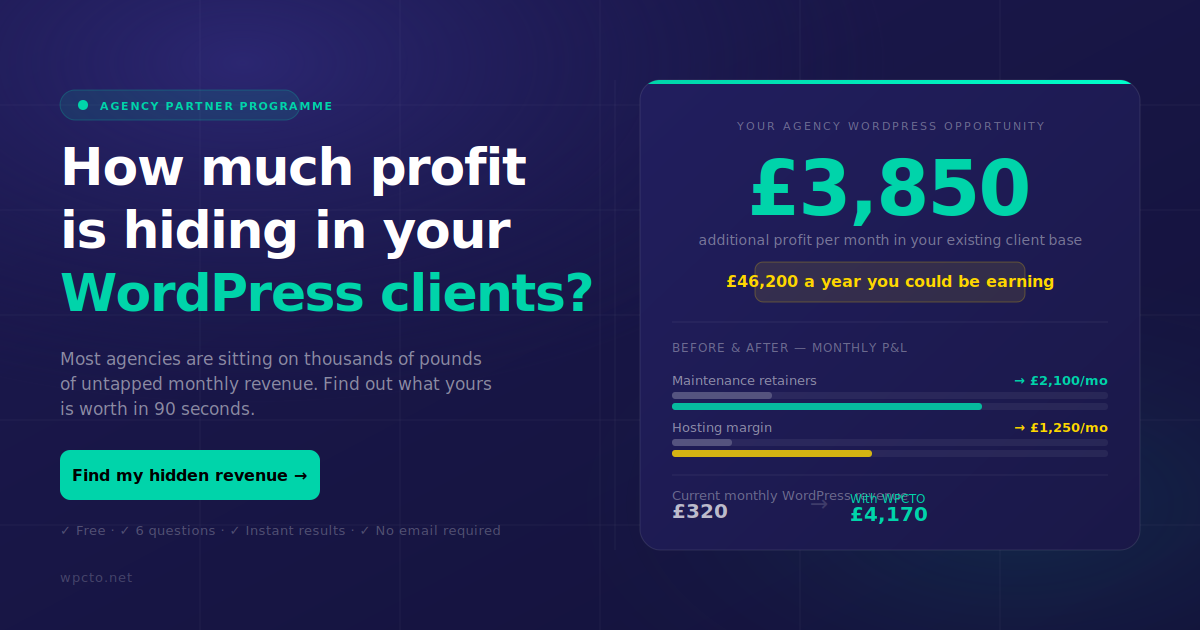
The fastest way to see what this is worth to your agency is to run your portfolio through the Wpcto WordPress Profit Calculator. It takes under 90 seconds and shows you exactly how much uncaptured recurring revenue is sitting in your existing client base. When you are ready to talk, our white-label agency services page covers how a partnership works and what to expect from day one.
A peer-level note on where agencies go wrong
The most common mistake is scope ambiguity at the point of sale. An agency sells “maintenance” without defining what that means, the client assumes it covers everything, and the first emergency call at 9pm on a Sunday becomes an uncharged four-hour fix. The categories in this guide exist precisely to prevent that conversation.
The second mistake is waiting too long to partner. The tipping point is usually around 50 sites under management, or the moment margin per site falls below what you need to make the service worthwhile. By that point, most agencies have already absorbed months of unpaid support hours. The smarter move is to partner earlier, productise the offering properly, and let the recurring revenue compound.
The one metric worth watching is not site count — it is hours absorbed per site per month. When that number creeps above one hour on average, the economics of self-delivery are already broken.
Sources
- White-Label WordPress Maintenance: Agency Guide 2026
- White Label WordPress Maintenance Services for Agencies | FatLab Web Support
- WordPress White Label Services: Agency Guide
- WordPress Maintenance in 2026: Tasks, Costs & Care Plans
- WordPress Maintenance for Agencies: Build, Buy, or Partner? | FatLab Web Support
Wpcto resources