

TL;DR:
- Effective white label website maintenance requires structured operational frameworks, including centralized dashboards, automation, and proactive monitoring, to ensure reliability and scalability. Clear reporting and SLA definitions build trust and reduce disputes by aligning client expectations with service capabilities. Agencies that adopt comprehensive processes and client education achieve sustainable growth, moving from reactive support to proactive, revenue-generating maintenance services.
Most agencies believe that scheduling regular backups is enough to keep client WordPress sites safe and well-maintained. It is not. True white label website maintenance is a structured operational discipline that covers continuous monitoring, tested restoration, transparent reporting, and clearly defined service level agreements. For agencies managing a growing portfolio of WordPress sites, the gap between “we run backups” and “we deliver reliable, scalable maintenance” is where client trust is lost, disputes arise, and revenue quietly slips away. This guide cuts through the confusion and gives you a practical framework for doing it properly.
Table of Contents
- Why agencies turn to white label website maintenance
- Operational frameworks for scalable maintenance
- Monitoring as the backbone of effective maintenance
- Backup and restoration: Beyond routine safety nets
- Reporting and SLA clarity: Building trust and reducing disputes
- Why efficient maintenance is only half the story: Agency realities
- Enhance your agency’s maintenance offering with WPCTO
- Frequently asked questions
Key Takeaways
| Point | Details |
|---|---|
| Tested restore procedures | Regular backup is not enough; agencies must validate restore success and timing for robust SLA compliance. |
| Monitoring drives efficiency | Continuous performance and error monitoring enable targeted maintenance for large web portfolios. |
| Scalable automation | Centralised dashboards and batch automation can halve maintenance hours per site and support rapid growth. |
| Reporting builds trust | Structured, branded reporting maintains client loyalty and boosts project conversions for agencies. |
| SLA clarity prevents disputes | Clear service level agreements and transparent client communications are essential to reduce costly maintenance misunderstandings. |
Why agencies turn to white label website maintenance
The pressure on agencies to deliver more than just a finished website has grown considerably. Clients expect ongoing uptime guarantees, fast responses to security incidents, and visible proof that their site is being looked after. For most creative and digital agencies, meeting those expectations in-house means pulling developers away from billable project work to handle support tickets, plugin updates, and the occasional 2am emergency.
White label maintenance solves this by allowing agencies to offer a fully managed service under their own brand, without building an internal support team. The work is handled by a specialist partner, but the client sees only the agency’s name. This model protects the client relationship while removing the operational burden.
The benefits agencies typically seek include:
- Branded communications and reporting so clients never see a third-party provider
- Defined response times that give clients confidence without the agency carrying the risk
- Recurring monthly revenue from maintenance retainers rather than one-off project fees
- Freed-up developer time to focus on higher-value creative and strategic work
- Consistent client touchpoints that open conversations about new projects and site improvements
As bundling maintenance with human support and a defined reporting cadence is a well-established provider approach, it reduces agency workload while keeping client trust intact through branded communication. The reporting layer is particularly valuable. Monthly reports that show uptime percentages, security scan results, and performance improvements give clients something tangible. They also give account managers a reason to have a structured conversation about what else the site might need.
Understanding the white label WordPress benefits in practice helps agencies move from reactive support to a proactive, revenue-generating service model.
“The agencies that scale their maintenance offering successfully are those that treat it as a structured service, not a favour they do for clients between projects.”
Having set the context for why agencies seek white label solutions, let’s explore the operational frameworks that underpin efficient maintenance delivery.
Operational frameworks for scalable maintenance
Delivering maintenance across five sites feels manageable. Across fifty, it becomes a logistical challenge without the right systems in place. The agencies and partners that scale successfully do so by building repeatable workflows, not by working harder.
The foundation of any scalable maintenance operation is a centralised dashboard. This gives you visibility across your entire client portfolio from a single interface. You can see which sites need updates, which have flagged security issues, and which are due for a backup check, all without logging into each site individually.
Portfolio-level automation through centralised dashboards reduces time spent per site and increases report-driven sales for agencies. Automation handles the repetitive tasks: core updates, plugin and theme updates, scheduled backups, uptime checks, and basic performance optimisation. What used to take a developer two hours per site per month can be reduced dramatically.

Here is a comparison of manual versus automated maintenance workflows:
| Task | Manual approach | Automated approach |
|---|---|---|
| Plugin updates | Log in per site, update individually | Batch update across all sites from dashboard |
| Backup scheduling | Set up per site, check manually | Automated daily/weekly with centralised logs |
| Uptime monitoring | Periodic manual checks | Continuous automated alerts |
| Monthly reporting | Compile manually from multiple sources | Auto-generated branded reports |
| Security scanning | Run per site on request | Scheduled scans with flagging and alerts |
The efficiency gains are significant. But the operational benefit goes beyond time saved. Portfolio-level reporting gives you data you can act on. Sites that consistently underperform on load time, sites that have not been updated in weeks, sites that show unusual traffic patterns: these signals help you prioritise intervention and identify upsell opportunities.
Key elements of a scalable maintenance framework include:
- Centralised update management with staging or rollback capability
- Automated backup scheduling with offsite storage and retention policies
- Uptime and performance monitoring with alert thresholds
- Branded white label reporting generated automatically on a set cadence
- Workflow documentation so any team member can handle escalations consistently
Exploring maintenance automation best practices gives agencies a clearer picture of where to start building these systems. For agencies ready to hand this off entirely, specialist agency maintenance services provide all of this infrastructure without the setup overhead.
Monitoring as the backbone of effective maintenance
Backups protect you after something goes wrong. Monitoring tells you something is going wrong before it becomes a crisis. The distinction matters enormously for agencies managing sites on behalf of clients.
Effective monitoring covers far more than a simple “is the site up or down” check. Uptime and performance signals including load time, error logs, and resource utilisation drive where maintenance and optimisation should be applied. This means monitoring should be treated as the basis for all maintenance decisions, not an afterthought.
The key signals to track across a client portfolio include:
- Uptime availability measured from multiple geolocations, not just one server
- Page load time tracked over time to identify degradation trends
- HTTP error rates including 4xx and 5xx responses that indicate broken functionality
- SSL certificate validity with advance warnings before expiry
- Core Web Vitals scores including Largest Contentful Paint and Cumulative Layout Shift
- Security scan results flagging malware, suspicious file changes, or blacklisting events
- Database performance including query times and table bloat
Here is a summary of monitoring signal types and their maintenance implications:
| Signal | What it indicates | Maintenance action |
|---|---|---|
| Uptime drop | Hosting or application failure | Immediate investigation and escalation |
| Load time increase | Plugin conflict, server load, or code issue | Performance audit and optimisation |
| Error rate spike | Broken plugin, failed update, or misconfiguration | Triage and rollback if needed |
| SSL expiry warning | Certificate not renewed | Renew and verify |
| Security flag | Malware or vulnerability detected | Isolate, clean, and patch |
Pro Tip: Do not rely solely on homepage monitoring. Many agencies discover that a client’s checkout page or contact form has been broken for days because monitoring only checked the front page. Set up checks on key conversion pages and critical user journeys.
Understanding the full scope of support and maintenance methodology helps agencies communicate the value of proactive monitoring to clients who might otherwise see maintenance as a cost rather than a protection. For a broader view of what this covers, the maintenance services overview and the WordPress maintenance guide for design agencies both provide useful context.
Backup and restoration: Beyond routine safety nets
Here is a misconception worth addressing directly: having a backup does not mean you can recover from a disaster. Many agencies discover this the hard way when a client site is compromised, they attempt a restore, and find the backup file is corrupted, incomplete, or from three weeks ago.
Effective backup strategy requires three things working together: reliable backup creation, offsite storage with appropriate retention, and tested restoration procedures.
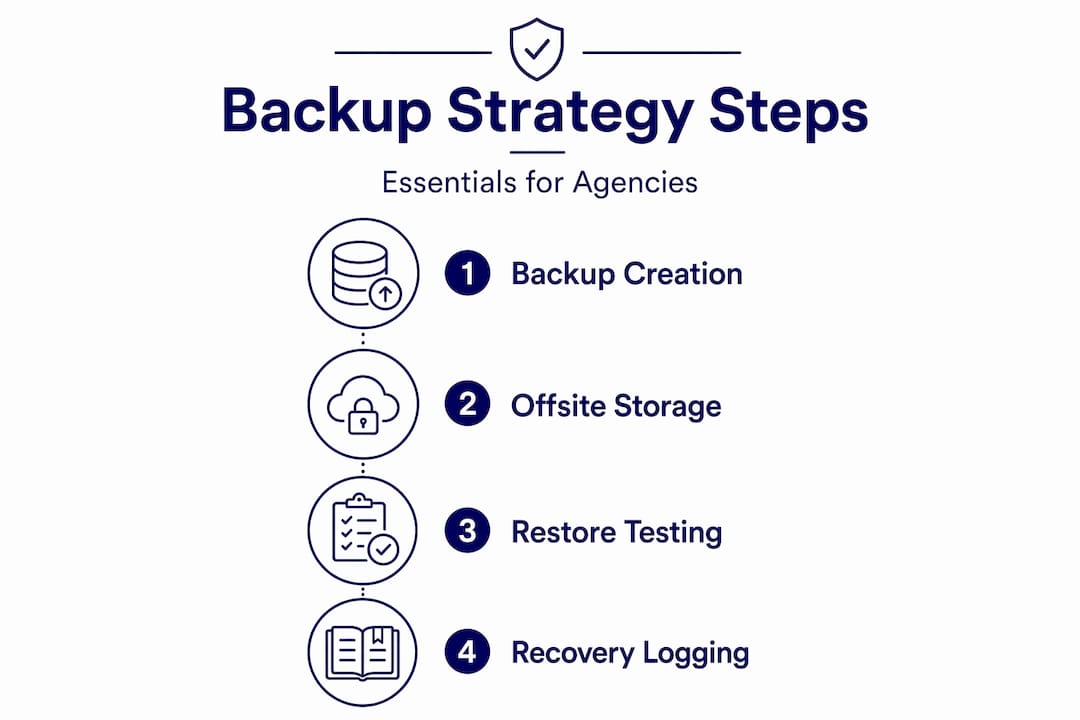
Restoration must be tested; expert checklists and SLA frameworks require restore validation and recording of elapsed time to confirm RTO and RPO in practice. This is the part most agencies skip. Running a restore test takes time, and when nothing is broken, it feels unnecessary. But it is the only way to know your recovery process actually works.
A robust backup and restoration framework should include:
- Daily automated backups with at least 30-day retention for active client sites
- Offsite storage separate from the hosting environment to protect against server-level failures
- Full site backups covering files, database, and configuration
- Partial restore capability for individual files, database tables, or specific content
- Scheduled restore tests conducted at least quarterly on a staging environment
- Documented RTO and RPO targets agreed with clients as part of the SLA
- Restore time logging to validate that actual recovery meets the agreed targets
Recovery Time Objective (RTO) is the maximum acceptable time to restore service after an incident. Recovery Point Objective (RPO) is the maximum acceptable data loss measured in time. Both should be defined in writing before an incident occurs, not negotiated during one.
“A backup strategy that has never been tested is not a strategy. It is a hope. Agencies that treat restore validation as optional are one bad update away from a very difficult client conversation.”
Pro Tip: When onboarding a new client site, run a restore test as part of the setup process. This confirms the backup system is working correctly from day one and gives you documented evidence that you can share with the client.
Clear WordPress SLA best practices help agencies set realistic expectations with clients and avoid the disputes that arise when recovery takes longer than anyone anticipated.
Reporting and SLA clarity: Building trust and reducing disputes
Transparent reporting and clearly written SLAs are not just administrative formalities. They are the tools that keep client relationships healthy and protect agencies when things go wrong.
Branded reporting portals give clients a consistent, professional view of their site’s health. When a client receives a monthly report showing 99.8% uptime, zero security incidents, and a list of completed updates, they feel looked after. They are also far less likely to question the value of their maintenance retainer.
Bundling maintenance with defined reporting cadence is a proven approach for reducing agency workload while maintaining client trust through branded communication. The reporting cadence also creates natural opportunities for account managers to discuss site improvements, performance upgrades, or new features.
Common triggers for SLA disputes in agency maintenance relationships include:
- Third-party plugin or vendor downtime where the agency has no direct control
- Client-caused configuration changes that break functionality outside the maintenance scope
- Ambiguous outage definitions where “downtime” is not clearly specified in the agreement
- Scope creep where clients expect maintenance to cover development work
- Response time misunderstandings where clients expect instant fixes for non-critical issues
A well-structured SLA addresses all of these in advance. It defines what is and is not covered, how response times are measured, and what happens when a third party is responsible for an incident.
| SLA element | Why it matters | Common pitfall |
|---|---|---|
| Uptime definition | Sets measurable expectations | Not specifying measurement method |
| Response time tiers | Aligns urgency with resource allocation | Treating all issues as critical |
| Exclusions | Protects agency from out-of-scope claims | Vague or missing exclusion clauses |
| Escalation process | Ensures issues are handled consistently | No documented escalation path |
Pro Tip: Review your SLA wording annually. Plugin ecosystems, hosting environments, and client expectations all change. An SLA written two years ago may not reflect the services you are actually delivering today.
Reviewing report cadence benefits alongside your WordPress SLA options gives agencies a practical starting point for building agreements that are both protective and client-friendly.
Why efficient maintenance is only half the story: Agency realities
We see a lot of agencies drawn in by provider claims about efficiency. “Save 80% of your maintenance time.” “Automate everything.” These claims are not always wrong, but they are rarely the whole picture.
Genuine efficiency in maintenance delivery comes from workflow experience, not just tooling. A centralised dashboard is only as useful as the processes built around it. Benchmarking should happen at the workflow level, measuring hours per site, report cycle time, and triage resolution flow rather than trusting marketing claims alone. Portfolio-level dashboards are valuable, but they need trained people and documented processes behind them.
The SLA edge cases are where agencies get caught out. Third-party plugin or vendor downtime, client-caused configuration changes, and ambiguous outage scope are the most frequent triggers for disputes. Platform SLAs often explicitly exclude non-production environments and customer-caused misconfiguration from downtime definitions. If your own SLA does not reflect this level of precision, you are exposed.
Client education is undervalued. Agencies that invest time in explaining what maintenance covers, and what it does not, have far fewer disputes. A client who understands that a plugin vendor’s server failure is outside the agency’s control is a client who does not escalate unnecessarily.
Transparent processes, robust reporting, and ongoing client education are not optional extras. They are what separates agencies that scale their maintenance offering from those that get stuck firefighting. If you want a clear view of how much uncaptured revenue is sitting in your existing WordPress client base, the WordPress support options available to agencies are worth exploring alongside your current model.
Enhance your agency’s maintenance offering with WPCTO
If this article has clarified the gap between basic maintenance and a genuinely scalable, client-ready service, the next step is seeing what that looks like in practice.
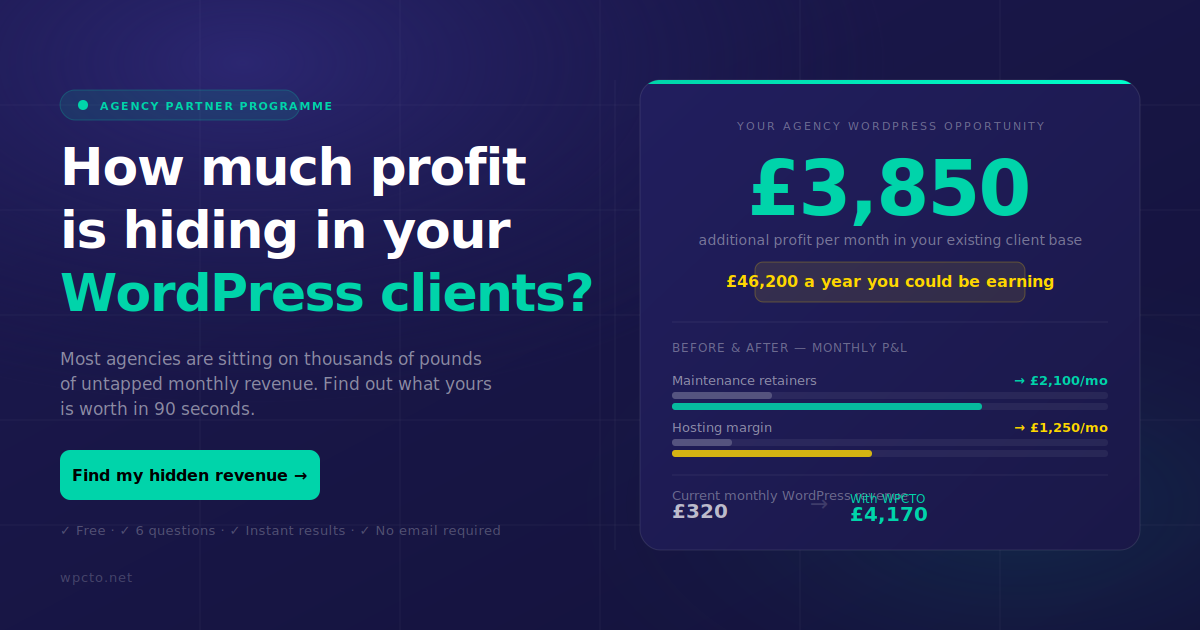
At WPCTO, we work exclusively with design, brand and digital agencies across the UK. We handle WordPress maintenance, security monitoring, performance optimisation, plugin and theme management, hosting management, and emergency support, all delivered invisibly under your agency’s brand. Our agency support services are built around the operational frameworks covered in this article, with tested restore procedures, centralised automation, and branded reporting included as standard. You can explore our white label WordPress support model in detail, or see how we helped a growing agency retain and grow a complex client relationship in our maintenance case study. If you want to know how much recurring revenue your current WordPress client base could generate, our free profit calculator gives you the answer in under 90 seconds.
Frequently asked questions
What makes white label website maintenance different from standard maintenance?
White label maintenance includes branded communications and defined reporting delivered on behalf of the agency, along with tailored SLAs that strengthen client trust without exposing the third-party provider relationship.
How does automation impact agency maintenance efficiency?
Centralised dashboards and portfolio automation reduce time spent per site significantly and create reporting-driven opportunities to increase sales across the client base.
Why is restore validation important alongside backups?
Backups alone are insufficient without tested restoration; validating restore success and logging elapsed recovery time is the only reliable way to confirm that RTO and RPO targets are actually achievable.
What SLA pitfalls should agencies anticipate?
Third-party plugin downtime, client-caused changes, and ambiguous outage scope are the most common dispute triggers; SLAs should explicitly exclude non-production environments and client-induced misconfigurations to protect the agency.