

If your website has been hacked, do four things now. Take the site offline or into maintenance mode. Preserve a full copy of files and database, plus server logs covering a sufficient recent period recommended by incident response guidance. Rotate every credential across your stack. Start an incident log the moment you notice something is wrong.
Everything else, cleaning malware, notifying regulators, rebuilding trust with clients, comes after these four steps, not before them. Skip them and you lose the evidence that tells you how the attacker got in and whether they’re still there.
- Put the site into maintenance mode or take it offline entirely.
- Copy every file and the full database before you touch anything else, and request the last 30 days of server logs from your host.
- Rotate hosting, database, FTP/SSH and API credentials, as attackers can leave backdoors that survive a simple password change.
- Open an incident log and tell your technical lead, an executive sponsor, and legal or client contacts what’s happening.
Pro Tip: Screenshot the defacement or error before you take the site down. If you need to prove to a client or insurer what happened, a timestamped screenshot is worth more than your memory of it a week later.
Key Takeaways
Recovering from a website hack works when containment, evidence preservation and credential rotation happen in the first hours, before any cleanup or restore begins.
| Point | Details |
|---|---|
| Act in the first hours | Take the site offline, preserve files, database and logs, and rotate every credential before cleaning anything. |
| Preserve before you investigate | Keep 30 days of server logs and a full backup of the compromised state for forensic review. |
| Rebuild over restore | Install fresh WordPress core, themes and plugins where feasible rather than trusting a backup that may predate the fix. |
| Know your 72 hour clock | Assess personal data risk immediately, the ICO expects notification without undue delay where risk exists. |
| Turn recovery into revenue | Wpcto’s white-label emergency support and the WordPress Profit Calculator help agencies convert incident risk into a recurring maintenance retainer. |
Table of Contents
- How do you know if a website has been hacked?
- What are the first steps to stabilise the incident?
- What evidence should you preserve before you investigate?
- Should you rebuild the site or restore from backup?
- Do you need to report the hack, and how do you recover your reputation?
- How do you stop the site being hacked again?
- When should you bring in a specialist recovery partner?
- What incident response teaches agencies about client trust
- Get emergency recovery and ongoing WordPress cover without hiring for it
- Where to go for official guidance and next steps
- Frequently asked questions
- Sources
How do you know if a website has been hacked?
The obvious signs are defacement, unexpected redirects to spam or gambling sites, and browser warnings when you visit in incognito mode. The subtler ones are more dangerous because they go unnoticed for weeks: a new admin user nobody on the team created, a sudden spike in outbound email from your server, or Google flagging the site in Search Console’s security issues report.
Run these checks before anything else:
- Open the site in an incognito window and watch for redirects or injected pop-ups.
- Check Google Search Console’s Security Issues panel and Google Safe Browsing’s status lookup.
- Review your hosting provider’s status page and recent error logs for anomalies.
- Look for unfamiliar admin accounts, unexpected plugins, or files with recent modification timestamps you don’t recognise.
If the site handles payments, stores client data, or feeds a client-facing app, triage that first. A brochure page with a spam redirect is annoying; a compromised checkout form is a different order of problem entirely.
What are the first steps to stabilise the incident?
The first six hours decide how bad this gets. Move fast, but move in order, because doing things out of sequence (restoring a backup before you’ve preserved evidence, say) can destroy the very information you need to stop a repeat attack.
- Establish incident command. One person owns the decisions, and everything gets written into a single incident log: what was found, when, who decided what, and what action followed. NCSC’s incident recovery guidance treats this as the foundation of any recovery, not an optional formality.
- Choose your containment method. Full disconnection stops the bleeding fastest but takes the site down completely. Maintenance mode or targeted IP blocks and WAF rules keep some functionality alive but carry more risk if the attacker has broader access than you think. For anything holding customer data, disconnect first and ask questions second.
- Back up the site exactly as it is, files and database, before you clean, patch, or restore anything. This preserved copy is your forensic record if things escalate.
- Request server logs covering at least 30 days from your host immediately. Many hosts rotate logs within days, so this request can’t wait until tomorrow.
- Rotate every credential: hosting panel, database users, FTP/SSH, API keys, and payment gateway tokens. Suspend any account behaving strangely rather than deleting it outright, you may need it for the investigation.
Pro Tip: Changing your WordPress admin password alone does almost nothing. Attackers who’ve had root-level or database access can create new admin users, schedule hidden cron jobs, or plant a web shell that survives a password reset entirely.
What evidence should you preserve before you investigate?
Before you start hunting for the entry point, lock down what you’ll need to find it. The webserver’s access and error logs, hosting control panel logs, cron job entries, database dumps, and file modification timestamps are your primary evidence set. NCSC’s guidance is specific on this point: 30 days of server logs are often what separates a clean recovery from a repeat compromise, because that window usually captures the initial breach, not just the visible damage that followed weeks later.
Triage against three questions:
- Is the attacker still active, or is this historical damage from a breach that’s already over?
- Was any personal or payment data plausibly accessed, not just the site’s front end?
- Does this site sit inside a wider system, shared hosting, a client portal, an API, whose compromise would cascade further?
Missing logs, suspected data exfiltration, or a likely regulatory reporting obligation are the three clearest signals you need specialist help. NCSC’s assured Cyber Incident Response provider directory exists precisely for this tier of incident, where in-house triage genuinely isn’t enough.
Should you rebuild the site or restore from backup?
This is the decision most people get wrong under pressure. Restoring the most recent backup feels faster, but if that backup was taken after the attacker got in, you’ve just reinstalled the compromise.
Wherever it’s feasible, rebuild clean rather than restore. That means fresh WordPress core files, themes and plugins pulled directly from official sources, with only your inspected uploads and database content migrated across after scanning. WordPress is explicit that restoring a backup before you know the compromise date, and before you’ve fixed the vulnerability that let the attacker in, risks reintroducing the exact problem you’re trying to solve.
If you do restore from backup:
- Confirm the backup predates the compromise, not just predates when you noticed it.
- Test the restore on a staging environment first, never straight to production.
- Scan the database specifically for injected scripts and hidden redirects before you trust it.
- Rescan every file, verify user accounts and scheduled tasks, and clear all caches once restored.
Only after all of that is the site genuinely clean enough to request a security review. Practitioners generally favour full rebuilds over file-by-file cleaning for one reason: automated scanners miss hidden backdoors more often than anyone would like, and a fresh install closes that gap completely. Our own step-by-step guide to restoring a hacked WordPress site walks through this process in more technical detail if you’re doing it yourself.
Do you need to report the hack, and how do you recover your reputation?
If personal data may have been accessed, that’s a decision point, not a formality. The ICO’s guidance is clear: where a breach is likely to risk individuals’ rights or freedoms, you notify the ICO without undue delay, and within 72 hours where feasible. You don’t need every detail nailed down to start that clock, a phased report with what you know now, followed by updates, is entirely acceptable.
Practical steps once the incident is understood:
- Document your risk assessment, this record is what justifies your reporting decision later, to the ICO or to a client asking hard questions.
- Draft communications proportionate to what actually happened; don’t downplay a data exposure, and don’t alarm clients over a defaced page with no data risk.
- Only request a Search Console malware review once the site is genuinely clean, Wordfence notes that a failed review resets the clock and prolongs the blocklist.
- Check Google Safe Browsing status and any email or browser blocklists separately; each has its own removal process, and clearing one doesn’t clear the others.
For UK-based recovery specifics and how this maps to client contracts, our guide to restoring and securing a hacked website covers the regulatory angle in more depth.
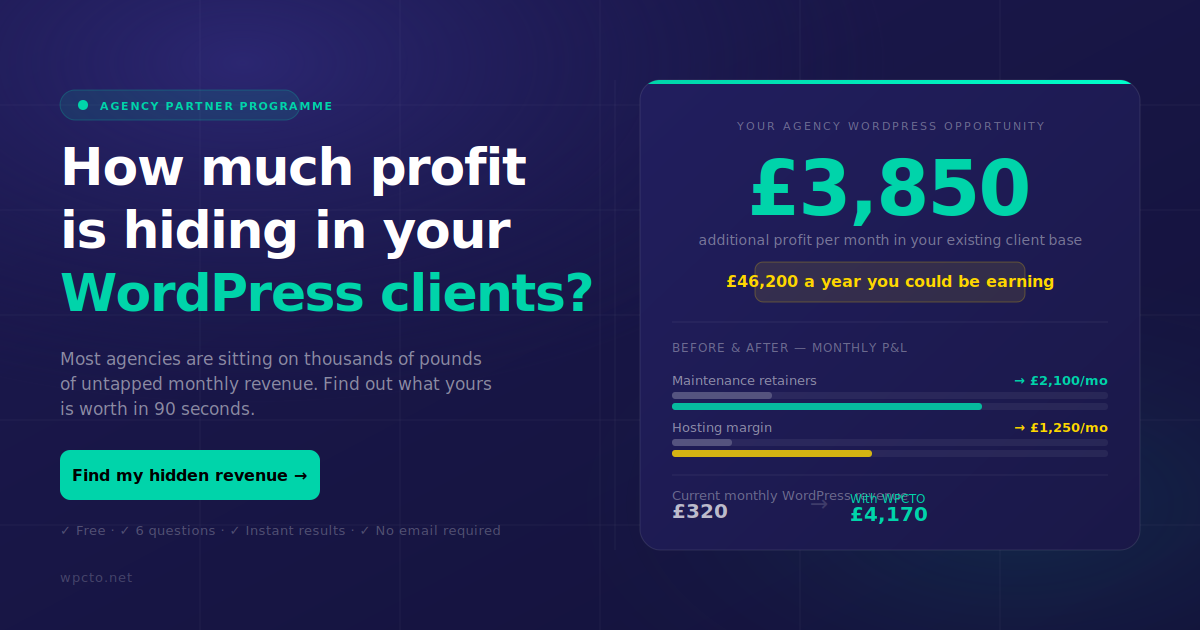
Before you move on to hardening, this is a good moment to work out what a proper maintenance retainer would actually be worth to you, agencies who skip this step tend to keep absorbing incident costs for free. Wpcto’s WordPress Profit Calculator shows that number in under 90 seconds.
How do you stop the site being hacked again?
Most compromises exploit a known vulnerability that already had a patch available, which means update discipline is doing more preventative work than any single security plugin. Remove anything you’re not actively using: old themes, abandoned plugins, test accounts. Every inactive plugin is still an open door even if nobody’s touched it in a year.
- Keep WordPress core, plugins, themes and the underlying PHP version current, on a schedule, not reactively.
- Enforce multi-factor authentication for every admin account and strip out any user that doesn’t need admin-level access.
- Rotate credentials on a regular cycle, not just after an incident.
- Test your backup restores periodically on staging, a backup you’ve never tested is a hope, not a plan.
- Add file integrity monitoring and activity logging so the next anomaly gets caught in hours, not months.
Pro Tip: Set a recurring calendar reminder to actually restore a backup to staging every quarter. Most agencies discover their backup process is broken only when they desperately need it to work.
Our agency guide to WordPress security enhancements and explainer on update discipline both go into the operational detail behind these points if you’re building this into a client-facing process.
When should you bring in a specialist recovery partner?

Call in specialists when reinfection keeps happening despite cleanup, when data exfiltration looks likely, or when your logs are missing and a regulatory report is probable, these are the situations where in-house effort burns time without closing the gap.
A proper recovery partner should hand you a forensic timeline, documented containment actions, a rebuild plan, and a written handover covering the hardening steps applied afterwards. For agencies specifically, that means white-label emergency support with clear service levels, so your client never knows anything went wrong beyond a brief maintenance window, and a route to turning that incident into an ongoing security retainer rather than a one-off panic invoice.
What incident response teaches agencies about client trust
Handled fast and openly, an incident builds more trust than it destroys, clients remember who told them the truth quickly. The agencies that turn this into recurring revenue treat maintenance and incident response as a paid retainer, not a favour. Run your own numbers through the WordPress Profit Calculator before your next client renewal.
Get emergency recovery and ongoing WordPress cover without hiring for it
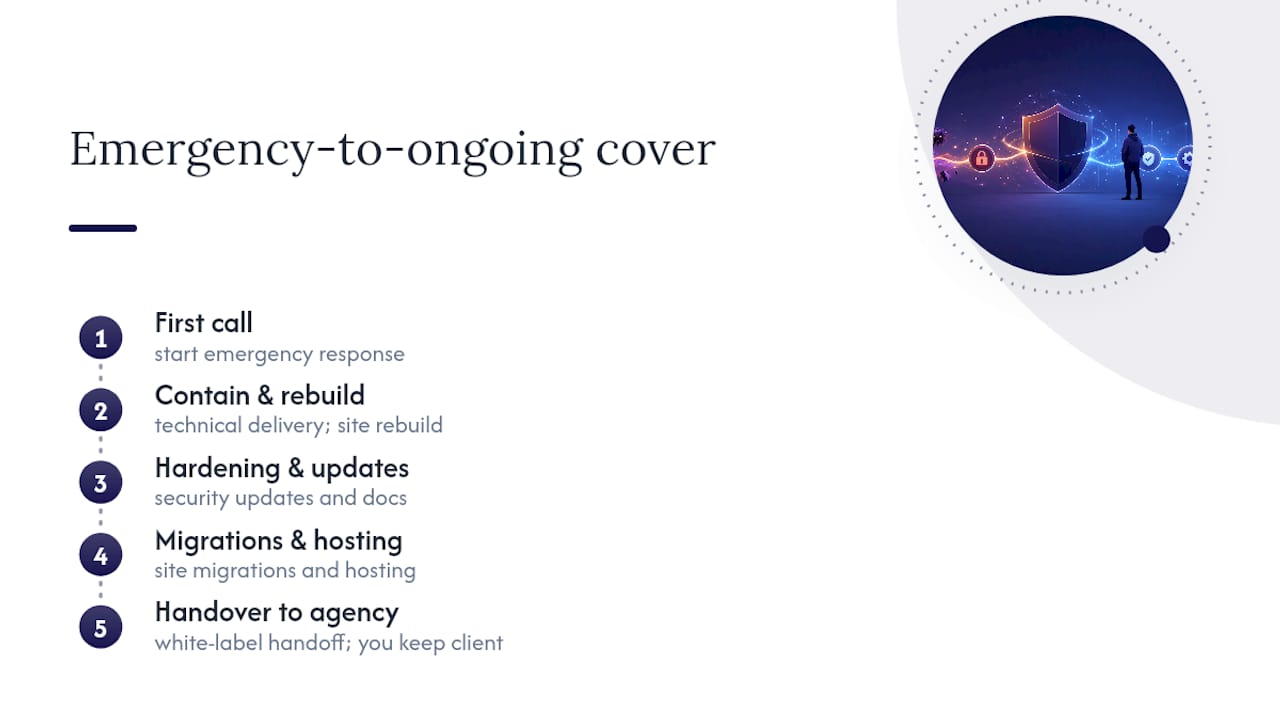
Wpcto exists for the exact moment you’ve just read about: a client site goes down, and you need someone who can contain it, rebuild it properly, and hand back a hardened site with documentation, not a vague “it’s fixed now” email. That’s the gap between agencies who absorb hack recovery as an uncharged emergency and agencies who bill it as a managed retainer.
Wpcto handles the technical delivery, hosting, security updates, emergency response, migrations, so you keep the client relationship and the recurring revenue without your team ever touching a support ticket. Our white-label support model lets you offer this under your own brand, and our agency services page covers what an emergency response engagement actually looks like from first call to handover.
Before your next renewal conversation, run your existing client base through the WordPress Profit Calculator, it takes under 90 seconds and shows exactly what maintenance and security retainers are worth across your current book. Then get in touch to talk through emergency cover for the sites you manage right now.
Where to go for official guidance and next steps
Read these during triage, not after the fact, they shape decisions you can’t easily undo once made:
- NCSC — Immediate activities (recovering) for incident command and evidence preservation.
- ICO — 72 hours: how to respond to a personal data breach for UK regulatory reporting duties.
- WordPress for platform-specific recovery steps.
- Wpcto’s own guide to restoring a hacked WordPress site and security enhancements guide for the operational detail behind each step above.
Frequently asked questions
What’s the very first thing to do after a website hack?
Take the site offline or into maintenance mode immediately, then preserve a full copy of files, database and at least 30 days of server logs before you clean or restore anything.
Should I restore my last backup straight away?
Only if you’re certain that backup predates the compromise. If you’re unsure, a clean rebuild from official WordPress core, theme and plugin sources is usually the safer route.
Do I have to report a hacked website to the ICO?
Only where a personal data breach is likely to risk individuals’ rights, in which case the ICO expects notification without undue delay, and within 72 hours where feasible.
How long does SEO recovery take after a hack?
It depends on how quickly the site is genuinely cleaned and how promptly you request a Search Console security review, requesting one before the site is fully clean can prolong the blocklist period.
Should agencies handle hack recovery in-house or bring in specialists?
Bring in specialists when reinfection persists, logs are missing, or data exfiltration is suspected. Otherwise, a documented in-house process following the steps above is usually sufficient.
Sources
- NCSC — Immediate activities (recovering)
- ICO — 72 hours: how to respond to a personal data breach
- WordPress
- Recovering website SEO after a hack — Wordfence