

Pick one day this week, run a backup, patch everything flagged critical, and check uptime logs from the last 30 days. That single session covers the highest-risk gaps most sites carry. From there, a weekly/monthly/quarterly rhythm is what separates sites that stay fast and secure from ones limping toward a 2am support call.
Schedule these first, in this order:
- Full backup with a tested restore point
- Security patching for anything flagged critical or high severity
- Uptime and error-log review for the past week
- A quick performance check against Core Web Vitals
Expect the first pass to take two to three hours if nothing has been touched in months. After that, weekly upkeep drops to around 30 minutes for a straightforward site, based on time estimates from UK maintenance benchmarks. Verification matters as much as the task itself: confirm the backup actually restores before you rely on it.
Key Takeaways
Effective web maintenance strategies combine a fixed weekly/monthly/quarterly cadence with named task owners, tested backups, and measurable performance targets rather than vague best-effort promises.
| Point | Details |
|---|---|
| Start with backups | Verify a working restore point before touching any updates or patches. |
| Follow the pre-update workflow | Backup, read changelog, test on staging, update lowest-risk items first, then monitor for 48 hours. |
| Assign explicit ownership | Map each task to a named role so maintenance doesn’t rely on memory. |
| Watch measurable KPIs | Track uptime, TTFB, Core Web Vitals and backup success rate monthly. |
| Consider a specialist partner | Wpcto handles updates, security and hosting under white-label SLAs so agencies keep the client relationship. |
Table of Contents
- What counts as web maintenance strategies in practice?
- Why does regular website upkeep actually matter?
- What should your web maintenance checklist include?
- Who should own each maintenance task?
- How often should you review and refresh content?
- Which tools and KPIs should you monitor?
- How much does it cost to maintain a website professionally?
- When should you outsource website maintenance to a specialist?
- How WPCTO takes maintenance off your plate
- Frequently asked questions
- Sources
What counts as web maintenance strategies in practice?
Web maintenance strategies split into four pillars, and confusing them is how agencies under-scope client contracts.
- Technical — core, theme and plugin updates, backups, server and PHP version management
- Security — vulnerability scanning, firewall rules, hardening, login monitoring
- Performance — page speed, image weight, caching, Core Web Vitals
- Content — accuracy checks, freshness, broken internal links, pruning dead pages
Feature development doesn’t belong on this list. A new booking form or redesigned pricing page is a project, not maintenance, and billing them the same way is how agencies quietly lose margin on retainers. In small teams, one generalist often owns all four pillars. In agencies, they’re usually split: a developer handles technical and security, a content editor owns freshness, and a dedicated support function (in-house or outsourced) owns performance monitoring.
Why does regular website upkeep actually matter?
A slow, insecure site loses visitors before they convert, and search engines rank it accordingly. Google’s Core Web Vitals tie directly to how long a visitor stays before bouncing, and outdated plugins are the entry point for most WordPress compromises.
Plugin vulnerabilities remain the single largest class of WordPress security issues according to multiple security reports, which makes plugin inventory management a security task, not just housekeeping.
Statistic callout: Simple sites can be kept secure and fast with roughly 30 minutes of weekly attention, but that number climbs fast once ecommerce, memberships or dozens of plugins enter the picture, per maintenance time-budgeting research.
The business case is blunt: a few hours of monthly maintenance costs far less than the revenue, reputation and recovery time lost to a hacked site or a multi-hour outage.
- Reduced bounce rates from faster load times
- Fewer emergency fixes and after-hours calls
- Lower breach risk from patched, current software
- Better search visibility from stable Core Web Vitals scores
What should your web maintenance checklist include?
This is the operational core of any web maintenance strategy: fixed tasks, fixed cadence, fixed owner.
Weekly tasks
- Check uptime monitoring for any outages or slowdowns
- Run a quick security scan sweep
- Triage pending plugin, theme and core updates
- Scan for broken internal and external links
- Review error logs for recurring issues
Monthly tasks
- Apply tested plugin and theme updates, using staging for anything touching checkout, forms or page builders
- Verify backups by running an actual restore test, not just confirming a file exists
- Run a performance audit against Core Web Vitals thresholds
- Optimise new images, converting to WebP where the CMS supports it
- Clean the database: expired transients, spam comments, revision bloat
Unoptimised images and accumulating media libraries are a quiet but consistent drag on load times, and routine compression can significantly cut file sizes where formats allow it where formats allow it.
Quarterly and annual tasks
- Full plugin audit, removing anything abandoned or unused
- PHP version and hosting environment review
- Accessibility check against WAI/W3C standards
- Full disaster-recovery drill: restore a backup on a separate environment and confirm it works end to end
The pre-update workflow that prevents most outages
Before touching anything live: back up first, read the changelog, test on staging, then update the lowest-risk items before the highest-risk ones. Run a smoke test on checkout, forms and navigation immediately after, then watch error logs for 24 to 48 hours. This exact sequence is what reduces update-related downtime in agency runbooks, because most breakages surface within the first two days.

| Task | Cadence | Typical owner |
|---|---|---|
| Uptime and error log check | Weekly | In-house developer or support retainer |
| Security patching (critical) | Within 24-48 hours of disclosure | Agency or security specialist |
| Plugin/theme updates | Weekly to monthly (site-dependent) | Developer, staged for complex sites |
| Backup verification | Monthly | Whoever owns hosting |
| Performance audit | Monthly | Developer or agency partner |
| Accessibility and PHP review | Quarterly/annual | Agency or fractional CTO |
Pro Tip: Batch your monthly updates into one sitting rather than patching plugins as notifications arrive. It’s far easier to isolate what broke something when five updates went out together than when they trickle in over three weeks.
Who should own each maintenance task?
Maintenance fails quietly when it depends on someone remembering to do it. Assign ownership explicitly.
- Site owner — approves major updates and reviews quarterly reports
- Developer — runs technical and security tasks, manages staging
- Content editor — owns freshness reviews and internal linking
- Agency support partner — handles monitoring, patching and emergency response under an SLA
A workable SLA structure: critical security patches applied within 24 to 48 hours of disclosure, routine plugin updates weekly or monthly depending on site risk, and content reviews monthly for high-traffic pages.
- Pick a fixed maintenance day, ideally Tuesday or Wednesday
- Avoid deploying updates on a Friday, since that leaves no working days to catch problems before the weekend when support reachability drops
- Log every update in a shared record, even minor ones
Pro Tip: If your maintenance calendar lives in someone’s head, it doesn’t exist. Put the cadence in a shared calendar with the owner’s name attached to each recurring task.
How often should you review and refresh content?
Content decays even when the code doesn’t. Outdated statistics, broken CTAs and orphaned pages erode both trust and rankings, and content maintenance frameworks recommend scheduled reviews rather than ad hoc edits.
- Monthly: check top-performing pages for accuracy and update anything time-sensitive
- Quarterly: audit internal links, surface orphaned pages with no inbound links, and prune thin or duplicate content
- Annually: reassess cornerstone pages against current search intent
- Use analytics to prioritise which pages get attention first
- When removing or merging pages, set up 301 redirects and check canonical tags so rankings transfer cleanly
- Test one CTA variant at a time on high-traffic pages rather than changing several elements together
Which tools and KPIs should you monitor?
A workable toolkit doesn’t need to be expensive or complicated:
- Uptime monitors such as UptimeRobot or Better Uptime for real-time alerts
- Page-speed testing via PageSpeed Insights or GTmetrix
- Broken-link checkers run monthly
- Security scanners and vulnerability feeds like WPScan or Patchstack, which flag active exploits requiring out-of-band patches
- Error-log aggregators for recurring PHP or server issues
Watch uptime percentage, time to first byte, Largest Contentful Paint, error rate and backup success rate weekly or monthly. Automate low-risk updates, such as minor security patches, but route anything touching page builders, ecommerce or membership plugins through manual staging tests, since hybrid automation models consistently outperform fully automated or fully manual approaches. A technical SEO toolkit can also help track crawlability and structured data drift over time.
How much does it cost to maintain a website professionally?
Pricing shapes vary more than most quotes admit. A brochure site with ten plugins costs far less to maintain than an ecommerce store with memberships, payment gateways and daily transactions.
| Model | Typical shape | Best suited to |
|---|---|---|
| Hourly retainer | Billed per hour used | Occasional, low-complexity fixes |
| Fixed monthly tier | Flat fee for defined scope | Predictable budgeting, small to mid sites |
| Per-site flat fee | One price per site managed | Agencies managing multiple client sites |
| White-label bundle | Agency pays one partner, resells under its own brand | Agencies wanting recurring revenue without support overhead |
- Complexity, plugin count and uptime SLA all push pricing up
- Weigh your own hourly cost against the time maintenance consumes before deciding to hire
- Ecommerce and membership sites almost always justify a dedicated support arrangement
When should you outsource website maintenance to a specialist?
Three signals suggest it’s time: maintenance is eating hours that should go toward client strategy, SLAs are inconsistent because they depend on whoever’s free that week, or you’re managing ecommerce sites where downtime has a direct revenue cost.
Specialist partners bring proactive update systems, tested recovery drills, ongoing vulnerability monitoring and white-label support that keeps the client relationship yours. Before deciding either way, run your existing client base through the WordPress Profit Calculator to see how much revenue is sitting uncaptured in the maintenance work you’re already doing for free or underbilling.
- Predictable turnaround on updates and patches
- Reduced after-hours emergency load on your own team
- A tested disaster-recovery process instead of a hopeful one
Pro Tip: If you can’t say with confidence when your last successful backup restore test happened, that’s the clearest sign your current maintenance process needs outside eyes.
A note on keeping this going
The trap isn’t knowing what to do, it’s relying on memory to do it. Put every task on a shared calendar with an owner’s name attached, and check compliance monthly rather than trusting good intentions.
How WPCTO takes maintenance off your plate
Wpcto is the alternative to building an internal WordPress support function from scratch. Instead of hiring, training and rostering someone to own updates, backups and security patching, you hand that entire workload to a specialist who works invisibly behind your agency brand.

Our services cover managed updates, security enhancements, hosting management, site migration and fractional WordPress CTO support for agencies who need senior technical judgement without a full-time hire. We’ve applied this exact approach for clients like the Global Property Advisor project, where managed hosting and maintenance kept a complex site stable under real traffic demands.
For your agency, that means predictable SLAs, white-label reporting your clients never see behind the curtain, and far fewer Sunday evening support calls landing on your team. Run your numbers through the WordPress Profit Calculator in under 90 seconds, or explore our agency services page to see what handing off maintenance actually looks like.
Frequently asked questions
How often should a website be maintained?
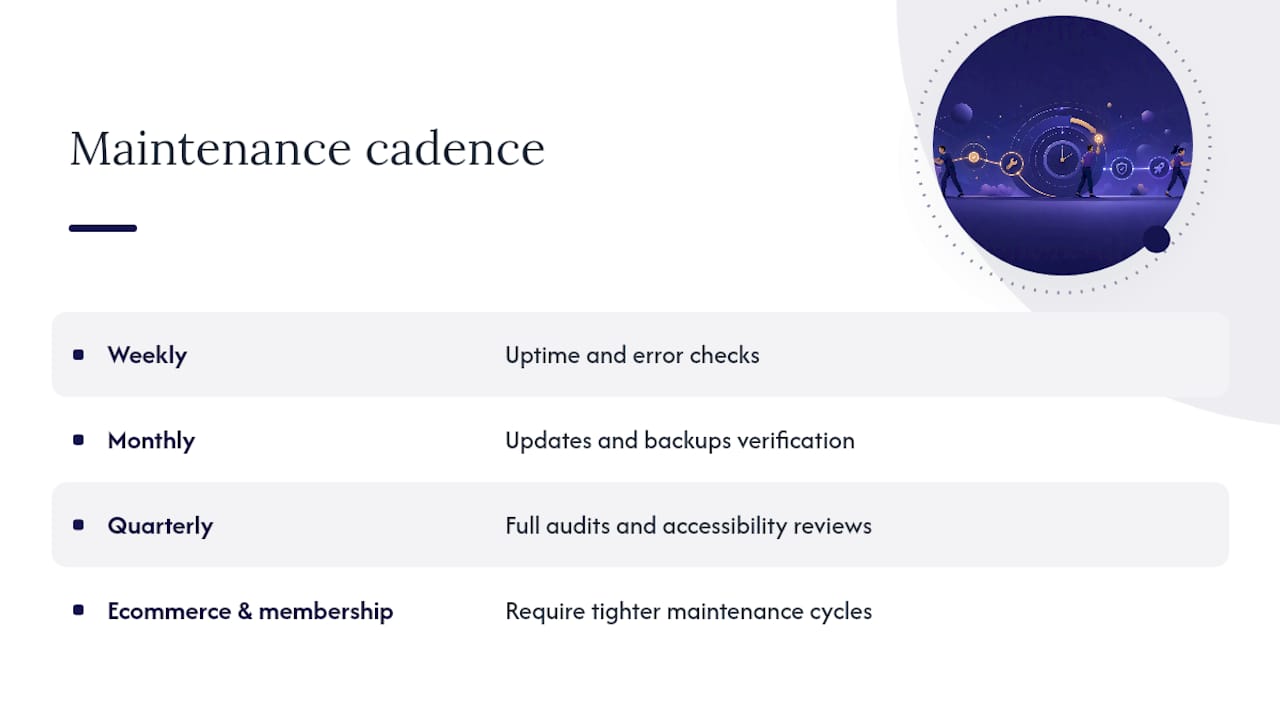
Weekly for uptime and error checks, monthly for updates and backups verification, quarterly for full audits and accessibility reviews. Ecommerce and membership sites need tighter cycles than simple brochure sites.
What’s the difference between website maintenance and website support?
Maintenance is scheduled, preventive work: updates, backups, monitoring. Support is reactive, responding to something already broken. A solid maintenance plan reduces how often support gets called in.
Can website maintenance be automated?
Partially. Low-risk security patches and backups can run automatically, but plugins touching checkout, forms or page builders need staging tests before going live, since automated updates on complex components carry higher breakage risk.
How much does professional website maintenance cost?
Pricing depends on site complexity, plugin count and whether ecommerce or membership features are involved. Models range from hourly retainers to fixed monthly tiers to per-site flat fees, with white-label bundles common among agencies.
Sources
- How to keep WordPress plugins updated and secure | InspectWP
- Content maintenance strategy: 6 tips for a cleaner website | Yoast