

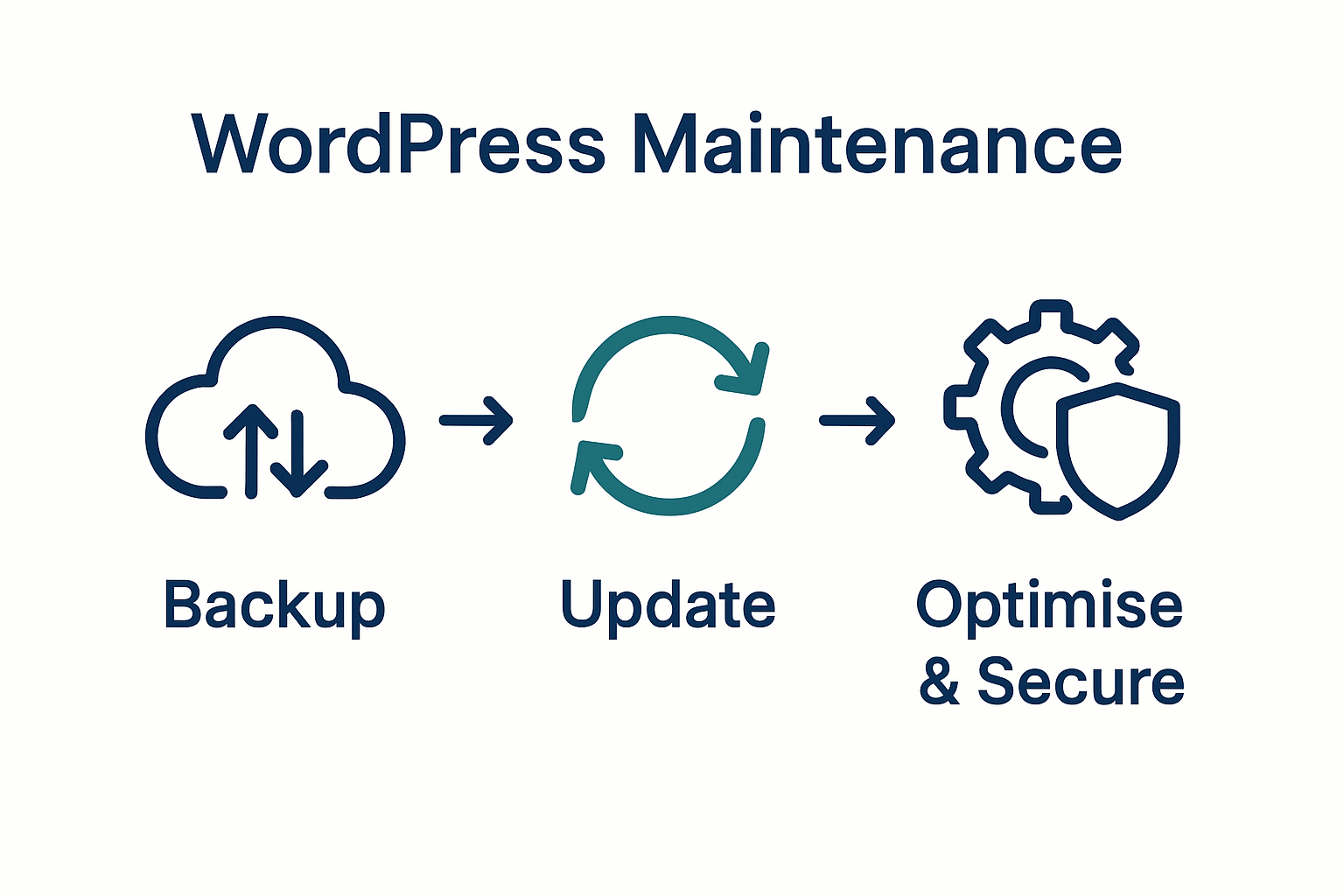
Nearly forty percent of websites run on WordPress, yet even seasoned british site owners often overlook routine maintenance. Neglecting key steps like secure backups and regular updates leaves your digital presence open to data loss or sudden breakdowns. This guide breaks down every stage of WordPress maintenance so you can protect your british website, increase reliability, and prevent avoidable headaches.
Table of Contents
- Stage 1: Prepare Essential Backups And Documentation
- Stage 2: Update WordPress Core, Themes And Plugins Safely
- Stage 3: Clean Up Database And Optimise Site Files
- Stage 4: Secure Your Website Against New Threats
- Stage 5: Test Site Performance And User Functionality
Quick Summary
| Key Insight | Explanation |
|---|---|
| 1. Perform Regular Backups | Regularly back up your website database and wp-content folder to protect against data loss and ensure quick recovery. |
| 2. Update Core and Plugins | Always back up before updating WordPress core, themes, and plugins to avoid complications and ensure compatibility. |
| 3. Optimise Database and Files | Clean up your database and files to improve performance, reduce bloat, and enhance loading times for users. |
| 4. Implement Strong Security Measures | Use security plugins, enable two-factor authentication, and restrict access to protect against digital threats. |
| 5. Test Site Performance Regularly | Conduct thorough performance tests to identify issues, ensuring a seamless user experience and optimising site functionality. |
 |
|
Stage 1: Prepare essential backups and documentation
Preparing comprehensive WordPress site backups and documentation protects your digital asset against potential data loss or unexpected system failures. In this critical maintenance step, you will create robust backup strategies and maintain clear records of your website’s configuration.
According to WordPress Developer, regular backups are essential for site maintenance. Focus on backing up two primary components: your website database and the wp-content folder, which contains themes, plugins, and uploaded media. While manual backups are possible, automated backup solutions significantly simplify this process and reduce human error.
Your backup strategy should include multiple layers of protection:
- Full site backup (database and files)
- Incremental backups capturing recent changes
- Off-site storage in cloud platforms
- Encrypted backup archives
Document each backup process meticulously, recording backup frequency, storage locations, and recovery procedures. This documentation becomes your technical roadmap during potential restoration scenarios, ensuring you can quickly recover your website if unexpected issues arise.
Warning: Always test your backups by performing periodic restoration trials to confirm their integrity and completeness. A backup is only valuable if it can be successfully restored when needed.
Stage 2: Update WordPress core, themes and plugins safely
Keeping your WordPress website updated is crucial for maintaining security, performance, and functionality. This stage will guide you through systematically updating your WordPress installation to protect your digital presence and ensure optimal website operation.
WordPress Developer recommends creating backups before performing any updates as a critical precautionary measure. This ensures you can quickly restore your website if unexpected complications arise during the update process.
Follow these strategic steps for safe WordPress updates:
- Check current versions of WordPress core, themes, and plugins
- Review update compatibility with your existing website configuration
- Perform a complete website backup before initiating updates
- Update WordPress core first, then move to plugins and themes
- Update one component at a time to isolate potential conflicts
Prioritise updates from reputable sources and monitor your website immediately after updating. Some updates may require additional configuration or might introduce minor design variations. Always check your website functionality comprehensively after completing the update process.
Warning: Never update directly on a live production site. Use a staging environment to test updates first, ensuring complete compatibility and preventing potential website disruptions. For comprehensive guidance, explore our WordPress update process guide for advanced update strategies.
Stage 3: Clean up database and optimise site files
Database and file optimization are critical processes that enhance your WordPress website’s performance, speed, and overall efficiency. In this stage, you will systematically clean and streamline your site’s underlying infrastructure to improve loading times and reduce unnecessary digital clutter.
WordPress Developer highlights the importance of regular database maintenance, recommending tools like phpMyAdmin and WP-CLI to assist in cleaning unused data and optimising database tables. This process helps eliminate redundant information, reduce database bloat, and improve overall site responsiveness.
Key steps for comprehensive database and file optimization include:
- Remove post revisions, spam comments, and trashed content
- Optimize database tables to reduce overhead
- Clear temporary files and cached data
- Compress and minify CSS, JavaScript, and image files
- Remove unused themes and plugins
Prioritise a methodical approach when cleaning your site. Start by backing up your entire website to prevent potential data loss during the optimization process. Each cleanup action should be carefully considered, ensuring you do not accidentally remove critical site components.

Warning: Always perform database optimizations cautiously. For more comprehensive insights into maintaining your WordPress site efficiently, review our website maintenance best practices guide to develop a holistic maintenance strategy.
Stage 4: Secure your website against new threats
Website security is an ongoing battle requiring proactive strategies and continuous vigilance. In this critical stage, you will implement comprehensive security measures designed to protect your WordPress site from emerging digital threats and potential vulnerabilities.
CERT-MU emphasises the importance of staying informed about recent vulnerabilities, highlighting specific risks like the CVE-2025-7384 affecting certain WordPress plugins. Understanding and addressing these potential security gaps is crucial to preventing exploitation by malicious actors.
Essential security strategies include:
- Implement robust password management protocols
- Install reputable security plugins
- Enable two factor authentication
- Configure Web Application Firewall (WAF)
- Restrict admin access and user permissions
- Monitor login attempts and block suspicious IP addresses
Regularly audit your website’s security configurations and stay updated on the latest potential vulnerabilities. Proactively scanning for potential weaknesses allows you to address risks before they can be exploited.
Warning: Security is not a one time task but an ongoing process. For comprehensive protection strategies tailored to WordPress sites, explore our secure WordPress site guide which offers expert insights into maintaining a robust digital defence system.
Stage 5: Test site performance and user functionality
Testing your WordPress website thoroughly ensures a seamless user experience and identifies potential performance bottlenecks before they impact your visitors. In this critical stage, you will systematically evaluate your website from multiple technical and user experience perspectives.
WordPress Developer recommends regular performance testing and monitoring to identify issues like slow load times or broken functionality. Comprehensive testing goes beyond simple visual checks and requires a structured approach to uncovering potential performance limitations.
Key testing strategies include:
- Conduct speed tests using professional performance analysis tools
- Check responsiveness across multiple device types and screen sizes
- Verify all navigation links and user interaction pathways
- Test form submissions and interactive elements
- Validate cross browser compatibility
- Measure page load times and server response speeds
Performance testing requires a meticulous approach. Start by establishing baseline performance metrics and systematically working through each potential user interaction scenario. Pay special attention to mobile responsiveness and loading speeds, as these directly impact user engagement and search engine rankings.
Warning: Performance testing is not a one time event but an ongoing process. Small changes can significantly impact site speed and user experience. To develop a comprehensive testing strategy, review our website maintenance best practices guide for expert insights into maintaining optimal website performance.
Secure and Optimise Your WordPress Site with Expert Support
Maintaining your WordPress website with thorough backups, updates, security measures and performance testing can feel overwhelming. The challenges of safeguarding your site from emerging threats while ensuring fast load times and flawless functionality are critical for your online success. Our specialised solutions at WPCTO.net directly address these complex needs. We help website owners like you implement trusted backup strategies, manage safe updates, optimise databases and secure your site against vulnerabilities such as those highlighted in the 2025 maintenance checklist.
Take control of your site’s health today by partnering with experts who prioritise reliability, responsiveness and technical precision. Visit WPCTO.net now to explore how our services including quick fixes, security enhancements and performance optimisation can save you time and protect your digital presence. Don’t wait for an emergency — ensure your website’s continuous peak performance and security with professional support designed specifically for WordPress.
Frequently Asked Questions
How often should I back up my WordPress site?
Backing up your WordPress site should be done regularly, ideally at least once a week. Create a schedule and stick to it, ensuring you have the latest snapshot of your site to recover from in case of data loss.
What are the key components to include in my WordPress backup strategy?
Your backup strategy should include a full site backup, which consists of both your website database and the wp-content folder. Additionally, consider implementing incremental backups and off-site storage to enhance your data protection.
How do I safely update my WordPress core, themes, and plugins?
To safely update your WordPress components, start by creating a complete website backup. After that, check for compatibility, update the WordPress core first, then the plugins and themes one at a time to prevent conflicts.
What steps can I take to optimise my WordPress site’s database and files?
To optimise your site’s database and files, remove unnecessary post revisions, clear out spam comments, and compress your CSS and JavaScript files. Regularly clean your database, as this can reduce loading times by up to 30%.
What security measures should I implement for my WordPress site?
Implementing strong passwords, using security plugins, and enabling two-factor authentication are key steps in securing your WordPress site. Additionally, configure a Web Application Firewall (WAF) to protect against common threats.
How can I test my WordPress site’s performance effectively?
To effectively test your site’s performance, conduct speed tests using reliable performance analysis tools and check for responsiveness on various devices. Measure your page load times and aim for a loading speed of under 3 seconds to maintain user engagement.