

WordPress has become more powerful and complex in 2025, presenting new challenges for users at every level. As sites grow in functionality, the need for expert wordpress help is greater than ever.
Ongoing support is crucial for keeping your website secure, troubleshooting unexpected issues, and ensuring smooth performance. Reliable, up-to-date solutions matter for site owners, businesses, and agencies who want to stay ahead.
This guide is designed to deliver actionable strategies, offering expert solutions for both common and advanced WordPress problems in 2025. You will discover how to get help, troubleshoot issues, secure your site, optimise performance, and explore advanced support options.
Understanding WordPress Support Options in 2025
Navigating wordpress help in 2025 requires a clear understanding of the platform’s evolving support ecosystem. As WordPress continues to power over 43% of all websites, the range of support options has grown to match the increasing complexity and diversity of user needs.
The Evolving WordPress Ecosystem
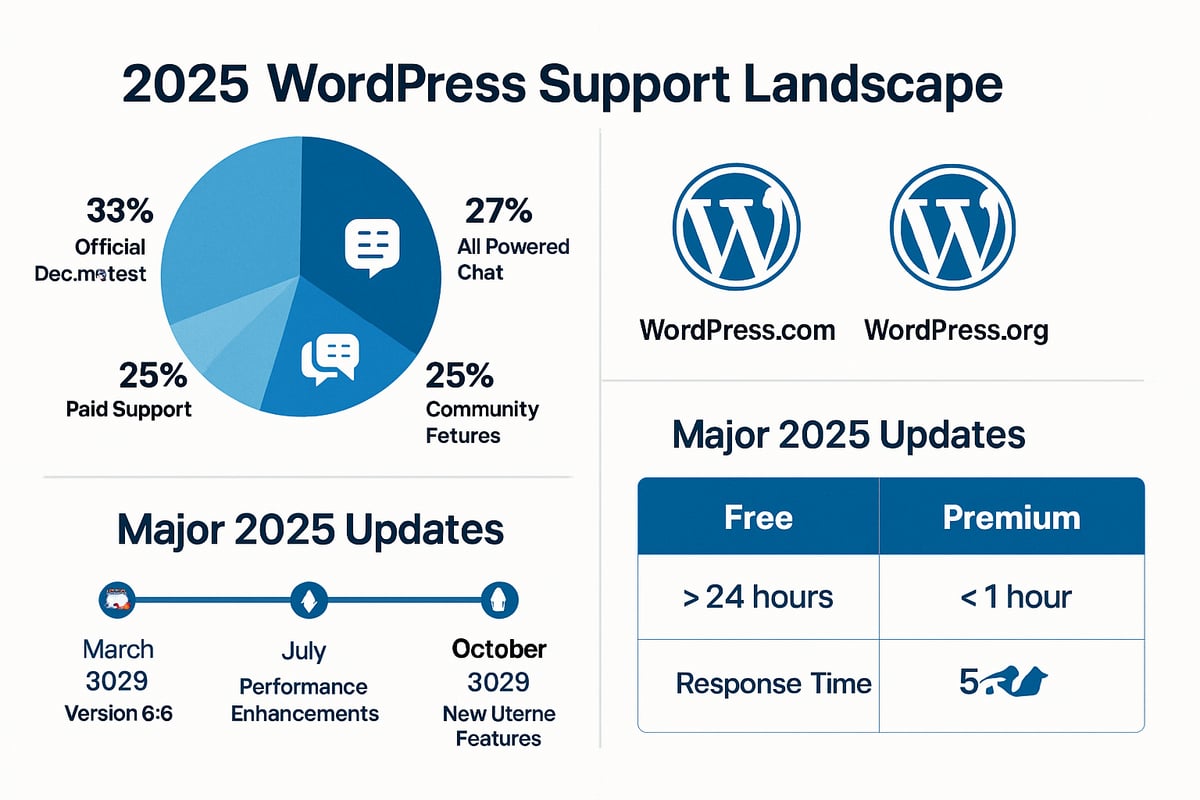
In 2025, the WordPress ecosystem has expanded rapidly, with new features and security updates released more frequently than ever before. This ongoing growth means users often need timely wordpress help to keep their sites secure, optimised, and up-to-date. Notably, the introduction of AI-powered support assistants and chatbots has transformed how site owners access troubleshooting and guidance.
WordPress.com and WordPress.org continue to offer different support structures. WordPress.com provides integrated support channels, especially for paid plans, while WordPress.org relies more on community-driven forums and documentation. AI chatbots are now standard on both platforms, helping users with common queries and basic troubleshooting.
Community forums and peer-to-peer support remain vital for many, offering a space to share experiences and solutions. However, as more businesses rely on their websites for critical operations, the demand for expert-led wordpress help has surged. According to recent statistics, the majority of new WordPress users seek a mix of automated and human support.
Comparing support response times, free users often experience longer wait periods than those on premium plans. For example:
| Support Type | Average Response Time |
|---|---|
| Free Forums | 24–48 hours |
| Premium Chat | Within 2–4 hours |
| AI Chatbot | Instant |
As these options evolve, users must choose the most suitable wordpress help based on their technical skills, urgency, and the complexity of their website.
Types of Support Available
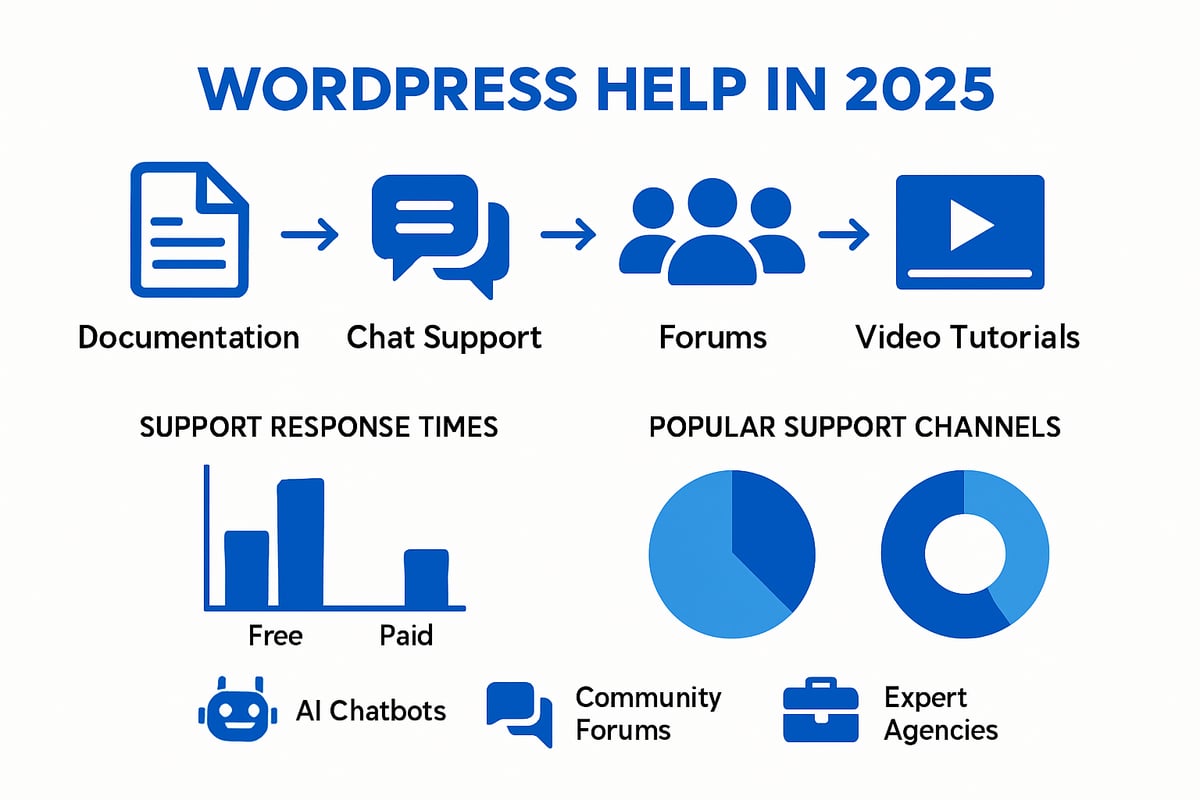
A wide variety of wordpress help channels are available in 2025, each designed to cater to different needs and experience levels. Official support resources include detailed documentation, step-by-step guides, and structured online courses, which are ideal for self-driven learners. Community-driven platforms, such as forums, Reddit, and Facebook groups, enable users to ask questions and share solutions in real time.
For those requiring more direct assistance, live chat, email, and ticketing systems are offered, particularly to premium plan holders. Expert agencies and independent consultants provide tailored support for complex or business-critical issues, offering services like troubleshooting, site optimisation, and ongoing maintenance.
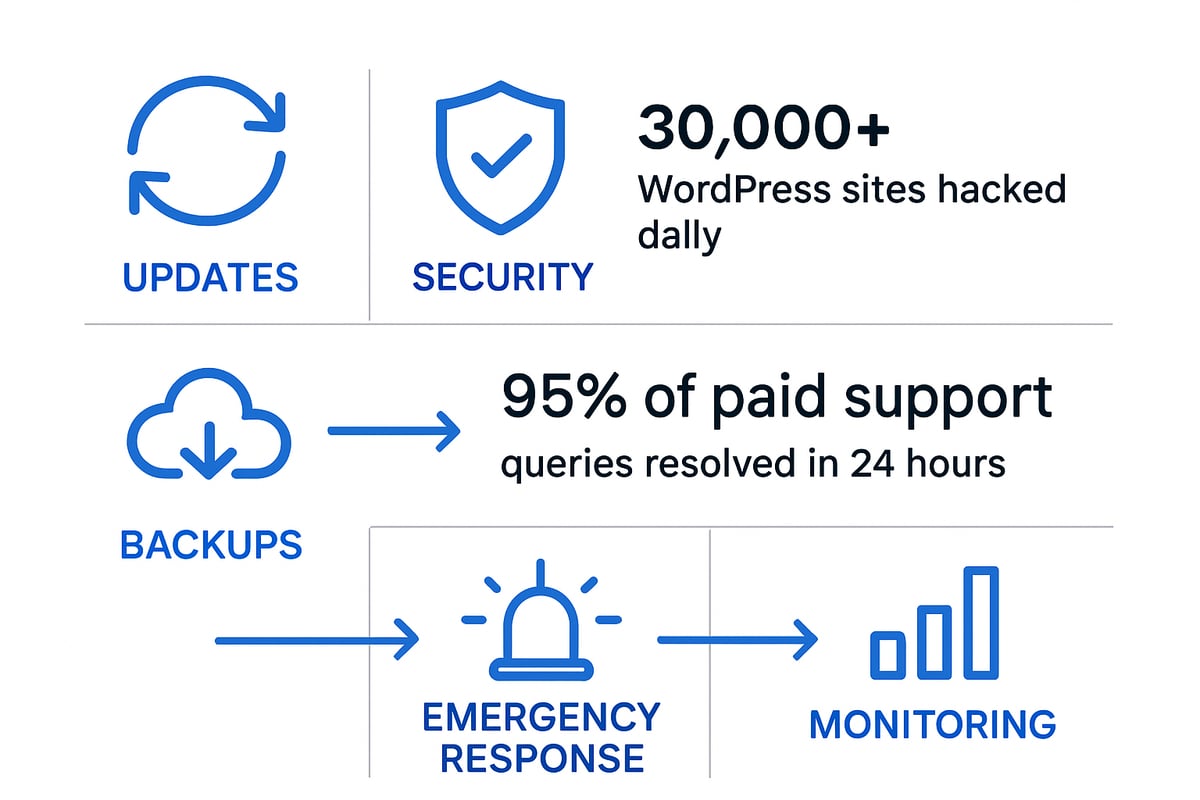
AI and automated tools play a significant role, handling routine queries, suggesting fixes, and even automating some maintenance tasks. For instance, the WordPress.com Help Center offers instant answers via AI and curated knowledge bases, resolving up to 95% of paid plan queries within 24 hours.
To explore in-depth guidance on the full range of support options, the WordPress website support guide gives a comprehensive overview for site owners, businesses, and agencies.
Whether using official channels, peer support, or expert consultancy, selecting the right wordpress help ensures a smooth, secure, and high-performing website experience in 2025.
Step-by-Step: How to Access WordPress Help
Accessing effective wordpress help is essential for keeping your site running smoothly in 2025. With new tools and resources available, users have more ways than ever to resolve issues, learn new skills, and get expert advice.
Self-Service Resources for Immediate Answers
The fastest way to get wordpress help is through self-service resources. The official WordPress Support Center is a comprehensive hub where users can search for answers to common problems. This includes detailed documentation, step-by-step guides, and troubleshooting articles.
For those who prefer structured learning, free online courses are available at learn.wordpress.org. These courses cover everything from basic site setup to advanced features. Community forums are also invaluable, allowing users to ask questions and receive peer support from experienced members.
When searching for wordpress help, try:
- Using the search bar in the Support Center for quick answers.
- Browsing topic-specific guides and FAQs.
- Participating in forum discussions with clear, concise questions.
Millions of users visit platforms like WPBeginner each month, demonstrating the widespread demand for reliable self-service resources. For example, if you are new to Gutenberg, you can find in-depth tutorials at learn.wordpress.org that walk you through every editor feature.
Contacting Human Experts
If self-service options do not resolve your issue, contacting human experts is the next step in accessing wordpress help. Depending on your plan, you may have access to live chat, email support, or a ticketing system. Paid plans typically offer priority support, while free users rely more on community and documentation.
When preparing your query, include as much detail as possible:
- Describe your problem clearly.
- Attach screenshots or error messages.
- Provide your site URL and steps to reproduce the issue.
You can use the “Help Center” or “Need Help Get in Touch” features to submit your request. After submission, you will receive a confirmation and can track your request’s progress. For complex problems, issues may be escalated to specialised Happiness Engineers for a thorough resolution.
A typical workflow involves:
- Submitting your query through the support portal.
- Receiving an initial response with troubleshooting steps.
- Providing additional information if needed.
- Getting a final resolution or being referred to advanced support.
For instance, if you experience a technical error that you cannot solve, a Happiness Engineer will guide you step by step until your site is back to normal.
Making the Most of Support Interactions
To maximise the value of wordpress help, communicate clearly and keep records of your interactions. Always provide relevant details, such as screenshots, error codes, and affected pages. This helps support staff diagnose your issue faster.
You can track and review your past support chat history within your account dashboard. Understanding the scope of official support is important, as some issues, like custom code changes, may not be covered.
Tips for effective communication:
- Use bullet points to organise information.
- Be specific about what you have tried so far.
- Stay polite and patient, especially during busy times.
Common support requests include login issues, plugin errors, and billing queries. For example, if you are locked out of your account, follow the password reset instructions provided by support and share relevant confirmation emails if asked.
By following these steps, you ensure that every wordpress help interaction is productive, and your issues are resolved as efficiently as possible.
Troubleshooting Common WordPress Issues
WordPress sites are powerful yet complex, and encountering technical snags is almost inevitable. Whether you are a beginner or an experienced user, knowing how to access wordpress help for common problems can save time and stress. The following sections guide you through proven solutions for frequent issues faced in 2025.
Login and Access Problems
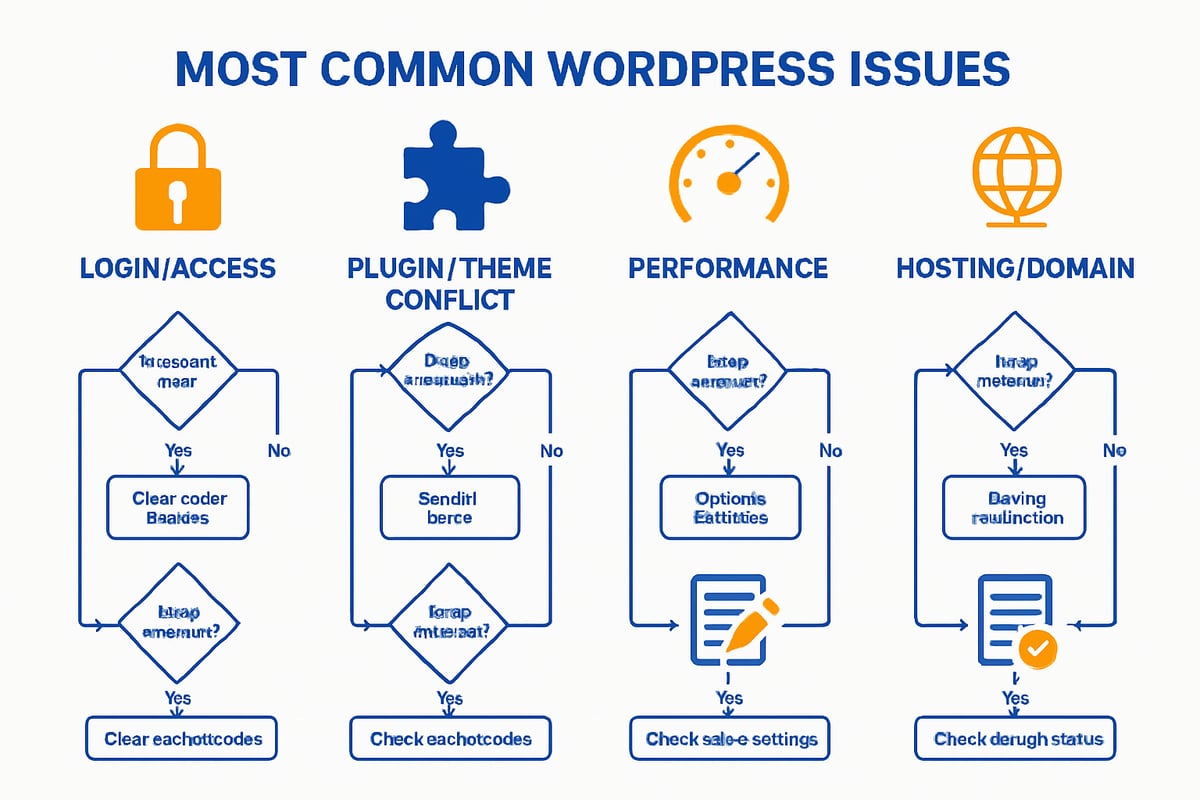
Access issues often top the list of wordpress help requests. If you cannot log in, start by resetting your password using the “Lost your password?” link on the login page. Enter your email address and follow the instructions sent to your inbox. If you have enabled two-factor authentication, ensure you have your device or backup codes ready.
Sometimes, account lockouts occur due to repeated failed attempts or unrecognised charges. Verify your account ownership by checking for confirmation emails or contacting support with proof of identity.
Example: Password Reset Steps
- Go to yoursite.com/wp-login.php
- Click “Lost your password?”
- Enter your username or email
- Check your inbox and follow the reset link
If you face persistent access issues, seek wordpress help through official support channels.
Plugin and Theme Conflicts
Plugin or theme conflicts are frequent sources of wordpress help queries. If your site breaks after an update, disable all plugins using the admin dashboard or via FTP by renaming the plugins folder.
Next, switch to a default theme like Twenty Twenty-Five. If the issue resolves, reactivate plugins one by one, testing after each activation to identify the culprit.
Safe Mode Troubleshooting Table
| Step | Action |
|---|---|
| Deactivate all plugins | Via dashboard or rename plugins folder |
| Switch to default theme | Activate Twenty Twenty-Five |
| Reactivate plugins/themes | One at a time, test site after each |
Using child themes helps preserve custom code during updates. If a plugin update causes a crash, revert to a previous version or seek wordpress help from the plugin developer.
Performance and Speed Issues
Slow sites are a common trigger for wordpress help. Begin by analysing your speed with tools like Google PageSpeed Insights. Optimise images using compression plugins, and enable caching to reduce server load.
Check for resource-hungry plugins or excessive scripts in your theme. Use built-in performance tools or third-party plugins to identify bottlenecks. Caching solutions, such as WP Super Cache or built-in host caching, can offer immediate improvements.
Example: Quick Speed Fixes
- Compress images before upload
- Enable caching in your host panel
- Minimise scripts and styles
- Regularly update plugins and themes
If performance lags continue, reach out for wordpress help from your hosting provider or a specialist.
Content and Editor Problems
The block editor (Gutenberg) has evolved, but editor problems still prompt many wordpress help requests. If you see errors or missing blocks, first clear your browser cache and disable conflicting browser extensions.
For lost content or accidental overwrites, use the built-in revision history. Navigate to the post or page, click “Revisions,” and restore the desired version.
Code Example: Restoring a Revision
1. Open the page/post in the editor
2. Click “Revisions” in the sidebar
3. Select a previous version to restore
If content issues persist, seek wordpress help through forums or support tickets for advanced troubleshooting.
Hosting and Domain Issues
Hosting problems can prevent your site from loading or cause domain connection errors, making wordpress help essential. First, confirm whether you use WordPress.com or WordPress.org, as support structures differ.
Verify your hosting account is active and your domain is correctly pointed. Issues with DNS, SSL, or expired domains are common culprits. Use tools like the Site Profiler to check your hosting status.
For more on diagnosing these problems, see Shared vs. own WordPress hosting, which covers practical steps for identifying hosting-related issues.
If your site remains offline after these checks, escalate to your hosting provider’s support or seek wordpress help from a knowledgeable consultant.
Enhancing WordPress Security and Maintenance
Staying ahead of threats and maintaining your site is essential for anyone seeking reliable wordpress help in 2025. As the platform evolves, so do the risks and complexities. A robust approach to updates, security, backups, and monitoring will keep your WordPress site safe and responsive.
Keeping WordPress Up-to-Date
Regular updates are the cornerstone of effective wordpress help for any site owner. Ensuring your WordPress core, themes, and plugins are always current reduces vulnerabilities and prevents compatibility issues.
Automate updates whenever possible using built-in WordPress features or trusted plugins. Schedule regular maintenance checks, especially after major releases, to test for conflicts and ensure smooth operation.
A simple checklist for updates:
- Enable automatic updates for minor releases.
- Review plugin and theme changelogs before updating.
- Use a staging site to test major changes.
Staying proactive with updates makes wordpress help requests less frequent and your site more resilient.
Strengthening Site Security
WordPress remains a prime target for cyber threats, making security a central concern for those seeking wordpress help. Use strong passwords, enable two-factor authentication, and install reputable security plugins like Jetpack or Wordfence to form your first line of defence.
Regular malware scans and timely patching of vulnerabilities are vital. According to recent WordPress security vulnerabilities 2024, security risks have increased, highlighting the importance of layered protection.
Key actions for robust security:
- Update all credentials regularly.
- Use a web application firewall.
- Set up automated malware scans and alerts.
Prioritising security means fewer emergencies and smoother wordpress help experiences.
Backup and Recovery Strategies
No wordpress help strategy is complete without a solid backup plan. Automate backups using plugins or hosting tools to protect your data against accidental loss or malicious attacks.
Schedule daily or weekly backups, depending on your site's activity. Store copies offsite or in the cloud for extra safety. If something goes wrong, tools like All-in-One WP Migration make restoring your site straightforward.
Backup essentials:
- Choose a reliable backup plugin.
- Verify backup completion regularly.
- Test restoring from a backup periodically.
With a reliable backup routine, you can address wordpress help issues swiftly and minimise downtime.
Handling Hacked or Offline Sites
When your site is compromised, immediate action is crucial. The first step in effective wordpress help is to isolate the issue by taking the site offline if necessary, then scanning for malware and unauthorised changes.
Contact expert support for urgent recovery and follow an emergency workflow:
- Change all passwords and revoke suspicious user access.
- Restore your site from a clean backup.
- Apply security patches and investigate how the breach occurred.
Responding quickly and methodically helps limit damage and speeds up the recovery process, making wordpress help more effective when you need it most.
Monitoring and Reporting
Continuous monitoring is a vital part of wordpress help for long-term site health. Set up uptime monitoring tools to receive instant alerts if your site goes offline. Security plugins can notify you of suspicious activity, while regular log reviews help spot patterns before they become problems.
Did you know over 30,000 WordPress sites are hacked each day? Proactive monitoring ensures you are one step ahead. Review incident reports after any security event to improve your defences and reduce future risks.
With consistent monitoring and timely reporting, you can prevent many issues that often require urgent wordpress help.
Optimising WordPress Performance for 2025
In 2025, WordPress performance is more critical than ever. As the platform powers a growing share of the web, site speed, SEO, and user experience directly influence your success. Whether you run a personal blog or manage dozens of client sites, robust optimisation is essential. This section of our wordpress help guide explores actionable methods to boost performance, covering speed, SEO, mobile readiness, multi-site management, and analytics.
Speed and User Experience Enhancements
Fast-loading sites reduce bounce rates and improve the user journey. Start by implementing caching plugins to store static versions of your pages, reducing server load. Content Delivery Networks (CDNs) distribute your content globally, ensuring quick access for visitors everywhere. Optimising images is vital: compress files and use modern formats like WebP. Enable lazy loading so images load only when visible.
AI-powered tools are transforming optimisation in 2025. For deeper insights, see how AI shapes performance in Building WordPress websites for AI. Always measure improvements using tools like Google PageSpeed Insights. With these wordpress help strategies, you can deliver a seamless, fast experience.
SEO Best Practices
Effective SEO ensures your site stands out in search results. Install trusted SEO plugins, such as Yoast or Rank Math, to automate technical improvements. Structure your content with clear headings, meta descriptions, and alt text for images. Regularly audit your site for broken links and duplicate content.
According to recent studies, sites using optimised SEO plugins can achieve up to 40 percent more traffic. Incorporate keyword research and update your sitemaps after major changes. For ongoing success, make SEO a core part of your wordpress help approach and review analytics to refine your strategy.
Mobile Responsiveness and Accessibility
With the majority of visitors now browsing on mobile devices, responsive design is non-negotiable. Choose themes that automatically adapt to different screen sizes and test them using WordPress’s built-in accessibility checker. Ensure buttons are easy to tap and text is legible on all devices.
Accessibility is equally important. Use tools to check colour contrast, keyboard navigation, and screen reader compatibility. Regularly review updates as accessibility standards evolve. By prioritising these aspects, you provide inclusive wordpress help for every user.
Managing Multiple Sites Efficiently
Agencies and power users often juggle several WordPress installations. Tools like MainWP allow you to manage updates, backups, and monitoring from a single dashboard. Schedule regular maintenance and automate plugin or theme updates to save time.
Document your workflow for onboarding new sites and clients. Assign user roles carefully to maintain security. This streamlined approach is a core part of modern wordpress help, enabling you to scale your efforts without losing control.
Analytics and Reporting
Data-driven decisions are essential for growth. Integrate analytics plugins such as MonsterInsights to monitor traffic, user behaviour, and conversion rates. Custom dashboards provide a unified view of key metrics, helping you spot trends early.
Given WordPress’s expanding reach, as shown in WordPress usage statistics 2025, robust analytics are more important than ever. Use reports to inform content and technical updates. With these wordpress help strategies, you can continually refine your site’s performance and meet evolving user expectations.
Advanced WordPress Solutions and Expert Resources
As your site grows, advanced wordpress help becomes essential for unlocking the full potential of your platform. Whether you are customising features, scaling e-commerce, or automating workflows, knowing where to find expert resources can make the difference between a thriving site and persistent frustration. Let us explore the most effective avenues for advanced wordpress help in 2025.
Customisation and Development Support
For those looking to tailor their sites, advanced customisation is a cornerstone of effective wordpress help. Learning to build child themes or custom plugins ensures your site remains unique and adaptable. A wealth of resources exists for PHP, JavaScript, and ReactJS within the WordPress ecosystem, supporting both beginners and seasoned developers.
The extensibility of WordPress is evident, with WordPress plugin and theme statistics showing tens of thousands of plugins and themes available. This variety allows for nearly limitless design and functionality options.
Key development resources include:
- Official developer documentation
- Tutorials on creating child themes
- Sample code and best practices for custom plugins
Investing time in these skills empowers you to troubleshoot and enhance your site independently.
E-Commerce and WooCommerce Help
E-commerce sites have unique demands, making specialised wordpress help vital. WooCommerce powers countless online shops, yet common issues like payment errors, slow checkout, or plugin conflicts can arise. Advanced support covers troubleshooting these issues and optimising product pages for higher conversions.
Consider these steps for better e-commerce management:
- Use staging sites to test new plugins or updates
- Optimise checkout flows for mobile and desktop
- Monitor analytics to spot and fix drop-offs
Premium plugins and expert guidance streamline complex setups, ensuring your online store runs smoothly.
Leveraging AI and Automation Tools
AI-driven solutions are transforming wordpress help in 2025. From AI-powered chatbots that answer visitor questions to automated maintenance tasks, these tools boost efficiency and free up your time for strategic work.
Popular automation options include:
- Chatbots for instant support and lead generation
- Scheduled backups and updates
- Automated security scans and alerts
Integrating AI assists with both customer service and behind-the-scenes site management, making advanced wordpress help more accessible than ever.
Training and Learning Resources
Continuous learning is at the core of effective wordpress help. The platform evolves rapidly, so keeping skills up to date is essential. There are comprehensive courses on learn.wordpress.org, Udemy, and WPBeginner, catering to all levels.
Visual learners can benefit from YouTube channels offering step-by-step tutorials. Community-driven guides and official documentation provide structured paths for deepening your expertise.
A mix of free and paid resources allows you to choose the learning style and depth that best matches your needs.
When to Hire a WordPress Expert
Sometimes, even experienced users encounter challenges beyond self-service solutions. Signs you need professional wordpress help include persistent errors, complex integrations, or urgent security threats. In these situations, hiring a consultant or agency with a proven track record is wise.
Explore WordPress support service options to understand premium support agreements. These services often feature guaranteed response times, proactive monitoring, and tailored solutions for your business.
Having expert help on standby provides peace of mind and ensures your site remains robust, secure, and scalable as you grow.
Community and Peer Support
The WordPress community remains a vibrant source of wordpress help. Forums, Reddit threads, and Facebook groups enable users to share experiences, troubleshoot issues, and celebrate successes.
Participating in these communities offers:
- Real-world solutions from peers
- Networking with like-minded site owners
- Access to the latest tips and trends
Many users have solved complex problems simply by engaging with the wider WordPress community, making it an invaluable resource for ongoing support.
After exploring the latest solutions for WordPress in 2025—from troubleshooting common issues to boosting security and performance—you’ve seen how vital expert support can be for keeping your website running smoothly. Whether you’re managing your site solo or overseeing an entire business, having a professional team on hand can make all the difference when challenges arise or growth opportunities appear. If you’re looking for tailored advice, reliable maintenance, or immediate technical help, I invite you to contact us now for immediate services and support—so you can focus on what matters most, while we handle the WordPress details.