

TL;DR:
- Choosing a lightweight, well-supported theme like Astra or GeneratePress ensures optimal performance, compatibility, and easier maintenance.
- Opting for block themes offers future-proofing, but current support and learning curves make classic or builder-friendly themes more practical today.
- Standardizing on a few reliable themes reduces support time, simplifies updates, and minimizes long-term risks for agency-managed WordPress sites.
A WordPress theme is a collection of files and stylesheets that controls every visual element of a website, from layout and typography to colours, headers, and footers, without touching the underlying content. Think of it as the design layer sitting between your database and your visitors. Every WordPress site requires an active theme to function, and the one you choose shapes speed, SEO, usability, and how much time you spend maintaining the site for years to come. Themes like Astra, GeneratePress, and Divi each take a fundamentally different approach to that job, and understanding those differences is what separates a good decision from an expensive one.
What WordPress theme types exist and how do they differ?
WordPress themes fall into five broad categories, and each carries a different set of trade-offs. Knowing which type fits your project before you start browsing saves considerable time and avoids costly rebuilds later.
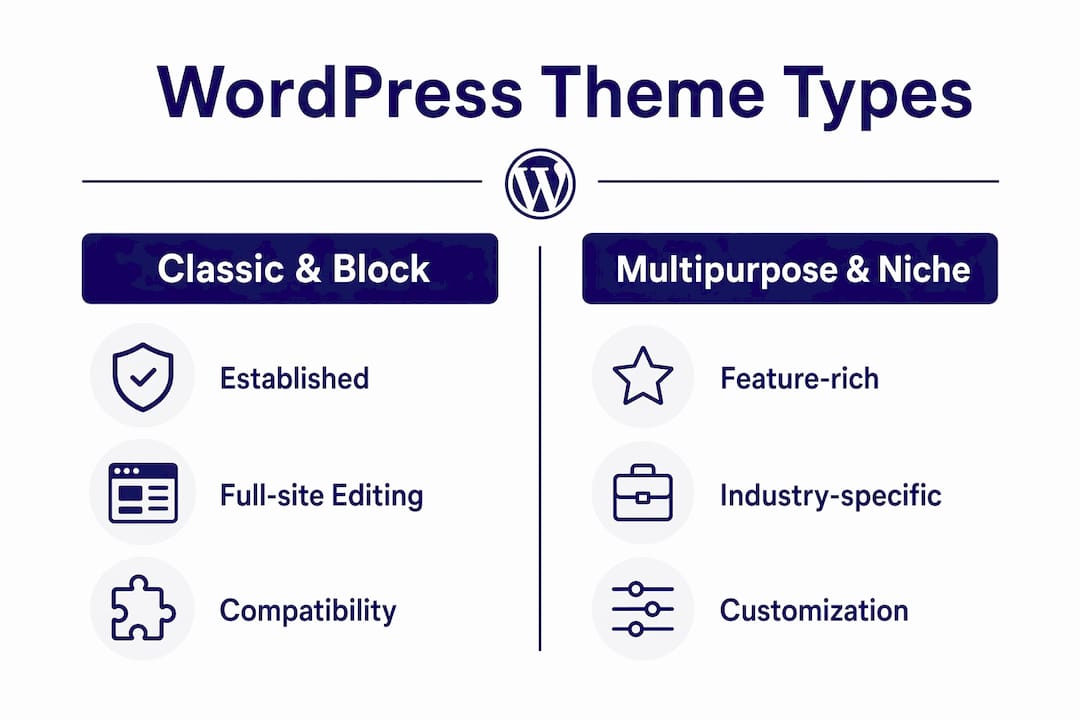
Classic themes use the WordPress Customizer and widget areas to control design. They are stable, widely compatible, and familiar to most developers. If your client is running a site built three years ago and wants minimal disruption, a classic theme is the safe choice.
Block themes represent the future direction of WordPress site design, offering full-site editing through native Gutenberg blocks. Block themes grant greater design flexibility than classic themes but carry a steeper learning curve, particularly for teams still accustomed to Customizer workflows. Twenty Twenty-Three is the most prominent example of this category.
Multipurpose themes like Avada bundle dozens of features, templates, and layout options into a single package. They look impressive in demos but frequently introduce site bloat, slower load times, and dependency on proprietary shortcodes that make future migrations painful.
Builder-friendly themes such as Hello Elementor or GeneratePress are deliberately minimal, designed to hand visual control to a page builder like Elementor or Beaver Builder. They keep the theme layer lightweight while the builder handles design complexity.
Niche themes are built for specific industries: law firms, restaurants, photographers, WooCommerce stores. They accelerate initial setup but can restrict flexibility if the client’s needs evolve.
| Theme type | Best suited for | Key trade-off |
|---|---|---|
| Classic | Established sites, broad compatibility | Limited design control vs. block themes |
| Block | New builds, future-proofing | Steeper learning curve |
| Multipurpose | All-in-one rapid builds | Performance and migration risk |
| Builder-friendly | Page builder workflows | Dependent on builder plugin |
| Niche | Industry-specific projects | Reduced long-term flexibility |
What criteria should you consider when choosing a WordPress theme?
Selecting a theme aligned with site goals leads to better performance and less need for future replacement. These are the criteria that actually matter, ranked by the impact they have on long-term site health.
- Page speed and code quality. A theme’s base code determines your performance ceiling. Themes like Astra and GeneratePress consistently score 95 to 100 out of 100 on speed benchmarks. A bloated theme cannot be fixed with a caching plugin.
- Mobile responsiveness. Google uses mobile-first indexing, so a theme that renders poorly on smaller screens directly harms search rankings. Test on real devices, not just browser emulators.
- Plugin compatibility. Confirm the theme works with WooCommerce, your preferred page builder, and any SEO plugin before committing. Incompatibilities surface after launch, not before.
- Customisation depth. You want enough flexibility to match a client’s brand without needing to write custom CSS for every small change. Too little control is frustrating; too much complexity slows down delivery.
- Active developer support and update frequency. A theme that has not been updated in 18 months is a security and compatibility liability. Check the changelog before you buy.
- Cost and licensing. Premium multipurpose themes like Avada cost £50 to £70, while lightweight themes like Astra offer a free version with a pro upgrade. Factor in per-site or unlimited licences if you manage multiple client sites.
- Avoiding demo content illusions. Replicating demo visuals requires professional photography and advanced configuration that goes well beyond what most clients expect. Sell the theme’s structure, not its demo.
Pro Tip: Run any shortlisted theme through Google PageSpeed Insights and GTmetrix before presenting it to a client. A theme that scores below 80 on mobile before you have added a single plugin will only get slower.
How to find out what WordPress theme a website is using
Identifying the theme on a competitor or client site is a standard part of agency audits and new business pitches. There are two reliable methods.
The fastest approach is an automated detector. Tools like What WordPress Theme Is That accept a URL and return the active theme name, version, and often the plugins in use as well. These tools are more precise than manual inspection, particularly when it comes to identifying child themes and active plugins alongside the parent theme.
The manual method involves viewing the page source and searching for "wp-content/themes/`. The folder name that follows is typically the theme slug. This works on most sites but has a significant limitation: manual detection can be thwarted by renamed theme folders, which agencies frequently do to obscure the underlying technology from competitors or clients.
Understanding the parent and child theme distinction matters here. A child theme inherits the parent’s design and functionality but stores customisations separately. If a detector returns an unfamiliar name, it may be a custom child theme built on a well-known parent like Astra or GeneratePress.
- Use automated detectors for speed and plugin visibility
- Use source inspection as a fallback or to verify detector results
- Check for both parent and child theme references in the source
- Note the theme version to assess how current the site’s maintenance is
Pro Tip: When auditing a prospective client’s site, run a theme detector alongside a plugin scanner. The combination tells you far more about the site’s technical health than either tool alone.
How do popular WordPress themes compare?
The themes agencies and developers reach for most often are Astra, GeneratePress, Divi, Kadence, Avada, and Twenty Twenty-Three. Each occupies a distinct position in the market.
Astra is the most widely installed third-party theme in the WordPress ecosystem. It loads under 50KB, integrates with every major page builder, and offers a free version capable enough for most projects. The pro upgrade unlocks starter templates and deeper WooCommerce controls.
GeneratePress takes a similar lightweight approach but with a more developer-focused interface. It is the preferred choice for teams who want granular control through CSS variables and a minimal admin footprint. Astra and GeneratePress both score 95 to 100 out of 100 on speed benchmarks, making either a sound default for performance-conscious builds.
Divi from Elegant Themes bundles a visual drag-and-drop builder directly into the theme. It offers hundreds of pre-built layouts and a large community, but it locks you into its proprietary ecosystem. Migrating a Divi site to a different theme is a significant project, not a quick switch.

Kadence has grown rapidly as a block-theme-compatible option with strong WooCommerce support. It sits between Astra and Divi in terms of feature depth, making it a good fit for e-commerce projects that need more than a minimal theme but less than a full page builder dependency.
Avada remains the best-selling premium theme on ThemeForest. It suits agencies delivering complex, feature-rich sites for clients who want everything in one package. The trade-off is a heavier codebase and a steeper maintenance burden over time.
Twenty Twenty-Three, WordPress’s default theme, is lightweight, accessibility-focused, and supports full site editing. It is ideal for bloggers and small businesses wanting straightforward customisation without a premium licence cost.
If you manage multiple client sites and want to understand the revenue sitting in your existing WordPress base, the WordPress Profit Calculator shows you exactly that in under 90 seconds.
Practical tips for agencies selecting and managing WordPress themes
The most experienced WordPress agencies share a consistent set of principles around theme selection. These are the ones that prevent the most common and costly mistakes.
- Avoid over-theming. Lightweight themes combined with specific plugins outperform feature-packed multipurpose themes on both speed and maintainability. If a theme bundles a slider, a form builder, and a portfolio module, those features will become liabilities the moment better dedicated plugins emerge.
- Always use child themes for customisation. Editing parent theme files directly causes loss of custom changes on updates. A child theme stores your CSS and PHP modifications separately, so updates to the parent theme never overwrite your work.
- Consider block themes for new long-term builds. Full site editing is the direction WordPress is heading. Starting a new client project on a block theme in 2026 reduces the likelihood of a forced migration in three years.
- Think about migration before you commit. A theme that uses proprietary shortcodes or custom post types will make any future platform change significantly harder. Ask yourself how difficult it would be to move this site before you build on it.
- Assess theme impact on SEO from the start. Themes affect heading hierarchy, schema output, and Core Web Vitals scores. A poorly structured theme can undermine months of content work.
Pro Tip: Before presenting a theme recommendation to a client, install it on a staging environment with their actual content. Demo sites use professional photography and minimal plugins. Real sites look and perform differently.
For a practical guide to keeping themes updated safely across client sites, the safe theme update guide from Wpcto covers the process step by step.
Key takeaways
The right WordPress theme is a lightweight, well-supported foundation that separates content from design, integrates with your chosen plugins, and does not create a maintenance burden that outlasts the project budget.
| Point | Details |
|---|---|
| Theme types matter | Classic, block, multipurpose, builder-friendly, and niche themes each carry distinct trade-offs for performance and flexibility. |
| Speed is non-negotiable | Astra and GeneratePress score 95 to 100 on speed benchmarks; start with a fast theme rather than trying to fix a slow one. |
| Child themes protect your work | Always customise via a child theme to prevent updates from overwriting your changes. |
| Avoid demo content assumptions | Replicating a theme demo requires professional assets and configuration that clients rarely anticipate. |
| Block themes are the future | New builds in 2026 benefit from block theme compatibility to reduce the risk of forced migration later. |
Why I think most agencies are choosing themes the wrong way
My honest view, after years of working with agencies on WordPress delivery, is that theme selection is treated as a creative decision when it is fundamentally an operational one. The question is not “which theme looks best in the demo?” It is “which theme will cause the least friction across the next three years of maintenance, updates, and client requests?”
The shift to block themes is real and it is accelerating, but I would not push every client onto full site editing today. The tooling is maturing quickly, but the learning curve is genuine and the support documentation still has gaps. For most agency clients in 2026, a lightweight classic or builder-friendly theme remains the more practical choice. Reserve block themes for new builds where the client has the appetite to learn a new editing workflow.
The agencies I see managing WordPress most profitably are the ones who standardise on one or two themes across their client base. Astra and GeneratePress are the most common choices because they are fast, well-supported, and do not create lock-in. That standardisation pays off in reduced support time, faster onboarding for new developers, and simpler maintenance across the portfolio.
The other thing I would say plainly: if your agency is absorbing theme update time, troubleshooting plugin conflicts after updates, and fielding client calls about broken layouts, that is not a theme problem. That is a service model problem. The theme is just where the symptom shows up.
— Marcel
How Wpcto helps agencies manage WordPress themes at scale
Wpcto handles the WordPress layer so your agency does not have to. That includes theme evaluation for new client builds, ongoing theme and plugin management, security monitoring, performance optimisation, and emergency support when something breaks at an inconvenient time. All of it runs under your agency’s brand if you prefer, with no Wpcto branding visible to your clients. If you manage five or more WordPress client sites and want to see how much uncaptured revenue is sitting in that base, run the numbers through the WordPress Profit Calculator now. It takes less than 90 seconds.
FAQ
What is a WordPress theme exactly?
A WordPress theme is a collection of files, stylesheets, and templates that controls the visual presentation of a WordPress site without altering its content. Every WordPress site requires an active theme to display correctly to visitors.
How do I find out what WordPress theme a site is using?
Use an automated detector tool by entering the site’s URL, or view the page source and search for wp-content/themes/ to find the theme folder name. Automated tools also surface plugin information and child theme details.
What is the best WordPress theme for agencies?
Astra and GeneratePress are the most widely recommended themes for agencies due to their speed scores of 95 to 100 out of 100, broad plugin compatibility, and straightforward maintenance. Both offer free versions suitable for most client projects.
What is the difference between a parent theme and a child theme?
A parent theme provides the core design and functionality, while a child theme stores your customisations separately. Using a child theme means updates to the parent never overwrite your changes.
Are free WordPress themes good enough for professional sites?
Yes, in many cases. Themes like Astra, GeneratePress, and Twenty Twenty-Three offer free versions that are fast, well-coded, and suitable for professional builds. Premium upgrades add templates and advanced controls rather than fixing fundamental limitations in the free version.