

More than 40 percent of all websites rely on WordPress, yet many site owners overlook the simple tools available for keeping things running safely and smoothly. Without careful attention, small technical flaws or outdated plugins can hurt your website’s performance or even invite security risks. Understanding exactly how the WordPress Site Health tool works helps you catch problems early, so you can keep your site fast, secure, and worry-free.
Table of Contents
- What Is WordPress Site Health?
- Key Features Of Site Health Tool
- Common Issues Detected And Fixes
- Performance And Security Optimization Tips
- Site Health Best Practices For Businesses
Key Takeaways
| Point | Details |
|---|---|
| WordPress Site Health Tool | A vital diagnostic tool that helps monitor the health of WordPress websites by identifying performance, security, and functionality issues. |
| Proactive Monitoring is Crucial | Regular assessments and maintenance are essential to prevent operational risks, like reduced visibility or security vulnerabilities. |
| Common Issues and Resolutions | Address outdated software, inactive plugins, and security vulnerabilities promptly to enhance overall site performance. |
| Implementation of Best Practices | Utilize software updates, performance optimization strategies, and strong security protocols for comprehensive site management. |
What Is WordPress Site Health?
WordPress Site Health is a built-in diagnostic tool designed to help website owners proactively monitor and maintain their WordPress websites. According to WordPress.org, this feature comprehensively assesses the overall health of a website, providing critical insights into potential performance, security, and functionality issues.
The core purpose of Site Health is to perform systematic checks across multiple dimensions of your website. As detailed by WordPress Learn, these checks identify critical and recommended improvements, covering areas such as:
- WordPress core software version
- PHP version compatibility
- Active plugin and theme evaluations
- Security vulnerability assessments
- Performance optimization opportunities
When you access the Site Health tool, you’ll encounter a detailed dashboard presenting potential problems categorised into two primary groups: critical issues that require immediate attention and recommended improvements that can enhance your site’s overall performance and stability. These diagnostics help you maintain a robust, secure, and efficiently functioning WordPress website without requiring advanced technical expertise.
For website owners and managers looking to maintain their WordPress sites effectively, understanding and regularly reviewing the WordPress Maintenance Guide can complement the insights provided by the Site Health tool, ensuring comprehensive website management and proactive problem resolution.
Key Features Of Site Health Tool
WordPress Site Health Tool offers a robust set of features designed to provide comprehensive website diagnostics and maintenance insights. Developer WordPress reveals that the tool is not just a static checker but a flexible platform that allows developers to extend its functionality by adding custom tabs and checks, making it an adaptable solution for various website management needs.
The core features of the Site Health tool include:
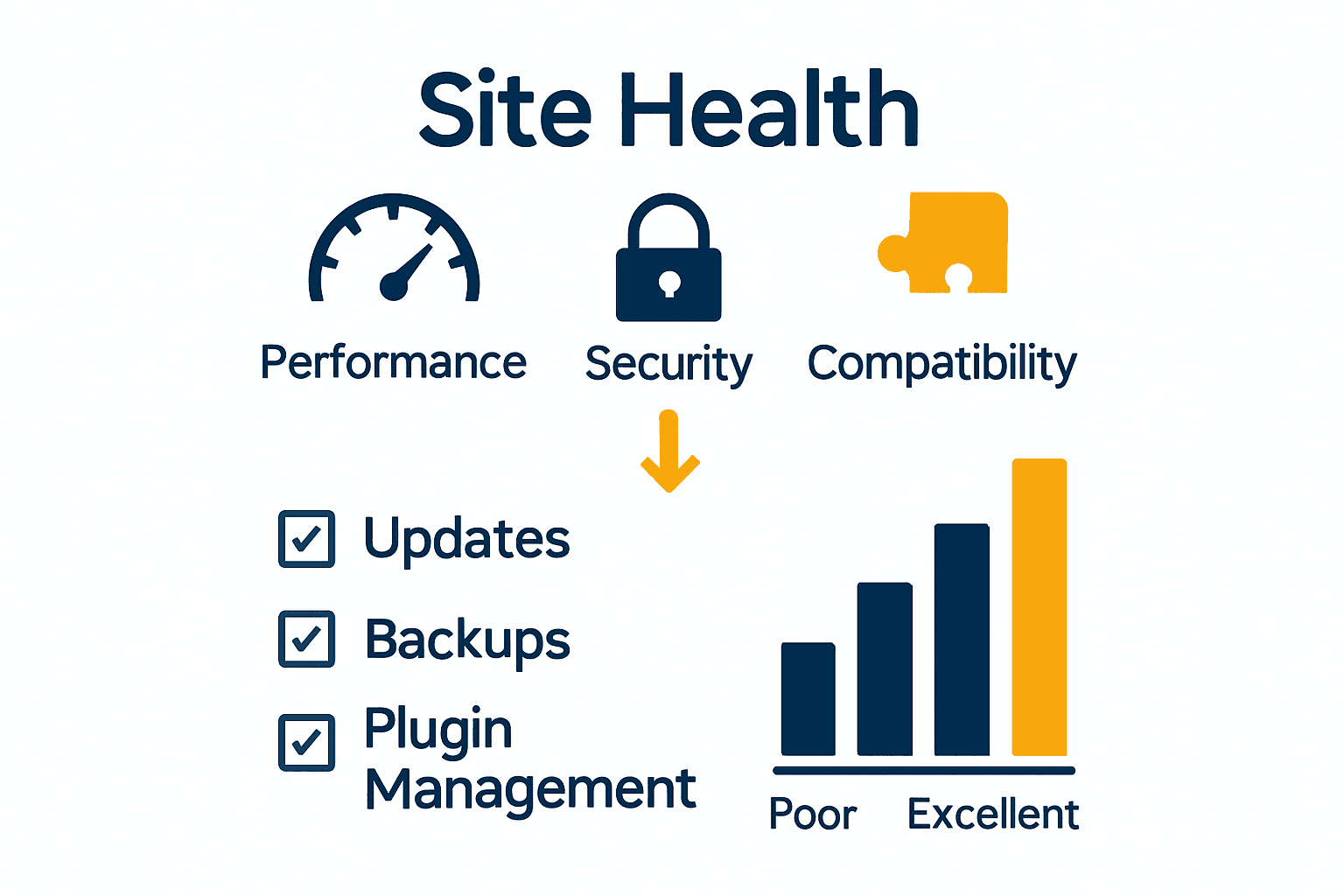
- Performance Monitoring: Assessing website speed and resource utilisation
- Security Vulnerability Detection: Identifying potential security risks and configuration issues
- Compatibility Checks: Verifying WordPress core, plugin, and theme version compatibility
- System Status Reporting: Providing detailed insights into server configuration and PHP settings
According to the WordPress Health Check plugin, advanced features include debugging information, a comprehensive troubleshooting mode, and tools for checking critical aspects like file integrity and email functionality. These features empower website owners to proactively identify and resolve potential problems before they escalate into significant issues.

Website managers seeking to maintain optimal site performance can complement the Site Health tool by exploring our 7-step website maintenance checklist, which provides additional strategies for comprehensive WordPress site management and ongoing health monitoring.
Common Issues Detected And Fixes
WordPress Site Health tool systematically identifies critical website vulnerabilities that could compromise performance and security. WordPress.org highlights several common issues that website owners should address promptly, including outdated software versions, inactive plugins, and missing PHP modules that can significantly impact website functionality.
The most frequently detected issues typically fall into three primary categories:
-
Software Versioning Problems
- Outdated WordPress core installation
- Incompatible PHP versions
- Unupdated themes and plugins
-
Security and Performance Vulnerabilities
- Inactive or abandoned plugins
- Potential security configuration weaknesses
- Inefficient server resource utilisation
-
Technical Configuration Challenges
- Missing essential PHP modules
- Inadequate server environment settings
- Potential database configuration issues
According to WPBeginner, improving your Site Health score requires a proactive approach. This includes updating to the latest PHP version, systematically removing unused plugins and themes, and ensuring all recommended PHP modules are installed. Quick resolution of these issues can dramatically enhance your website’s overall performance, security, and user experience.
Website managers looking to dive deeper into comprehensive maintenance strategies can explore our 7 Essential Website Maintenance Best Practices guide, which provides additional insights into maintaining a robust and secure WordPress website.
Performance And Security Optimization Tips
WordPress site optimization requires a strategic approach to enhancing both performance and security. Themeisle suggests implementing a comprehensive strategy that addresses multiple critical aspects of website management, focusing on key technical configurations that directly impact site reliability and user experience.
Key optimization strategies include:
-
Software Management
- Update to the latest PHP version
- Remove inactive and unused plugins
- Delete unnecessary themes
- Enable automatic WordPress core updates
-
Performance Optimization
- Implement server-level caching
- Optimize database regularly
- Use content delivery networks (CDNs)
- Compress and resize images
-
Security Enhancement
- Install reputable security plugins
- Use strong, unique passwords
- Implement two-factor authentication
- Limit login attempts
- Configure regular automated backups
According to WPBeginner, improving your site’s health score requires proactive management, particularly focusing on PHP module compatibility and systematic removal of unnecessary website components. These steps not only enhance performance but significantly reduce potential security vulnerabilities.
Website administrators seeking deeper security insights can explore our comprehensive 7 Essential Security WordPress Tips, which provides advanced strategies for maintaining a robust and protected WordPress environment.
Site Health Best Practices For Businesses
WordPress site management represents a critical component of digital business infrastructure, requiring consistent and proactive monitoring. Site2B emphasises that regular Site Health checks are essential for preventing significant operational risks like reduced search engine visibility, potential user experience errors, and emerging security vulnerabilities.
Key best practices for businesses include:
-
Proactive Monitoring
- Conduct weekly Site Health assessments
- Set up automated monitoring alerts
- Track performance metrics consistently
- Review Site Health score regularly
-
Technical Maintenance
- Update WordPress core software
- Maintain latest PHP version compatibility
- Remove inactive plugins and themes
- Optimise database performance
-
Security Protocols
- Implement robust security plugins
- Use strong authentication methods
- Configure regular automated backups
- Monitor user access permissions
Conetix recommends businesses prioritise continuous site health management by ensuring database servers remain up-to-date and addressing potential issues before they escalate. This approach minimises downtime risks and maintains optimal website performance for critical business operations.
Business leaders seeking comprehensive website management strategies can explore our Website Support and Maintenance Guide to develop a robust, proactive approach to WordPress site health and digital infrastructure management.
Take Control of Your WordPress Site Health Today
Managing WordPress site health is critical for safeguarding your website from performance glitches and security vulnerabilities that can cause serious disruptions or loss of visitors. If you have identified challenges like outdated PHP versions, inactive plugins, or configuration weak spots after reading this guide, you are not alone. Many website owners face these issues and need a trusted partner to navigate the technical complexity with confidence. Proactively monitoring your site health and resolving these critical problems can dramatically improve user experience and protect your digital presence.
Discover expert support tailored for WordPress site maintenance and optimisation at WPCTO.net. Whether you require immediate troubleshooting, ongoing security enhancements or strategic advice, our professional services ensure your website remains robust, up-to-date and performing at its best. Begin your journey to a healthier WordPress website by exploring our 7 Essential Website Maintenance Best Practices and taking advantage of our comprehensive Website Support and Maintenance Guide. Visit WPCTO.net now for expert help that keeps your site secure and running smoothly.
Frequently Asked Questions
What is the purpose of the WordPress Site Health tool?
The WordPress Site Health tool is designed to help website owners monitor and maintain the overall health of their WordPress websites by identifying performance, security, and functionality issues.
How often should I check my WordPress Site Health?
It is recommended to conduct Site Health assessments weekly to proactively identify and address potential issues before they escalate.
What common issues does the Site Health tool detect?
The Site Health tool typically detects outdated software versions, inactive plugins, security vulnerabilities, and missing PHP modules that can affect website functionality.
How can I improve my WordPress Site Health score?
To improve your Site Health score, regularly update your WordPress core, plugin, and theme versions, remove unused plugins and themes, optimize database performance, and ensure you are using the latest compatible PHP version.
Recommended
- 7-Step Website Maintenance Checklist for WordPress Success – WPCTO
- 7 Essential Website Maintenance Best Practices for Success – WPCTO
- WordPress Maintenance Explained: Complete Guide – WPCTO
- WordPress Update Process: Safe and Effective Steps – WPCTO
- Safe Spa Chemistry Explained: Complete UK Guide – ClearSpa™
- Gut Health Explained: Foundations, Benefits, and Risks – Mom on Quack