

Over one third of all websites rely on WordPress, yet over 52 percent of these sites are running outdated software. Staying ahead with regular maintenance is about more than just clicking update. Your website’s security, speed, and reliability depend on consistent care. Whether you run a personal blog or manage a business storefront, understanding what regular WordPress maintenance truly involves helps you protect your site and avoid preventable problems down the road.
Table of Contents
- What Regular WordPress Maintenance Involves
- Key Benefits Of Ongoing WordPress Upkeep
- Common Maintenance Tasks And Their Impact
- Risks Of Neglecting WordPress Maintenance
- Comparing Diy Vs Professional Maintenance
Key Takeaways
| Point | Details |
|---|---|
| Importance of Maintenance | Regular WordPress maintenance is crucial for security, performance, and overall functionality of your website. It transforms potential vulnerabilities into opportunities for sustained digital success. |
| Key Maintenance Tasks | Essential tasks include core updates, plugin management, security monitoring, and performance optimization to prevent website issues. Regular upkeep safeguards against data loss and enhances user experience. |
| Risks of Neglect | Ignoring maintenance can lead to security breaches, performance degradation, and loss of user trust, ultimately affecting search rankings and business reputation. |
| DIY vs. Professional Maintenance | Weigh the benefits of DIY versus professional services, as professional maintenance offers comprehensive solutions and more efficient risk management crucial for complex WordPress websites. |
What Regular WordPress Maintenance Involves
WordPress maintenance is a strategic process that goes far beyond simple updates. Regular website maintenance ensures your digital presence remains secure, performant, and professionally functioning. According to WordPress.org, this involves comprehensive tasks that protect and optimize your website’s core infrastructure.
At its foundation, WordPress maintenance encompasses several critical components. These typically include:
- Core Software Updates: Keeping WordPress core files current with the latest release
- Plugin Management: Updating and reviewing installed plugins for compatibility and security
- Theme Updates: Ensuring your website’s theme remains current and functional
- Security Monitoring: Implementing robust protection against potential vulnerabilities
- Performance Optimization: Regular checks to maintain website speed and responsiveness
- Backup Management: Creating consistent, reliable website backups
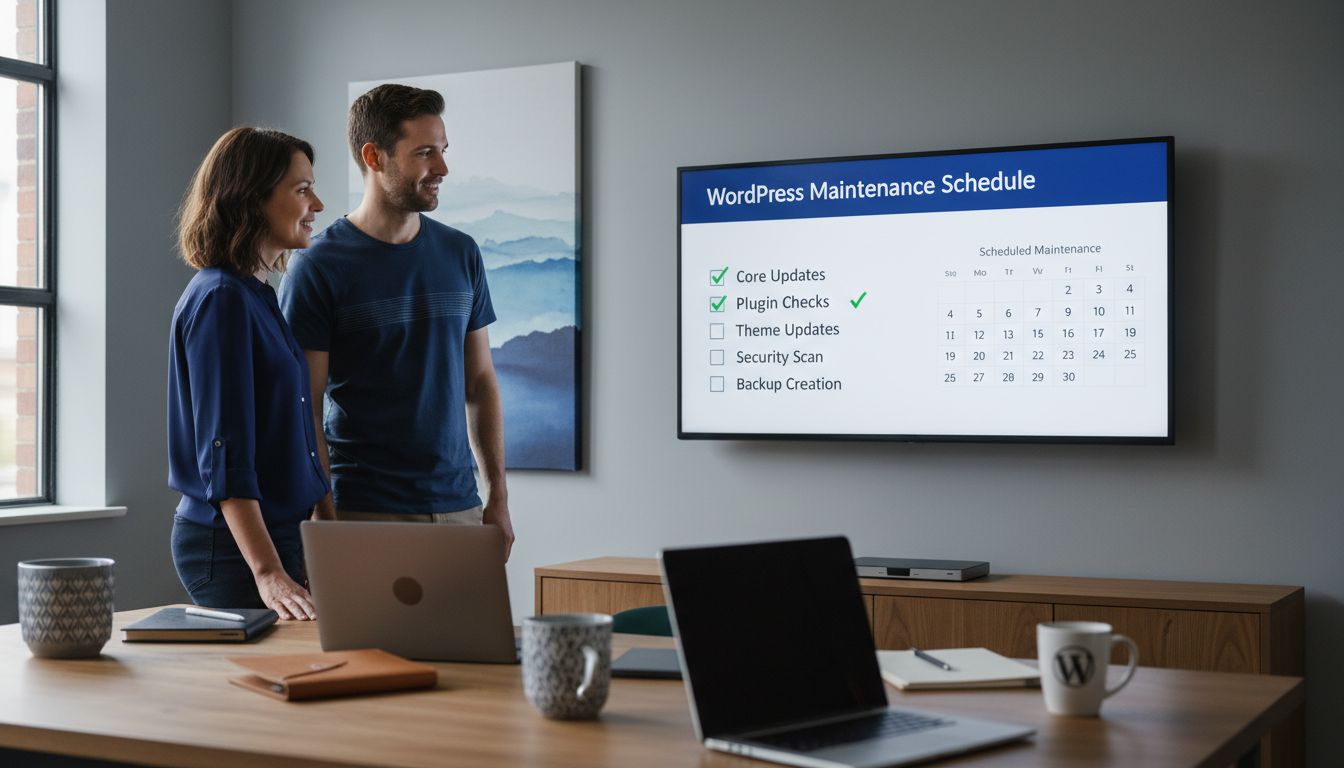
The technical details matter significantly. As WordPress.org explains, regular maintenance helps prevent 404 errors, safeguards against potential data loss, and ensures your website continues operating at peak efficiency. Think of maintenance like servicing a car: periodic attention prevents major breakdowns and keeps everything running smoothly.
For most website owners, maintenance isn’t just recommended – it’s essential. Neglecting these tasks can lead to significant risks, including security breaches, slow loading times, and potential complete website failure. By implementing a consistent maintenance strategy, you transform potential vulnerabilities into opportunities for sustained digital excellence.
For a comprehensive approach to managing these tasks, check out our WordPress Maintenance Explained: Complete Guide which provides deeper insights into strategic website care.
Key Benefits of Ongoing WordPress Upkeep
WordPress maintenance isn’t just a technical checkbox – it’s a critical strategy for sustaining a robust online presence. Proactive website management delivers tangible benefits that extend far beyond simple software updates. According to WP Essentials, regular maintenance prevents website downtime, enhances security, and dramatically improves overall site performance.
The key benefits of consistent WordPress upkeep are comprehensive and transformative:
- Enhanced Security: Protecting against potential cyber vulnerabilities
- Performance Optimization: Maintaining fast, responsive website experiences
- SEO Improvement: Ensuring search engine compatibility and rankings
- User Experience: Delivering smooth, reliable website interactions
- Cost Prevention: Avoiding expensive emergency repairs
- Compatibility Management: Keeping themes and plugins functioning correctly
As Bright House Media highlights, consistent updates ensure compatibility with the latest WordPress versions, introduce new features, and fundamentally improve site performance. These updates aren’t just technical maintenance – they’re strategic investments in your digital infrastructure.
For website owners and businesses, neglecting maintenance is like driving a car without oil changes. Small, consistent investments prevent major breakdowns, protect your digital asset, and create a foundation for sustained online success. Every update, every security check, every performance optimization contributes to a more resilient and effective web presence.
To dive deeper into creating a comprehensive maintenance strategy, explore our guide on WordPress Maintenance Plans which offers detailed insights into strategic website care.
Common Maintenance Tasks and Their Impact
WordPress maintenance isn’t a one-size-fits-all process, but a strategic collection of targeted tasks designed to keep your website running smoothly and securely. Website health requires consistent, proactive attention across multiple critical areas. According to WordPress.org, the core maintenance tasks fundamentally revolve around updating core systems, themes, and plugins while preventing potential technical issues.
The most crucial maintenance tasks can be categorized into several key domains:
- Software Updates: Keeping WordPress core, themes, and plugins current
- Security Monitoring: Implementing robust protection mechanisms
- Performance Optimization: Ensuring website speed and responsiveness
- Backup Management: Creating and storing reliable website snapshots
- Link Integrity: Checking and removing broken or dead links
- Database Maintenance: Cleaning and optimizing database structures
As WordPress.org highlights, regular maintenance isn’t just about technical upkeep – it’s about preventing critical issues like 404 errors and potential data loss. Each maintenance task serves as a protective layer, addressing vulnerabilities before they can escalate into significant problems that could compromise your website’s functionality and user experience.
For website owners and digital professionals, understanding the impact of these tasks is crucial. Think of maintenance like routine health check-ups: small, consistent interventions prevent major complications. By dedicating time to these critical tasks, you’re not just maintaining a website – you’re protecting a digital asset that represents your brand, communicates your message, and potentially drives your business’s online success.
To gain a more structured approach to these maintenance activities, explore our 7-Step Website Maintenance Checklist for WordPress Success, which provides a comprehensive roadmap for keeping your WordPress site in optimal condition.
Risks of Neglecting WordPress Maintenance
Website vulnerability is not a hypothetical threat – it’s a very real consequence of overlooking WordPress maintenance. According to WP Essentials, neglecting routine upkeep can rapidly transform your digital presence from a professional asset into a potential liability, leading to significant risks that extend far beyond simple technical inconveniences.
The most critical risks of ignoring WordPress maintenance include:
- Security Breaches: Leaving websites exposed to potential cyber attacks
- Performance Degradation: Experiencing progressively slower website loading times
- Visitor Loss: Driving away potential customers due to poor user experience
- Search Engine Penalties: Dropping in search rankings and visibility
- Compatibility Failures: Encountering critical system conflicts
- Data Vulnerability: Risking permanent loss of website content and information
As Bright House Media emphasizes, failing to update themes and plugins creates a cascade of potential technical failures. These aren’t just minor inconveniences – they represent substantial risks that can compromise your entire digital infrastructure, potentially costing your business reputation, revenue, and customer trust.
Understanding these risks is crucial for any website owner. Think of WordPress maintenance like maintaining a physical storefront: without regular care, the structure weakens, becomes less attractive, and eventually becomes uninviting to potential customers. The digital world moves even faster – a neglected website can become obsolete in weeks, not years.
For a comprehensive approach to mitigating these risks, explore our 7 Essential Security WordPress Tips which provides strategic insights into protecting your digital assets.
Comparing DIY vs Professional Maintenance
WordPress management represents a critical decision point for website owners: tackle maintenance independently or invest in professional support. According to Fly Cart, managing multiple WordPress sites without a centralized system can quickly become time-consuming and prone to costly errors, making professional intervention increasingly attractive.
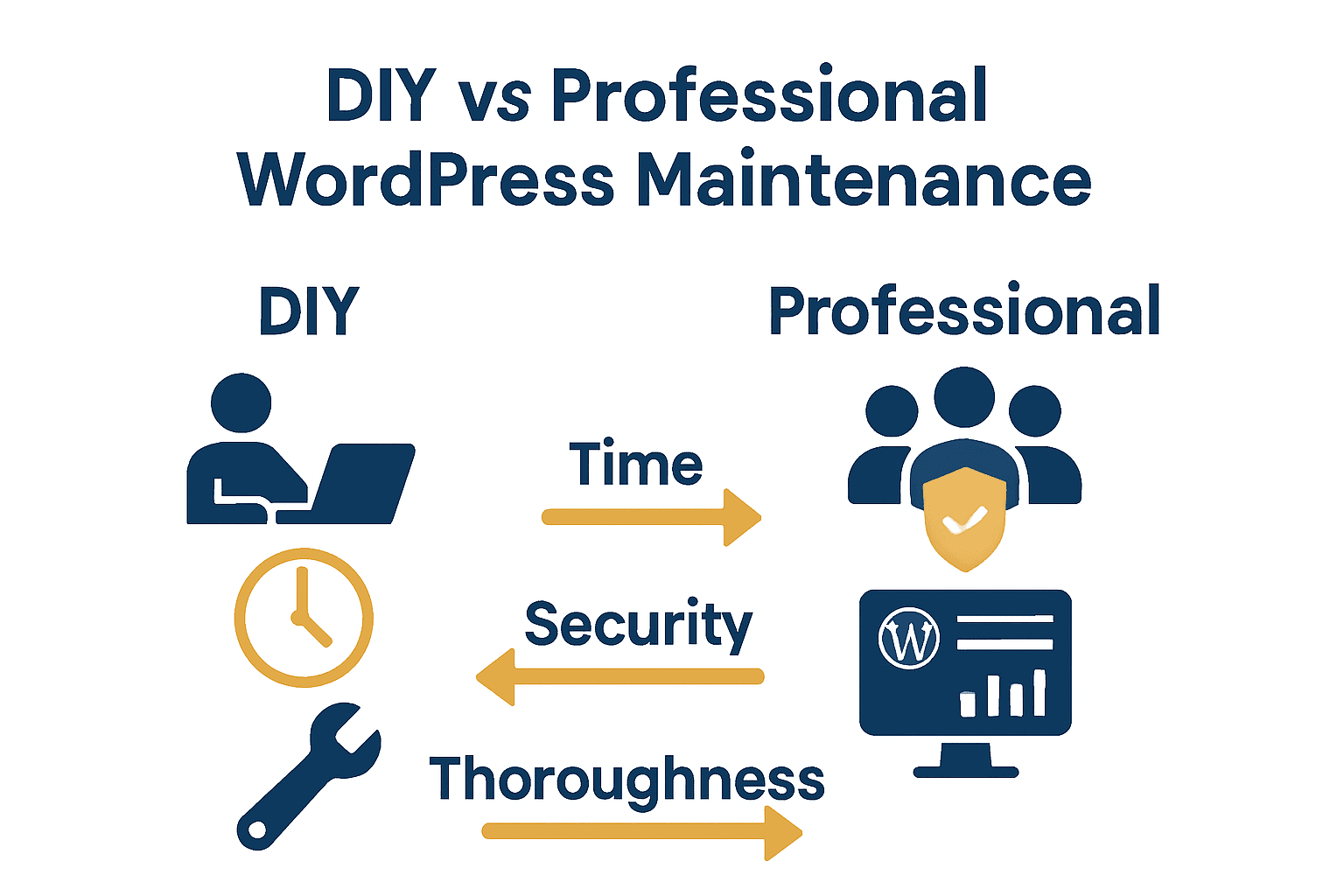
The key differences between DIY and professional maintenance can be understood through several critical dimensions:
- Time Investment: DIY requires significant personal time and technical expertise
- Technical Complexity: Professional services handle intricate technical challenges
- Cost Considerations: Upfront professional costs versus potential long-term DIY expenses
- Security Management: Comprehensive protection versus basic safeguards
- Scalability: Easily adaptable professional solutions
- Continuous Monitoring: Real-time tracking versus periodic manual checks
As WordPress.org highlights, while maintenance tasks like updating core systems, themes, and plugins can be performed manually, professional tools offer streamlined processes that ensure more thorough and consistent upkeep. DIY approaches often leave critical vulnerabilities unaddressed, whereas professional services provide comprehensive, systematic maintenance strategies.
Ultimately, the choice between DIY and professional maintenance depends on your technical skill, available time, and the complexity of your WordPress ecosystem. Small websites with minimal functionality might suit a hands-on approach, but businesses relying on their digital presence for revenue will find professional maintenance not just beneficial, but essential. Think of it like car maintenance: some people change their own oil, but most prefer the comprehensive service of a professional mechanic.
To understand the financial implications of your maintenance strategy, explore our WordPress Website Maintenance Cost Guide, which provides detailed insights into making an informed decision.
Keep Your WordPress Site Secure and Performing at Its Best
Maintaining your WordPress website regularly is not just a technical task it is a vital necessity to protect your business from security breaches, performance issues, and costly downtime. If you find yourself overwhelmed by constant updates, plugin conflicts or unsure about safeguarding your site against vulnerabilities WPCTO.net offers expert WordPress management and support tailored to your needs. We understand the stress caused by website instability and the urgent need for a trustworthy partner to handle everything from security enhancements to performance optimisation and strategic consulting.
Don’t let maintenance challenges jeopardise your online presence. Take control now with our specialised WordPress solutions. Visit WPCTO.net to access quick fixes, ongoing site management, and expert advice designed to keep your digital asset secure and running smoothly. Discover how our professional services remove the burden of technical upkeep so you can focus on growing your business with confidence.
Frequently Asked Questions
What are the key tasks involved in regular WordPress maintenance?
Regular WordPress maintenance typically involves core software updates, plugin and theme updates, security monitoring, performance optimization, backup management, and link integrity checks.
Why is ongoing WordPress maintenance important for my website?
Ongoing WordPress maintenance is crucial as it enhances security, improves performance, maintains SEO compatibility, provides a better user experience, and prevents costly emergency repairs.
What risks are associated with neglecting WordPress maintenance?
Neglecting WordPress maintenance can lead to security breaches, slower website performance, loss of potential visitors, search engine penalties, compatibility failures, and data vulnerability which risks permanent loss of content.
Should I handle WordPress maintenance myself or hire a professional service?
The decision between DIY and professional maintenance depends on your technical skills and time availability. DIY can be suitable for small websites, while businesses often benefit from professional maintenance for comprehensive care and reduced risk.