

Did you know WordPress now powers more than a third of all business websites worldwide? As we move into 2025, maintaining these sites has become more complex than ever. The need for expert help is growing as threats, plugins, and compliance demands continue to evolve.
This essential guide to wordpress support services brings you the latest insights on what’s changed and what you need to know. We’ll show you why support matters, reveal the core services on offer, highlight new trends, and explain how to choose the right provider for your needs.
Find out how the right support can secure your site, boost performance, and give you peace of mind. Ready to take action? Let’s explore the steps to protect your business online.
Why WordPress Support Services Are Crucial in 2025
As we move into 2025, the importance of reliable wordpress support services for business websites cannot be overstated. The landscape is shifting rapidly, with new challenges and opportunities arising for every organisation using WordPress. Understanding why support is now essential is the first step towards protecting and optimising your digital presence.
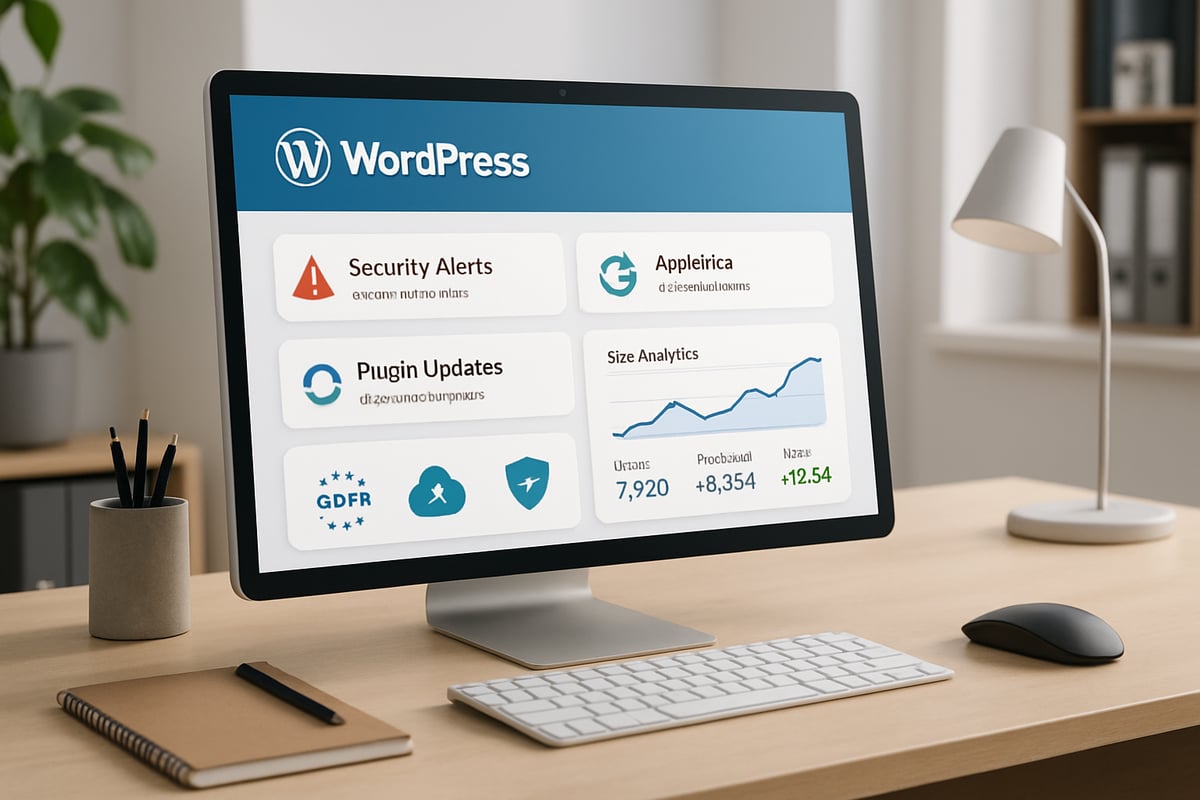
The Evolving WordPress Landscape
WordPress now powers over 65 million websites globally, reflecting its dominance as a business platform. However, this popularity brings complexity. The number of plugins, themes, and integrations has grown, making management more challenging.
Frequent WordPress core updates introduce new features but can also cause compatibility issues if not handled properly. Outdated plugins and themes continue to be the leading cause of hacks, with attackers targeting known vulnerabilities. The result is an environment where professional wordpress support services are more critical than ever.
Regulatory pressures, such as GDPR and data protection laws, add another layer of responsibility for UK and EU businesses. Failing to stay compliant can lead to fines and reputational damage. To understand the fundamentals, see WordPress website support essentials.
Risks of Neglecting Support
Neglecting wordpress support services exposes businesses to significant risks. Security vulnerabilities can lead to site hacks, data breaches, and costly downtime. For example, many incidents result from failing to update plugins or themes, leaving sites open to attack.
Broken sites or failed updates often lead to lost revenue and frustrated customers. Performance issues can harm SEO rankings and drive visitors away. Compatibility failures with hosting environments, PHP versions, or third-party integrations can disrupt essential business functions.
Real-world examples highlight these dangers. The British Science Association relies on ongoing support to ensure their festival site remains online during peak traffic. Without proactive intervention, even small technical issues can spiral into major outages.
Benefits of Proactive Support
Investing in professional wordpress support services provides peace of mind and tangible business benefits. Regular updates, security monitoring, and expert intervention reduce the risk of downtime and data loss. Automated and off-site backups offer rapid disaster recovery, ensuring business continuity.
Proactive support improves site speed, SEO performance, and user satisfaction. It enables organisations to scale, redesign, or add features with confidence, knowing that technical risks are managed. For instance, Liz Earle Wellbeing achieved better performance and GDPR compliance through managed support, freeing their team to focus on growth.
By partnering with the right experts, businesses gain professional guidance and future-proof their WordPress investment.
Core Components of Modern WordPress Support Services
Modern wordpress support services deliver far more than basic troubleshooting. They provide a robust framework to keep business websites secure, high-performing, and future-proof. Let’s break down the essential components you should expect from a leading provider in 2025.

Regular Updates and Maintenance
Regular updates are the foundation of effective wordpress support services. Providers ensure your WordPress core, plugins, and themes are always up to date. This includes both manual and automated processes, with careful testing in a staging environment to avoid site disruption.
For example, SWSWeb applies a monthly update schedule across all plans, reducing the risk of vulnerabilities. Updates are not just about security; they maintain compatibility with PHP versions, hosting, and third-party integrations. A typical workflow looks like this:
1. Clone site to staging
2. Apply updates
3. Test functionality
4. Deploy to live site
Following WordPress management best practices ensures updates are applied safely and efficiently, protecting your investment.
Security Monitoring and Protection
Security is a non-negotiable element in wordpress support services. Continuous monitoring, 24/7 malware scanning, and a robust Web Application Firewall (WAF) are now standard. Providers use advanced tools to detect threats, block malicious bots, and respond quickly to incidents.
Recommended security plugins include Wordfence, UpdraftPlus, and Akeeba Backup. For businesses handling sensitive data, such as Mind Gym, PCI compliance and regular penetration testing are essential. Security protocols should cover:
- Real-time threat detection
- Automated vulnerability patching
- Multi-factor authentication
With proactive security, you minimise risk and maintain customer trust.
Backups and Disaster Recovery
Frequent, reliable backups are a cornerstone of wordpress support services. Leading providers offer daily or even hourly backups stored off-site, ensuring rapid restoration if disaster strikes. This approach is vital for GDPR compliance and business continuity.
Cavell, for instance, depends on daily backups to safeguard data and meet regulatory standards. Off-site storage prevents data loss during server failures or hacks. A simple backup strategy table:
| Frequency | Storage Location | Retention |
|---|---|---|
| Daily | Remote server | 30 days |
| Hourly | Cloud storage | 7 days |
Comprehensive backup plans give you peace of mind and quick recovery options.
Technical Support and Troubleshooting
Responsive technical support is a hallmark of professional wordpress support services. Access to experienced teams means you can resolve bugs, address performance issues, and request new features promptly.
Support models vary:
- Pay-as-you-go for flexibility
- Retainer for predictable costs
- Ad-hoc for urgent needs
Depaul, managing multiple sites, benefits from ongoing support and rapid resolution. Reliable support minimises downtime and keeps your site running smoothly.
Hosting and Uptime Monitoring
High-quality hosting and continuous uptime monitoring are vital aspects of wordpress support services. Managed hosting offers optimised performance through technologies like Litespeed, global CDN, and SSL certificates.
Providers such as SWSWeb deliver UK-based servers, 24/7 uptime alerts, and fast responses to outages. Uptime monitoring tools notify teams immediately if your site goes offline, protecting your revenue and reputation.
A well-maintained hosting environment ensures both speed and security.
Content Management and Training
Content management support is increasingly integrated into wordpress support services. Providers help with content updates, blog posting, and new page creation, freeing up your team for other priorities.
Training is also available, from basic editing to advanced site management. Both Pedalo and SWSWeb offer tailored WordPress training, empowering your staff to manage content securely and efficiently.
Effective training ensures that your team can maintain your website with confidence.
Design, Development, and Bespoke Solutions
Custom development is often required for businesses seeking to stand out. Modern wordpress support services include plugin development, theme tweaks, and full site redesigns to align with your goals.
The British Science Association, for example, relies on frequent redesigns and tailored feature enhancements to support annual events. Ongoing development keeps your site current and competitive, adapting as your business evolves.
By investing in bespoke solutions, you ensure your website remains flexible and user-focused.
Key Trends and Innovations in WordPress Support for 2025
As 2025 unfolds, the landscape of wordpress support services is rapidly evolving. Businesses must stay informed about the latest advancements to ensure their sites remain secure, fast, and competitive. Below, we explore the most significant trends shaping wordpress support services this year, from automation to sustainability.

Automation and AI in Maintenance
Automation is now a cornerstone of wordpress support services. Leading providers increasingly use AI to handle routine updates, automate security scans, and detect threats before they escalate. These smart systems help reduce human error and accelerate problem resolution.
For example, some agencies run automated weekly updates, freeing up teams to focus on higher-value tasks. AI-driven monitoring tools can instantly flag issues, allowing providers to intervene before disruptions occur. As highlighted in WordPress support services trends 2025, automation is not just a convenience but a necessity for businesses seeking resilience and efficiency.
Enhanced Security Protocols
Security remains a top priority in wordpress support services. Advanced firewalls, multi-factor authentication, and zero-trust frameworks are increasingly standard. Providers offer proactive vulnerability patching and real-time incident response, keeping pace with evolving threats.
Regulatory updates, including GDPR and PCI, drive higher security standards. Businesses benefit from these protocols through reduced risk of data breaches and improved compliance. Regular security reviews and penetration testing are often bundled into modern support packages, ensuring robust protection for every site.
Performance Optimisation and SEO Integration
Website speed and SEO are inextricably linked in 2025. WordPress support services now include continuous pagespeed monitoring, integrated SEO audits, and performance tuning as standard features. Providers leverage global CDNs and advanced caching to boost load times and user experience.
Monthly reports summarise SEO progress and site health, empowering businesses to make data-driven decisions. These enhancements not only please search engines but also keep visitors engaged, directly impacting revenue and reputation.
Flexible, Transparent Support Models
Businesses demand flexibility from their wordpress support services. Rolling contracts, transparent monthly reports, and customisable plans are now the norm. Providers offer everything from essential maintenance to premium, all-inclusive packages, accommodating SMEs and large enterprises alike.
Transparency includes clear SLAs, itemised billing, and regular communication. This approach ensures clients always understand what they are paying for and can scale support according to changing needs.
Agency Partnerships and White-Label Services
A growing number of agencies are extending their offerings with white-label wordpress support services. This model allows digital agencies to deliver expert support under their own branding, without expanding internal teams. Strategic partnerships facilitate ongoing management, technical fixes, and consultancy, benefiting both agencies and their clients.
These collaborations drive innovation and create new revenue streams, while end clients receive seamless, expert-led solutions tailored to their business goals.
User Training and Empowerment
Empowering users is a major trend within wordpress support services. Providers now offer comprehensive training sessions, detailed documentation, and self-service resources. This enables client teams to confidently manage content, updates, and basic troubleshooting.
Hands-on training bridges knowledge gaps and reduces reliance on external help for everyday tasks. Some agencies even tailor training to specific business workflows, ensuring maximum value from the platform.
Sustainability and Green Hosting
Sustainability is becoming a key differentiator in wordpress support services. Providers increasingly invest in eco-friendly hosting solutions, prioritising energy-efficient data centres and renewable energy sources.
Clients are now seeking partners who align with their environmental values. Green hosting not only reduces carbon footprint but also appeals to environmentally conscious customers, strengthening brand reputation in a crowded marketplace.
How to Choose the Right WordPress Support Provider
Selecting the right wordpress support services is an important step for any business seeking stability and growth online. With so many providers and plans available in 2025, knowing what to look for makes all the difference.

Assessing Your Needs and Priorities
Before comparing wordpress support services, start with a clear assessment of your business needs. What are your main goals? Are you focused on uptime, security, SEO, or compliance?
Consider the following:
- Do you have in-house technical expertise, or will you need full support?
- How complex is your site (e-commerce, multi-site, high traffic)?
- Are there regulatory requirements, such as GDPR or PCI, you must meet?
- What is your tolerance for downtime or data loss?
By defining your priorities, you can focus on providers who align with your objectives and the level of service you expect.
Comparing Service Offerings and Plans
Not all wordpress support services are created equal. Providers typically bundle different features and levels of support into their plans. Common inclusions are updates, backups, security monitoring, and support time. Extras might include SEO audits, CDN, training, or broken link checking.
Below is a sample comparison table:
| Feature | Essential Plan | Pro Plan | Dedicated Plan |
|---|---|---|---|
| Updates | ✔ | ✔ | ✔ |
| Backups | Daily | Hourly | Hourly |
| Security | Basic | Advanced | Custom |
| SEO Audits | ✖ | ✔ | ✔ |
| Training | ✖ | ✔ | ✔ |
Review what is included at each tier and consider which features are critical for your business.
Support Models and Response Times
WordPress support services are offered through various models, such as pay-as-you-go, retainer, or ad-hoc arrangements. Each model impacts how quickly you can access help and the level of ongoing commitment.
Look for clear Service Level Agreements (SLAs) that define response times and escalation procedures. Transparency in reporting is also essential. For a deeper understanding, see Service level agreements for WordPress, which details what to expect from professional providers.
Provider Expertise and Track Record
Experience and proven results are key when choosing wordpress support services. Look for agencies with a strong history, ideally 10 years or more, serving businesses similar to yours.
Client testimonials, case studies, and examples of long-term partnerships provide valuable insight. Agencies that offer white-label options may be a good fit for digital agencies seeking to expand their offerings.
Security and Compliance Credentials
Security should be at the heart of any wordpress support services. Confirm that your provider offers regular security audits, GDPR and PCI compliance, and robust data protection measures.
Ask about their backup policies, disaster recovery processes, and how they stay up to date with emerging threats. Providers who take security seriously will share their credentials and processes openly.
Pricing, Contracts, and Value
Pricing for wordpress support services varies, with options for monthly, annual, or hourly rates. Look for flexibility, such as rolling contracts or no long-term tie-ins.
Value-added features like monthly reports, proactive recommendations, and client training can make a significant difference. Always compare pricing structures and ensure you know exactly what is included.
Step-by-Step Guide: Getting Started with WordPress Support Services
Getting started with wordpress support services can feel daunting, especially with the rapid pace of change in WordPress and the evolving needs of businesses in 2025. This practical guide breaks down the process into manageable steps, ensuring you establish a secure, high-performing website with minimal stress.
Step 1: Audit Your Current Website
Begin by conducting a thorough audit of your website. Check for outdated plugins, themes, and WordPress core files. Review your site's backup frequency and security status to identify any vulnerabilities. Use both free and paid audit tools to get a comprehensive overview of your site's health.
List your pain points, such as slow loading times, downtime, or recurring security issues. This baseline assessment will highlight where wordpress support services are most urgently needed.
- Outdated plugins/themes
- Backup and restore status
- Security scan results
- Performance bottlenecks
Step 2: Define Your Support Requirements
With your audit complete, define what you need from wordpress support services. Do you require help with regular updates, backups, or advanced security? Consider your site's size, complexity, and any compliance requirements such as GDPR or PCI.
List your essential services, and decide if you prefer ad-hoc support, a retainer, or a contract-free engagement. This clarity enables you to target providers who best match your needs and priorities.
- Updates and maintenance
- Security and compliance
- Content support
- Development and feature requests
Step 3: Research and Shortlist Providers
Now, research leading providers of wordpress support services. Compare their offerings, pricing, and client feedback. Look for transparent reporting, a proven track record, and additional services like SEO, training, or white-label support.
If you are unsure whether to manage your site yourself or engage professionals, review this helpful comparison on comparing managed WordPress support. Shortlist providers who align with your business goals and demonstrate expertise in your sector.
- Transparent pricing
- Client testimonials
- Range of services
- Industry experience
Step 4: Onboarding and Initial Setup
Once you have chosen a provider, begin the onboarding process. Schedule a discovery session or technical audit to review your current setup. Set up a staging environment for safe testing of updates and changes.
If migrating hosting, coordinate with your provider to prevent data loss or downtime. Ensure initial updates, security checks, and backups are completed as part of your wordpress support services onboarding.
- Discovery session
- Staging environment
- Hosting migration (if needed)
- Initial updates and backups
Step 5: Ongoing Maintenance and Reporting
Establish a regular schedule for updates, monitoring, and maintenance. Implement 24/7 uptime checks and real-time malware scanning. Review monthly reports detailing site performance, security incidents, and completed maintenance tasks.
Stay informed about the latest threats and best practices, as highlighted in WordPress security vulnerabilities statistics 2025. A robust wordpress support services plan ensures your site remains secure and compliant.
- Scheduled updates
- Uptime and security monitoring
- Maintenance reporting
- Regular review meetings
Step 6: Training and Empowerment
Empowering your team is a key benefit of comprehensive wordpress support services. Arrange for WordPress training covering content updates, plugin management, and security basics. Document core processes so knowledge is retained even if team members change.
Encourage ongoing learning, enabling your staff to adapt to new WordPress features and stay on top of digital trends.
- Content management training
- Security best practices
- Process documentation
- Ongoing support resources
Step 7: Review and Optimise
Regularly reassess your support needs as your site evolves. Request proactive recommendations from your provider for performance, security, and SEO improvements. Adjust your support plan to reflect changes in business goals, traffic, or technical requirements.
A continuous review cycle ensures your wordpress support services deliver maximum value and keep your online presence resilient and future-proof.
- Performance reviews
- Security and SEO audits
- Plan upgrades or adjustments
- Strategic planning for growth
Cost, ROI, and Value Considerations for WordPress Support
Navigating the world of wordpress support services in 2025 means balancing cost, value, and long-term impact. Today’s business websites face greater threats and complexity, making professional support more than a luxury. Understanding what you pay for and the return on investment is essential to making the right decision for your business.
Understanding Pricing Models
The pricing for wordpress support services varies widely depending on your needs and the provider’s expertise. Most businesses can expect to pay for one-off fixes, monthly maintenance plans, and annual hosting. In 2025, plans typically include support time, regular updates, backups, security checks, and sometimes SEO audits.
Here’s a comparison of common pricing models:
| Service Type | Typical Cost (GBP) | Inclusions |
|---|---|---|
| One-off Fixes | £35+ | Bug fixes, minor updates |
| Monthly Plans | £49–£279+ | Updates, backups, security, support time |
| Annual Hosting | £99+ | Managed hosting, SSL, performance |
Extra charges may apply for premium plugins, major upgrades, or additional support hours. For a deeper look at how these costs are evolving and what influences them, see WordPress maintenance cost trends 2025.
Calculating the ROI of Support Services
Investing in wordpress support services is not just about preventing problems, it’s about creating measurable value. Regular maintenance reduces the risk of downtime, hacks, or lost data, which can be far more costly than the monthly fee for support.
Businesses save significant time, allowing teams to stay focused on growth rather than technical firefighting. Enhanced speed, SEO, and better conversion rates can directly increase revenue. For example, after site optimisation, companies have seen notable increases in affiliate and direct sales.
Value-Added Features and Differentiators
Top-tier wordpress support services offer more than the basics. Look for providers delivering monthly maintenance and SEO reports, staging sites for safe testing, and proactive recommendations to keep your site ahead.
- Monthly performance and security reports
- Staging environments for risk-free updates
- Proactive site health checks and suggestions
- Flexible contracts, often rolling or contract-free
These features add peace of mind and ensure you always have a clear picture of your site’s status and opportunities for improvement.
Comparing DIY vs. Professional Support
Some businesses consider handling wordpress support services in-house. While this may seem cost-effective, the risks can be significant. Without technical expertise, you may miss critical updates, overlook security threats, or struggle with complex issues.
Professional support is essential for business-critical sites, regulatory compliance, or when your team lacks deep WordPress knowledge. For instance, organisations with high compliance requirements rely on experts to maintain security and data protection standards.
Long-Term Benefits for Business Growth
The real value of wordpress support services emerges over time. Support providers adapt as your business grows, ensuring scalability and stability. A reliable, secure website enhances brand reputation and customer trust, making a direct impact on your bottom line.
Strategic partnerships with support agencies can offer ongoing consultancy and technical leadership. Staying on top of top WordPress development trends 2025 further positions your business for future success, integrating new technologies and features as they emerge.
As we’ve explored, navigating the ever-evolving world of WordPress in 2025 means staying proactive with updates, security, and strategic support to ensure your site performs at its best. You don’t have to manage it all alone—WPCTO’s team is here to provide expert guidance, from quick fixes to ongoing maintenance, so you can focus on growing your business with confidence. If you’re ready to take your WordPress website to the next level and unlock real value for your organisation, Ready to transform your WordPress website?