

Imagine your team working together in a secure, centralised digital workspace. All your documents, conversations, and projects are managed privately within your own wordpress intranet.
This guide is designed for modern businesses looking to streamline collaboration and communication in 2025. You will learn how to build a robust, secure wordpress intranet tailored for your company’s unique needs.
Discover what a wordpress intranet is, why it stands out, and how to set one up step by step. Explore essential security measures, must-have features, and best practices for keeping your digital workspace efficient and safe.
Understanding WordPress intranets: definition, benefits, and 2025 trends
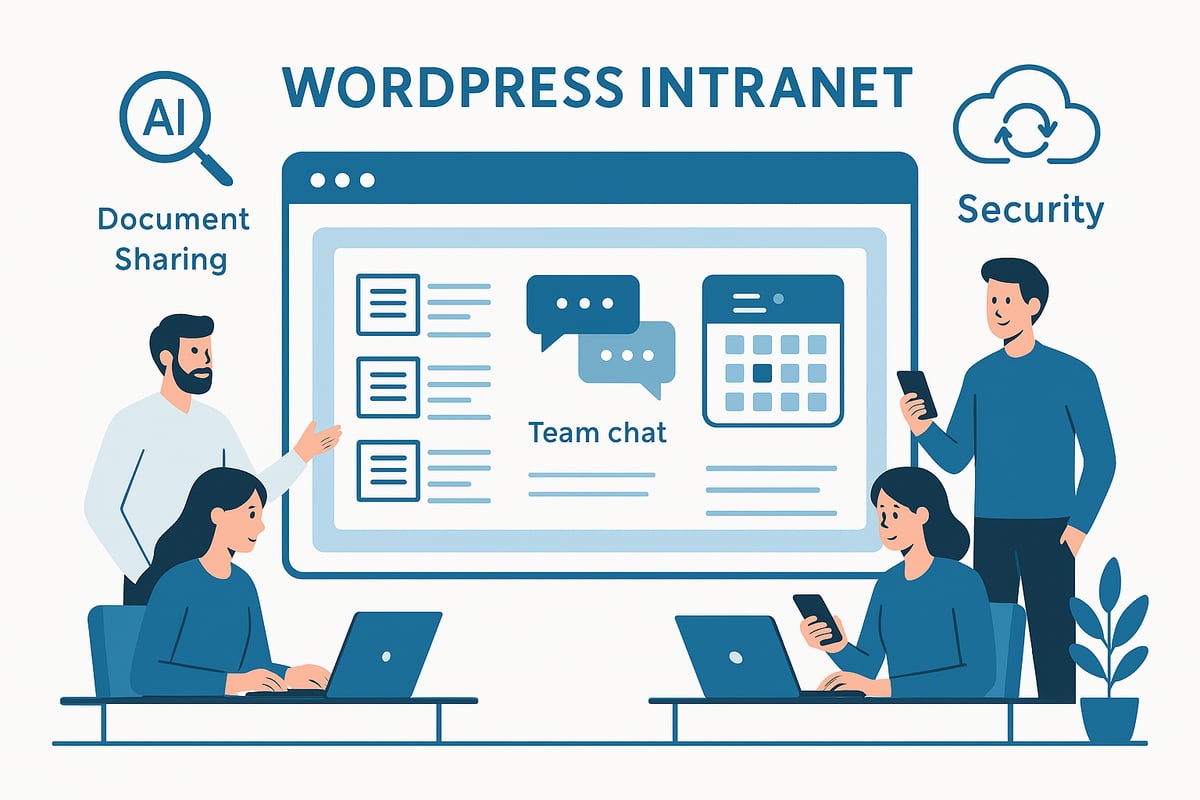
A wordpress intranet is a private, internal network designed for exclusive use within an organisation. Unlike a public website, which is accessible to anyone, an intranet restricts access to employees or approved members only. This secure environment becomes the digital headquarters for collaboration, document sharing, and internal communication.
The rise of digital workspaces in 2025
In 2025, more businesses are embracing remote and hybrid work models. This shift fuels the demand for centralised digital workspaces. A wordpress intranet provides a familiar, customisable platform where staff can work together securely, regardless of their physical location. With seamless access to resources, teams remain productive and connected, even when distributed.
Why WordPress is the platform of choice
WordPress stands out as a leading intranet solution due to its flexibility, open-source nature, and vast support community. According to recent statistics, over 45% of the web now runs on WordPress, demonstrating its widespread trust and reliability. You can find more insights about this trend in the WordPress Market Share 2025 report. This massive adoption ensures ongoing development, security updates, and a wealth of plugins tailored for intranet needs.
Common use cases and key benefits
A wordpress intranet is ideal for document management, team collaboration, and knowledge sharing. Typical features include secure document libraries, internal messaging, staff directories, and project management tools. The benefits are clear: cost-effectiveness, scalability as your business grows, and the ability to customise every aspect to fit your company’s workflow. Many staff members are already familiar with WordPress, making onboarding and daily use smoother.
2025 trends: smarter, faster, more connected
Emerging trends are shaping the future of the wordpress intranet. AI-powered search tools help employees find information quickly, while mobile-first interfaces allow access from any device. Integration with cloud services like Office 365 and Google Workspace is now standard, and user experiences are more intuitive than ever. These advancements boost engagement and streamline daily operations.
Real-world example and alternatives
Consider a company with a document-heavy workflow. By adopting a wordpress intranet, they simplify sharing brand guidelines and PDFs, ensuring everyone always accesses the latest version. Alternatives such as SharePoint or Notion exist, but WordPress offers unique strengths for small and medium businesses. Its flexibility, lower costs, and massive plugin ecosystem set it apart, making it an excellent choice for modern intranet projects.
Planning your WordPress intranet: requirements and architecture
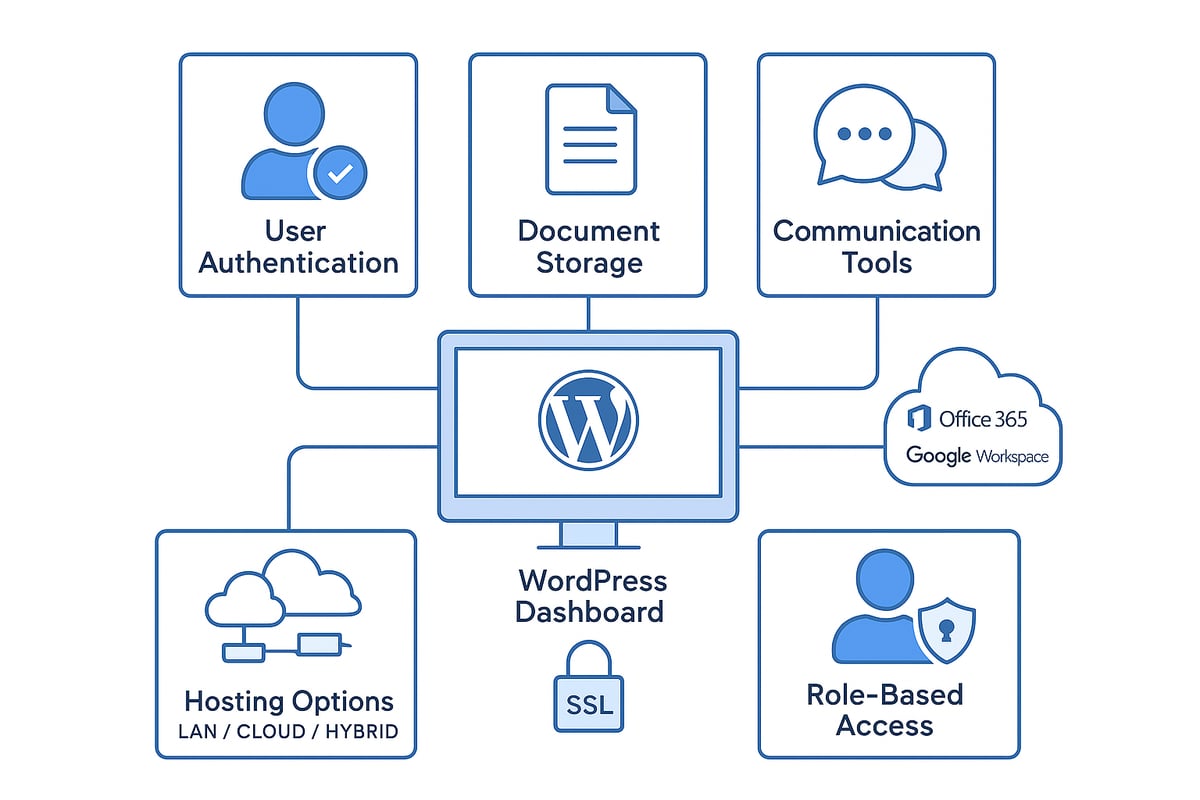
Designing an effective wordpress intranet starts with understanding your organisation’s unique requirements. Begin by outlining the fundamental needs, such as user authentication, robust access controls, secure document storage, and reliable communication tools. These elements form the backbone of any successful wordpress intranet, ensuring only authorised users can view or interact with sensitive company information.
Choosing hosting and domain options
Selecting where your wordpress intranet will reside is a critical step. You can opt for local (on-premises), cloud-based, or hybrid hosting, depending on your IT resources and security policies. Cloud hosting offers scalability and easy remote access, while local hosting provides tighter control for sensitive environments.
Domain choices also matter. Many businesses use a subdomain, such as intranet.yourcompany.com, while others prefer a completely separate domain for added isolation. Regardless of your choice, always secure your setup with SSL certificates to encrypt data, even within private networks. For a deeper dive into selecting and maintaining the right hosting setup, visit the WordPress hosting and maintenance guide.
Planning for scalability and integration
As your business grows, your wordpress intranet must scale accordingly. Consider future staff increases, new departments, or the need for a multi-site network. Structuring your intranet with clear content hierarchies and department-specific areas will help maintain order as content expands.
Integration is another critical factor. Modern intranets often connect with productivity suites like Office 365 or Google Workspace, as well as messaging platforms such as Slack or Teams. Planning for these integrations early ensures your intranet remains a central hub for collaboration.
Essential planning checklist and practical example
A systematic approach can streamline your wordpress intranet project. Use the following checklist to cover all bases:
| Requirement | Details |
|---|---|
| Hardware/software | Reliable servers, updated operating systems |
| Hosting provider | Meets uptime, security, and scalability needs |
| SSL certificate | Encrypts all internal traffic |
| Access controls | Role-based permissions, user management |
| Backup strategy | Automated backups, offsite storage |
For example, a business with several departments can create a multi-site wordpress intranet, assign role-based access, and deploy document libraries tailored to each team. This setup supports secure, efficient collaboration and future growth.
Step-by-step guide: building your secure WordPress intranet in 2025
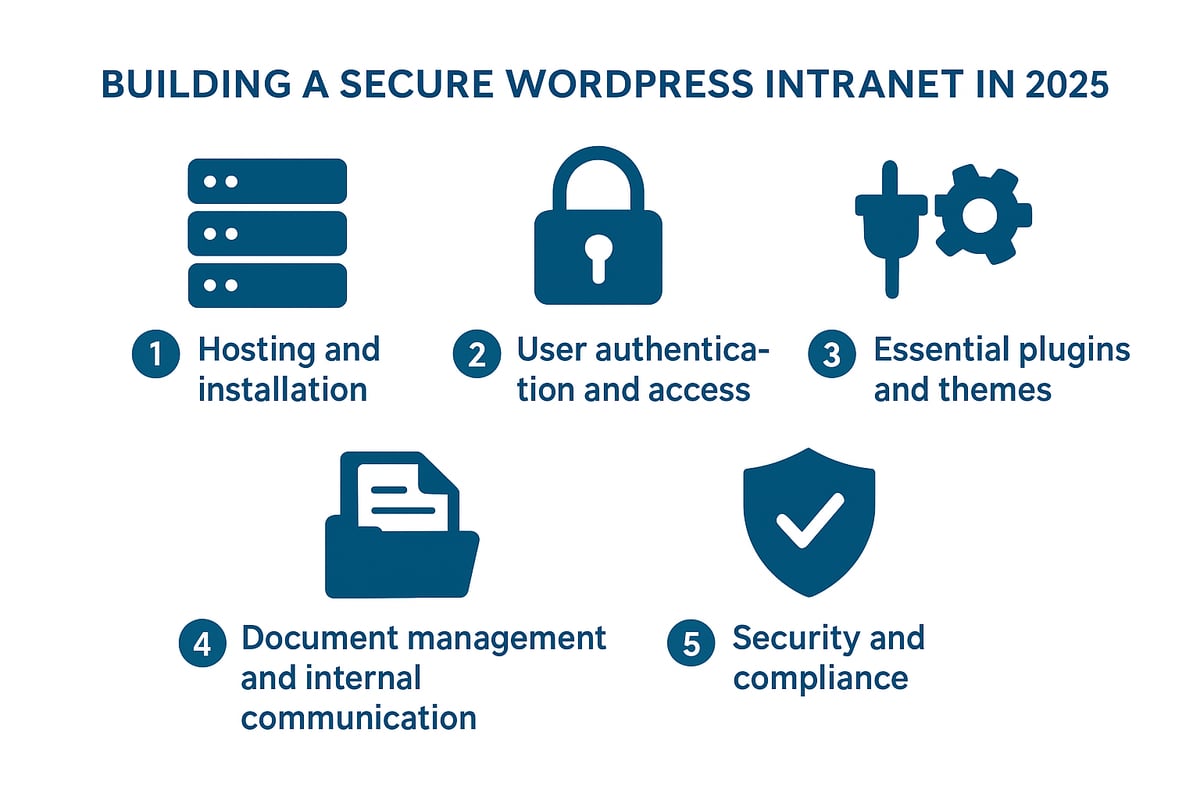
Launching a secure, scalable wordpress intranet in 2025 is a practical investment for any organisation seeking streamlined collaboration and efficient knowledge management. This step-by-step guide walks you through each critical stage, from initial setup to advanced security, ensuring your digital workspace is robust and futureproof.
Step 1: Setting up your hosting environment and installing WordPress
The foundation of a secure wordpress intranet is a reliable hosting environment. Begin by deciding between self-hosted, managed WordPress hosting, or deploying on an internal company server. Each option has its merits. Managed WordPress hosting offers simplicity, automatic updates, and enterprise-grade security, which is why over 40 percent of intranet projects now use this approach for its reliability.
To install WordPress, use a dedicated subdomain like intranet.yourcompany.com or an internal IP address within your LAN. This keeps your wordpress intranet separate from public-facing assets. For internal servers, ensure your hardware meets minimum requirements for performance and storage, especially if you anticipate heavy document sharing.
Securing your installation is vital. Implement an SSL certificate, even for private networks. Free solutions such as Let’s Encrypt or Cloudflare provide robust encryption. Next, configure server-level firewalls and restrict admin access by IP address. This reduces potential attack surfaces and helps maintain the integrity of your wordpress intranet.
For example, a mid-sized business might use managed WordPress hosting to benefit from built-in backups, automatic patching, and 24/7 support. This lets their IT team focus on user experience rather than infrastructure concerns.
A quick checklist for this step:
- Choose hosting: managed, self-hosted, or internal server
- Set up subdomain or internal IP
- Install SSL certificate
- Configure firewalls and access controls
- Schedule regular backups
By laying a secure groundwork, your wordpress intranet is positioned for smooth operation and future growth.
Step 2: User authentication, roles, and access management
User authentication forms the backbone of a secure wordpress intranet. Begin by restricting registration and access to authorised personnel only. WordPress’s default roles—Administrator, Editor, Author, Contributor, Subscriber—allow you to assign different levels of permissions. For greater control, extend these with plugins offering granular role management.
Single Sign-On (SSO) is increasingly popular in 2025, enabling seamless access for users through integrations like SAML or OAuth. Popular solutions include MiniOrange or Microsoft 365 integration, which allow employees to log in using their existing company credentials. This not only streamlines access but also centralises user management.
To bolster security, enforce strong password policies and activate two-factor authentication (2FA). Many plugins make it easy to require complex passwords and send time-based codes for login verification. This is crucial for protecting sensitive documents and communications within your wordpress intranet.
Consider integrating with your company’s Active Directory or LDAP for centralised authentication. This ensures staff access is instantly revoked when someone leaves the organisation, reducing the risk of unauthorised entry.
Example workflow:
- Install and configure SSO plugin
- Map roles to internal departments
- Set up 2FA for all users
- Audit user lists monthly
By carefully managing roles and authentication, your wordpress intranet remains secure, even as your team grows or changes.
Step 3: Essential plugins and themes for intranet functionality
The right plugins and themes transform a basic WordPress installation into a powerful wordpress intranet. Start by selecting plugins that address your core needs:
- Document management: WP Document Revisions is widely used for version control and secure file sharing.
- Member directories: Create searchable staff lists for easy contact and networking.
- Internal messaging: Enable private messages or group chats for efficient team communication.
- Event calendars: Schedule meetings, events, and deadlines within your workspace.
Community features are also valuable. Consider bbPress for forums, BuddyPress for social networking, and knowledge base plugins for internal documentation. These tools foster collaboration and help preserve institutional knowledge.
When choosing a theme, prioritise usability and responsive design. Intranet-specific themes often include custom dashboards, navigation tailored for employees, and easy integration with the plugins above. Ensure all plugins and themes are kept up to date to avoid compatibility issues and security risks.
A popular configuration in 2025 might include Clean Login for front-end login forms and User Menus for personalised navigation by role. According to the WordPress.org directory, the best-rated plugins for intranet use combine reliability, frequent updates, and strong support.
Plugin comparison table:
| Plugin | Function | 2025 Rating |
|---|---|---|
| WP Document Revisions | Document management | 4.8/5 |
| bbPress | Internal forums | 4.6/5 |
| BuddyPress | Team networking | 4.7/5 |
| Clean Login | Secure login | 4.9/5 |
By selecting the right mix, your wordpress intranet will be both functional and engaging for every team member.
Step 4: Document management and internal communication tools
Efficient document management is a hallmark of a successful wordpress intranet. Set up secure document libraries with version control and detailed access logs. Use plugins that allow easy uploading, searching, and sharing of PDFs, policies, and brand guidelines. This helps teams quickly find and distribute essential materials.
Advanced search features are vital, especially for document-heavy organisations. Integrate solutions like ElasticSearch for rapid, accurate file searches across thousands of documents. This ensures your wordpress intranet remains a central hub for knowledge and resources.
For communication, enable internal messaging, discussion boards, and announcement feeds. These tools encourage transparent communication and keep everyone informed of key updates. Embedding project management plugins, surveys, and feedback forms further enhances collaboration.
Example setup:
- Document library with role-based access
- Real-time search with ElasticSearch
- Internal announcements and discussion forums
- Project management and feedback tools
By combining robust document storage with flexible communication options, your wordpress intranet becomes a true digital workspace.
Step 5: Security hardening and compliance best practices
Securing your wordpress intranet is non-negotiable in 2025. Begin by enforcing HTTPS across all connections. Conduct regular security audits and vulnerability scans to identify and resolve potential weaknesses. Use security plugins like Wordfence to monitor threats, limit login attempts, and enable two-factor authentication.
Set up automatic backups and disaster recovery plans to protect against data loss. Define a clear backup schedule and test your recovery process regularly. For compliance, ensure your intranet meets GDPR and data protection requirements, especially when storing personal information or confidential files.
Monitor user activity and maintain audit trails to quickly spot suspicious behaviour. Employ enterprise-level DDoS protection and consider using Cloudflare to shield your intranet from external threats.
For a comprehensive overview of these measures, consult resources like Secure your WordPress site, which outlines best practices tailored for intranet security.
Example security checklist:
- Enforce HTTPS and SSL encryption
- Enable two-factor authentication
- Schedule daily backups
- Monitor user activity logs
- Regularly review and update security plugins
By following these best practices, your wordpress intranet will remain a secure, compliant environment for your team’s collaboration and communication.
Key features and integrations for a productive intranet
A successful wordpress intranet depends on the right mix of features and integrations. Today’s digital workplaces demand more than just document storage—they need seamless collaboration, rapid information access, and tools that boost productivity for every team member.
Must-have features for an effective intranet
Every wordpress intranet should include a core set of features that empower users and streamline daily operations. These essentials form the backbone of a productive digital workspace.
- User profiles and directories: Enable staff to find colleagues quickly, view expertise, and connect across departments.
- Advanced search: Make documents, policies, and team updates easy to locate through filters and keyword search.
- Document management: Allow secure upload, sharing, and version control for files and resources.
- Internal communication: Use forums, news feeds, and announcements to keep everyone informed.
- Analytics dashboards: Track engagement, content usage, and user activity for actionable insights.
A well-structured wordpress intranet with these features increases transparency and keeps projects moving forward.
Seamless integrations with business tools
Modern businesses rely on a range of platforms to collaborate and communicate. Integrating your wordpress intranet with third-party tools ensures information flows smoothly between systems.
Connectors for Office 365 and Google Workspace let teams edit shared documents without leaving the intranet. Slack and Microsoft Teams integrations bring instant messaging and notifications directly to your workspace, so updates never go unnoticed.
HR systems, project trackers, and shared calendars can also plug into your wordpress intranet. This centralises workflows, reducing the need to switch between multiple apps and boosting efficiency across the board.
AI-powered productivity and mobile access
In 2025, AI is transforming how teams interact with their wordpress intranet. Smart search tools use natural language processing to deliver precise results, even from vast document libraries. AI-driven content recommendations surface relevant policies, FAQs, or contacts based on user behaviour.
Automated workflows simplify tasks like approvals or onboarding, saving time and reducing manual effort. With mobile-first design now a priority for 65% of intranets, users enjoy a consistent, responsive experience on any device—whether in the office or working remotely.
These advancements make the wordpress intranet a dynamic, user-friendly hub for modern teams.
Analytics and real-world impact
Measuring engagement is key to maximising intranet value. Built-in analytics dashboards reveal which documents are popular, how teams interact, and where improvements are needed. Integrating analytics with management best practices ensures your wordpress intranet evolves with your business needs. For expert tips on tracking and improving intranet performance, see WordPress site management strategies.
For example, a company that links Slack notifications and shared calendars within their intranet sees faster project turnaround and higher employee satisfaction. By leveraging the right features and integrations, your wordpress intranet becomes a springboard for collaboration and growth.
Best practices for managing and evolving your WordPress intranet
Maintaining a successful wordpress intranet is not a one-time project. It requires ongoing attention, clear governance, and a focus on continuous improvement. Effective management ensures your intranet remains secure, relevant, and valuable for every team member.
Governance and clear roles
Start by establishing robust governance for your wordpress intranet. Assign dedicated intranet administrators, content editors, and define clear update workflows. This structure ensures accountability and keeps your platform organised.
Key governance steps:
- Appoint admin and editor roles with defined permissions
- Set up documented content publishing guidelines
- Schedule regular review meetings for intranet strategy
A well-governed wordpress intranet prevents bottlenecks and supports smooth content updates.
Maintenance and security
Regular maintenance is essential to keep your wordpress intranet secure and performing optimally. Schedule updates for plugins, themes, and the WordPress core. Conduct periodic security audits, apply patches, and back up data routinely.
Maintenance checklist:
- Update plugins, themes, and WordPress core
- Perform daily or weekly backups
- Review and patch security vulnerabilities
For the latest security protocols, consult resources like WordPress Security Best Practices 2025. Proactive maintenance minimises downtime and reduces security risks.
Driving adoption and engagement
To maximise the value of your wordpress intranet, invest in user adoption and engagement. Provide onboarding sessions and training resources for new features. Establish feedback channels so users can share suggestions or report issues.
Adoption strategies:
- Create step-by-step onboarding guides
- Host regular training webinars
- Set up a feedback form or suggestion box
When users feel supported, your wordpress intranet becomes central to daily workflows.
Monitoring, analytics, and scalability
Leverage analytics tools to monitor your wordpress intranet’s performance. Track user engagement, identify popular content, and spot areas needing improvement. Use these insights to plan for future growth, such as adding new departments or integrating additional features.
Monitoring essentials:
- Use analytics dashboards to review user activity
- Identify underused sections for improvement
- Plan for scalability as your business evolves
Companies with active intranet management see up to 30% higher employee engagement.
Collaboration and continuous improvement
Foster a culture of collaboration on your wordpress intranet. Encourage knowledge sharing, recognise contributions, and promote community engagement. Maintain a page-based structure for intuitive navigation and easy content management.
Continuous improvement tips:
- Highlight user achievements or contributions
- Regularly update resources and FAQs
- Support cross-department collaboration with forums and message boards
By following these best practices, your wordpress intranet remains effective, secure, and ready to adapt as your organisation grows.
After exploring the essential steps to building a secure, productive WordPress intranet for 2025, you now have the blueprint to create a powerful digital workspace tailored to your team’s needs. If you’re ready to elevate your organisation’s intranet with expert guidance, strategic planning, and ongoing support, we’re here to help. Our team understands the importance of security, performance, and seamless integration—so you can focus on collaboration and growth. Let’s work together to unlock the full potential of your WordPress environment—Ready to transform your WordPress website?