

Start with Google Search Console’s Pages report, which lists every URL Googlebot tried to crawl but could not find. That gives you the authoritative 404 list for your own property. Then run a desktop crawler for a full-site snapshot, use a single-page checker for quick spot audits, and export everything into a prioritised fix list.
The one-line workflow most UK SEOs follow: GSC for crawl-reported 404s → desktop crawler for all broken links and redirect chains → single-page online checker for ad-hoc verification → fix or redirect by priority.
A complete check produces:
- A list of 404 URLs Googlebot actually encountered (from Search Console)
- All redirect chains and redirect loops across the site
- Broken external backlinks pointing to now-missing pages
- Broken assets: images, scripts, and CSS files returning error codes
- The source pages (inlinks) for every broken URL, so you know where to apply the fix
Key takeaways
Combining Google Search Console with a desktop crawler gives you the most complete picture of broken links on any site: GSC shows what Googlebot actually encountered, while a crawler reveals every broken URL and its source page.
| Point | Details |
|---|---|
| Start with Search Console | The Pages report lists confirmed 404s from Googlebot, making it the most authoritative starting point. |
| Use a crawler for full-site exports | Screaming Frog’s free tier crawls up to 500 URLs and exports 4xx inlinks and redirect chains. |
| Apply the correct HTTP fix | Use 301 for moved pages, 410 for permanently removed ones, and never mass-redirect 404s to the homepage. |
| Match check frequency to site size | Small sites need monthly checks; ecommerce and high-change sites need weekly or daily automated audits. |
| Wpcto for agency clients | Wpcto delivers scheduled link checks, redirect management, and monthly reporting under your agency’s brand. |
Table of Contents
- Which free tools help you find broken links?
- How to run a whole-site check and build a fix list
- How to fix broken links: the right action for each situation
- How often should you run broken link checks?
- WordPress-specific: find and fix broken links safely
- Agency perspective: prioritising broken links across multiple client sites
- Wpcto handles broken link monitoring so your team does not have to
- Sources
Which free tools help you find broken links?
The right tool depends on whether you need a full-site audit, a quick page check, or authoritative crawl data from Google itself.
Google Search Console
GSC is the only source that tells you what Googlebot actually encountered. The Pages report (formerly Coverage) flags ‘Not found (404)’ URLs with the date Google last tried to crawl them. No crawler replicates this because no crawler is Google. Free, no URL limit, and available to any verified site owner.
Screaming Frog SEO Spider
Screaming Frog is the industry-standard desktop crawler for full-site audits. It reports HTTP response codes, redirect chains, inlinks (the source pages for every broken URL), anchor text, and broken assets including images, CSS, and JavaScript files. The free tier crawls up to 500 URLs, which covers most small and medium sites. Paid licence removes the URL cap and adds scheduled crawls.
Single-page online checkers
Tools like Dead Link Checker scan a single URL for dead links with no signup required. They are fast and useful for ad-hoc checks or client demos, but they are not a substitute for a full-site crawl. They also depend on the checker’s own server being able to reach your site, which can produce false positives if your host rate-limits external bots.
W3C Link Checker
The W3C Link Checker validates anchors, fragment identifiers, and standard links. It paces requests politely (at least one second between requests) to avoid overloading your server. Useful for standards-based validation and for checking that fragment links (#section-id) resolve correctly, which most crawlers skip.
WordPress plugin and WP-CLI options
The WordPress Broken Link Checker plugin scans posts, pages, and comments for dead links from within the dashboard. It works well on smaller sites but can be resource-heavy on large installs. WP-CLI offers a lighter alternative for developers comfortable with the command line.
Pro Tip: Some hosts block crawler user agents with a 403 or 503 response. Before assuming a link is broken, open it in a browser or run curl -I [URL] to check the actual status code. A 403 to a bot is not always a 404 to a real visitor.
| Tool | Best for | Free limit | Key caution |
|---|---|---|---|
| Google Search Console | Authoritative 404s from Googlebot | Unlimited (verified sites) | Only shows what Google crawled |
| Dead Link Checker | Quick single-page spot checks | Single page per check | May miss JS-rendered links |
| W3C Link Checker | Fragment/anchor validation | Limited recursive depth | Slow on large sites |
| WP Broken Link Checker | WordPress dashboard scanning | Free plugin | Resource-heavy on large sites |
How to run a whole-site check and build a fix list
This workflow takes most sites from zero to a prioritised export in under two hours.
- Back up first. Before touching redirects or source files, confirm you have a recent backup. This is non-negotiable.
- Open Google Search Console → Pages report. Filter by ‘Not found (404)’. Export the list as a CSV. Note the ‘Discovered by’ column, which shows the linking page.
- Configure Screaming Frog. Set the crawl scope to your root domain. For staging sites behind HTTP authentication, add credentials under Configuration → Authentication. Enable JavaScript rendering if your site uses a JS framework.
- Run the crawl. Once complete, go to Response Codes → Client Error (4xx). This tab shows every broken internal and external link the crawler found.
- Export the 4xx report. Use Bulk Export → Response Codes → Client Error (4xx) Inlinks. This CSV includes the broken URL, its HTTP status code, and every source page linking to it.
- Export redirect chains. Go to Reports → Redirects → Redirect Chains. Any chain longer than two hops should be collapsed to a single redirect.
- Cross-reference with GSC. Match the GSC 404 list against the Screaming Frog export. URLs that appear in both are confirmed broken and should be fixed first.
- Run a single-page check on priority pages. Use Dead Link Checker or the W3C Link Checker on your highest-traffic pages to catch anything the crawler may have missed due to bot blocking.
Pro Tip: When combining exports, add a ‘Priority’ column to your spreadsheet. Score each broken URL by traffic (from GSC Performance), number of inlinks, and whether any external sites link to it. Fix the highest-scoring rows first.
The exports to save are:
- 4xx response export with inlinks (Screaming Frog)
- Redirect chains report (Screaming Frog)
- Not found (404) export from GSC Pages report
- Any broken asset URLs (images, CSS, JS) from the Screaming Frog Assets tab
For a broader site health review, a step-by-step website audit covers link checks alongside performance, security, and accessibility tasks.
How to fix broken links: the right action for each situation
The fix depends on why the link is broken. Applying the wrong HTTP response wastes crawl budget and can actively harm your SEO.
By situation:
- Typo in the source link → Edit the anchor or href directly. No redirect needed.
- Page moved to a new URL → Apply a 301 redirect. This passes link equity to the new destination and tells Google the move is permanent.
- Page permanently removed with no replacement → Return a 410 (Gone). Google de-indexes 410 pages faster than 404s. Do not leave it as a 404 if you know the content is gone for good.
- External site links to a now-missing page on your site → Set up a 301 redirect to the closest relevant page, or conduct outreach to ask the linking site to update the URL. Recovering these broken backlinks reclaims lost authority.
- Broken image, CSS, or JS file → Re-upload the asset to the correct path or update the reference in the source template. Broken assets affect page rendering and Core Web Vitals scores, not just link reports.
What not to do: redirecting every 404 to your homepage is a common mistake. Google’s guidance is explicit that this creates soft 404s, where an error page returns a 200 OK status and Google indexes it as valid content. Always verify server headers with curl -I [URL] to confirm the correct status code is being returned.
Fix the source link wherever possible. Redirects add hops and complicate site architecture over time. Keep them for situations where you genuinely cannot edit the source.
For a detailed walkthrough of redirect rules and common pitfalls after a site move, the guide on common website migration issues covers the most frequent causes of post-migration 404s.
Pro Tip: Track every fix in a shared spreadsheet with columns for: broken URL, status code, fix applied, date fixed, and priority score. This becomes your audit trail and prevents the same links being re-broken during future content changes.
How often should you run broken link checks?
Audit frequency should match how often your site changes. A five-page brochure site and a 10,000-product ecommerce store need very different cadences.
- Small brochure sites (under 100 pages): monthly manual check using GSC and a single-page checker on key pages is sufficient.
- Business sites with regular content updates: monthly or fortnightly, with GSC monitored weekly for new 404 spikes.
- Ecommerce and high-change sites: weekly automated crawls at minimum. Daily automated checks are worth considering for sites where product pages are added and removed frequently.
What to automate when you move to scheduled checks:
- New 4xx responses since the last crawl
- New redirect chains (chains of three or more hops)
- Broken inbound backlinks (external sites linking to your 404s)
- Broken asset failures (images, scripts, CSS)
- Email alerts when new broken links exceed a threshold
The free tiers of most online checkers do not include scheduling. Screaming Frog’s paid licence adds scheduled crawls. Dedicated monitoring platforms add email alerts and exportable CSV reports on a schedule. For agencies managing multiple client sites, best practices for website upkeep covers how to structure recurring maintenance tasks efficiently.
Automated crawlers capture a snapshot at a point in time. Combining them with GSC data gives you what Googlebot actually encountered, which crawlers can miss. For the highest accuracy on large sites, server log analysis captures real requests that no external crawler sees.
WordPress-specific: find and fix broken links safely
WordPress adds a few wrinkles that generic crawlers do not handle automatically.
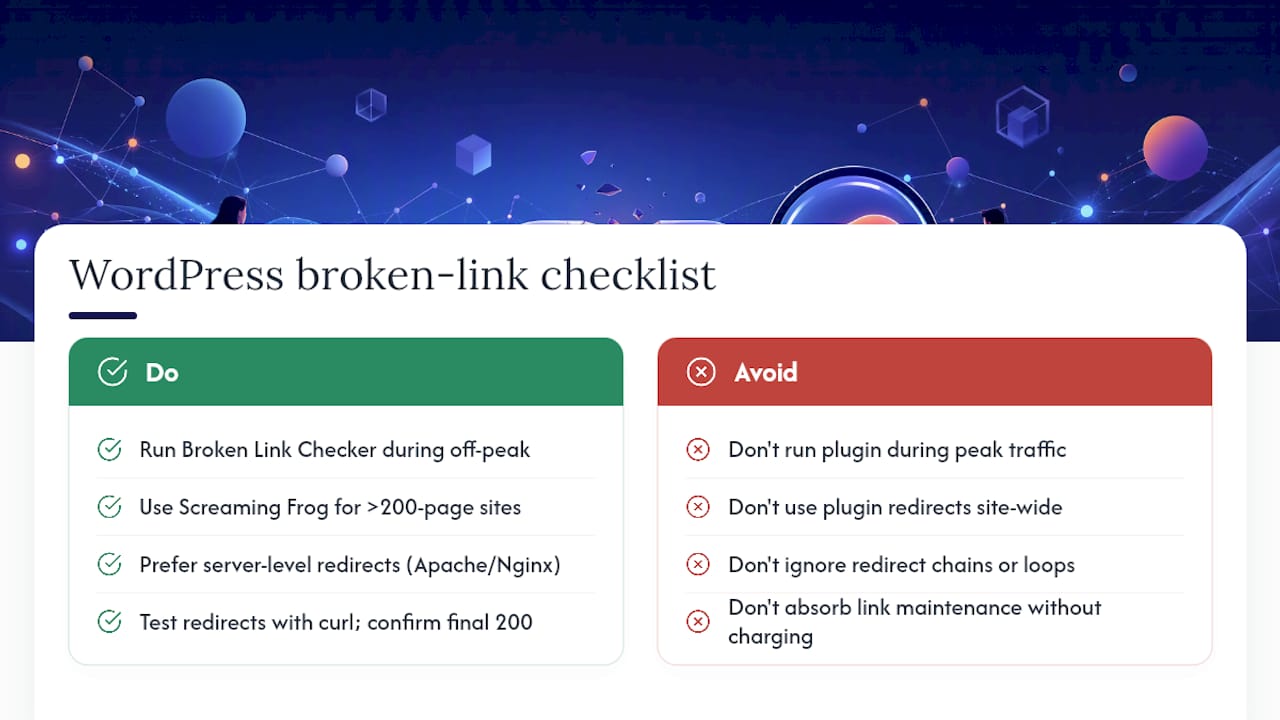
Using the Broken Link Checker plugin: install it, let it run its initial scan, then check the dashboard for flagged links. On sites with more than a few hundred posts, run it during off-peak hours. The plugin is resource-heavy and can slow the site for visitors if it runs during peak traffic. For large installs, a desktop crawler against the live site is a safer approach.
Using Screaming Frog with WordPress: crawl the live site, then use the Inlinks tab to identify which post or page contains the broken link. Bulk export to CSV, then open each source post in the WordPress editor to correct the anchor. This is faster than the plugin for sites above 200 pages.
Redirects in WordPress: use a server-level redirect (in .htaccess for Apache, or nginx.conf for Nginx) rather than a plugin-based redirect wherever possible. Plugin redirects add a PHP execution step on every request. If you do use a redirect plugin, audit the redirect table regularly for chains and loops.
When to hand off WordPress link maintenance: if you manage five or more client WordPress sites, the time spent on monthly link audits, redirect management, and plugin updates adds up fast. Agencies that try to absorb this work without charging for it are leaving real revenue on the table. The Wpcto WordPress Profit Calculator shows you exactly how much uncaptured revenue is sitting in your existing client base in under 90 seconds.
Pro Tip: Before deploying redirects site-wide, test each one with curl -IL [URL] to follow the full redirect chain and confirm the final destination returns a 200. This catches loops before they go live.
Agency perspective: prioritising broken links across multiple client sites
The most common mistake agencies make is treating all broken links equally. A 404 on a page that gets three visits a month is not the same problem as a 404 on a page with 500 monthly visits and twelve external backlinks pointing to it.

Triage by four factors: severity (4xx versus a long redirect chain), traffic (from GSC Performance), revenue impact (product pages, contact pages, landing pages), and backlink count. Fix in that order. A broken link on a high-traffic page with external backlinks pointing to it is the one that costs you SEO equity every day it sits unfixed.
For recurring clients, automate the detection and build the fix into a monthly maintenance retainer. Scheduled crawls, a shared fix-tracking spreadsheet, and a monthly report take the reactive pressure off your team. Backlink recovery is worth including in that retainer too: when a client’s page moves and an external site still links to the old URL, a 301 redirect recovers that authority without any outreach. For clients where outreach is warranted, a solid backlink analysis process helps prioritise which lost links are worth pursuing.
The agencies that handle this well are not doing more work. They have a documented process, the right tools, and a clear scope of what is included in each client’s plan.
Wpcto handles broken link monitoring so your team does not have to
Agencies that build and hand off WordPress sites know the pattern: the client’s site quietly accumulates broken links, redirect chains grow, and the first anyone hears about it is when the client emails to say their contact page is returning a 404.
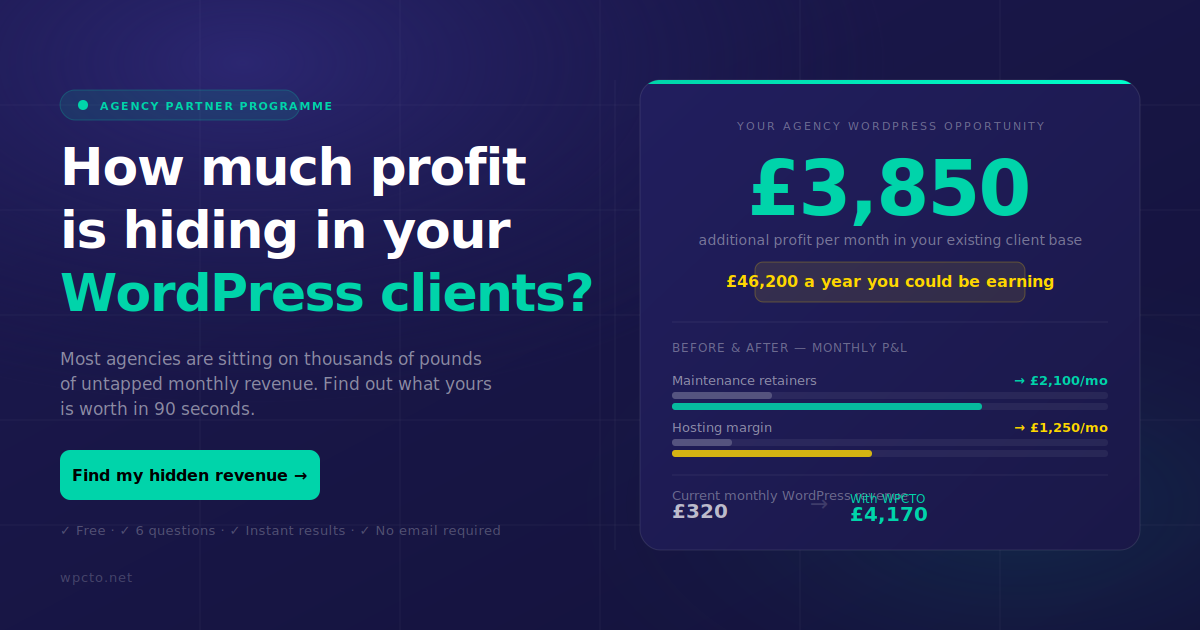
Wpcto’s WordPress maintenance and support service for agencies includes scheduled broken link checks, redirect implementation, plugin management, and monthly reporting, all delivered under your agency’s brand. You keep the client relationship and the recurring revenue. We handle the WordPress work that pulls your team away from the projects they were actually hired for.
If you want to see how much uncaptured revenue is already sitting in your existing WordPress client base, the WordPress Profit Calculator gives you a clear figure in under 90 seconds. No commitment required.
Sources
Free tools and authoritative references for checking and fixing broken links:
- Google Search Console: Pages report (Coverage) – Google Support
- HTTP status codes – troubleshooting (Google Developers)
- W3C Link Checker – online interface (Validator)
- Dead Link Checker – free broken link checking tool