

Managing a WordPress website in 2025 is more challenging than ever. With evolving security threats, constant updates, and increasing performance expectations, UK businesses need robust solutions to stay ahead.
This guide breaks down wordpress premium support godaddy, offering clarity on how expert help can simplify site management and boost business growth. Whether you run a small shop or oversee multiple client sites, understanding your options is vital.
You will discover what GoDaddy’s premium support includes, compare plans, learn how to get started, explore the service catalogue, and pick up proven tips for making the most of your investment. Ready to take control? Let’s get started.
Understanding WordPress Premium Support by GoDaddy
Keeping your WordPress site running smoothly in 2025 requires more than routine updates. GoDaddy’s WordPress Premium Support offers UK businesses a comprehensive safety net, providing expert intervention for technical issues, emergencies, and ongoing maintenance. Let’s break down exactly what this service includes and how it can help your business maximise its WordPress investment.
What is WordPress Premium Support?
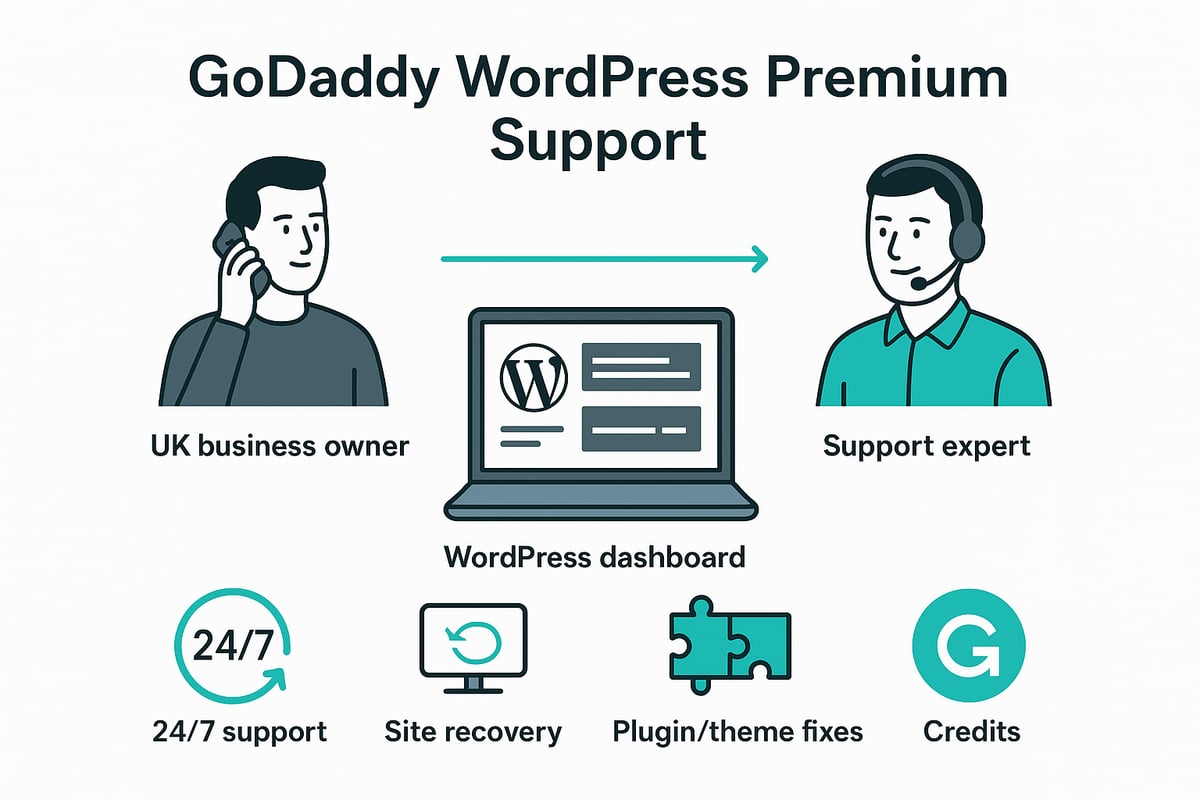
WordPress Premium Support GoDaddy is a subscription-based, on-demand expert service tailored for WordPress websites. It provides 24/7/365 access to a team of specialists capable of resolving a wide range of WordPress issues, from minor tweaks to restoring a crashed website after a plugin failure.
This service is designed for businesses seeking technical assurance and peace of mind, knowing help is always available. For further details, see GoDaddy’s WordPress Premium Support Features.
With WordPress Premium Support GoDaddy, a business can quickly recover from unexpected technical setbacks, minimising downtime and lost revenue.
Key features and benefits
Choosing WordPress Premium Support GoDaddy unlocks unlimited access to WordPress experts for troubleshooting and hands-on fixes. The service covers essential tasks such as theme maintenance, plugin updates, speed optimisation, and security hardening.
A credits-based system allows for predictable monthly budgeting, with each support task consuming one credit regardless of complexity. Site recovery is included as standard, providing a safety net for emergencies. GoDaddy’s Trustpilot rating of 4.5 out of 5, based on over 127,000 reviews, highlights consistent customer satisfaction.
This robust feature set makes WordPress Premium Support GoDaddy a valuable investment for UK businesses aiming to maintain high-performing, secure websites.
Who should consider GoDaddy’s premium support?
WordPress Premium Support GoDaddy is ideal for businesses lacking in-house WordPress expertise and those operating e-commerce stores where uptime is critical. Agencies managing multiple client sites also benefit from streamlined, centralised support.
Site owners seeking proactive maintenance and rapid emergency response will find this service particularly useful. For example, a business struggling with recurring plugin conflicts can rely on WordPress Premium Support GoDaddy to resolve issues efficiently and keep their site running smoothly.
This service is built for those who want to focus on growth without being bogged down by technical headaches.
How does it compare to standard GoDaddy support?
Unlike standard GoDaddy support, WordPress Premium Support GoDaddy delivers hands-on fixes rather than just basic troubleshooting. It covers a broader range of technical, administrative, and performance-related requests, ensuring faster response and resolution times.
| Feature | Standard Support | Premium Support GoDaddy |
|---|---|---|
| Hands-on WordPress fixes | Limited | Yes |
| Performance requests | No | Yes |
| Response time | Standard | Priority |
| Site recovery | No | Included |
With WordPress Premium Support GoDaddy, businesses gain a higher level of service, making it easier to manage complex or mission-critical websites.
Limitations and exclusions
While WordPress Premium Support GoDaddy is comprehensive, not all tasks or sites are eligible. Services such as major custom development and some third-party integrations are excluded. Credits reset monthly and do not roll over, so planning usage is essential.
Sites hosted outside GoDaddy can still be supported, but secure credential sharing is required. For full transparency, GoDaddy provides an official exclusions list, ensuring businesses know exactly what is and isn’t covered.
Understanding these boundaries helps users get the most out of WordPress Premium Support GoDaddy, aligning expectations with deliverables.
Navigating GoDaddy’s WordPress Premium Support Plans and Pricing
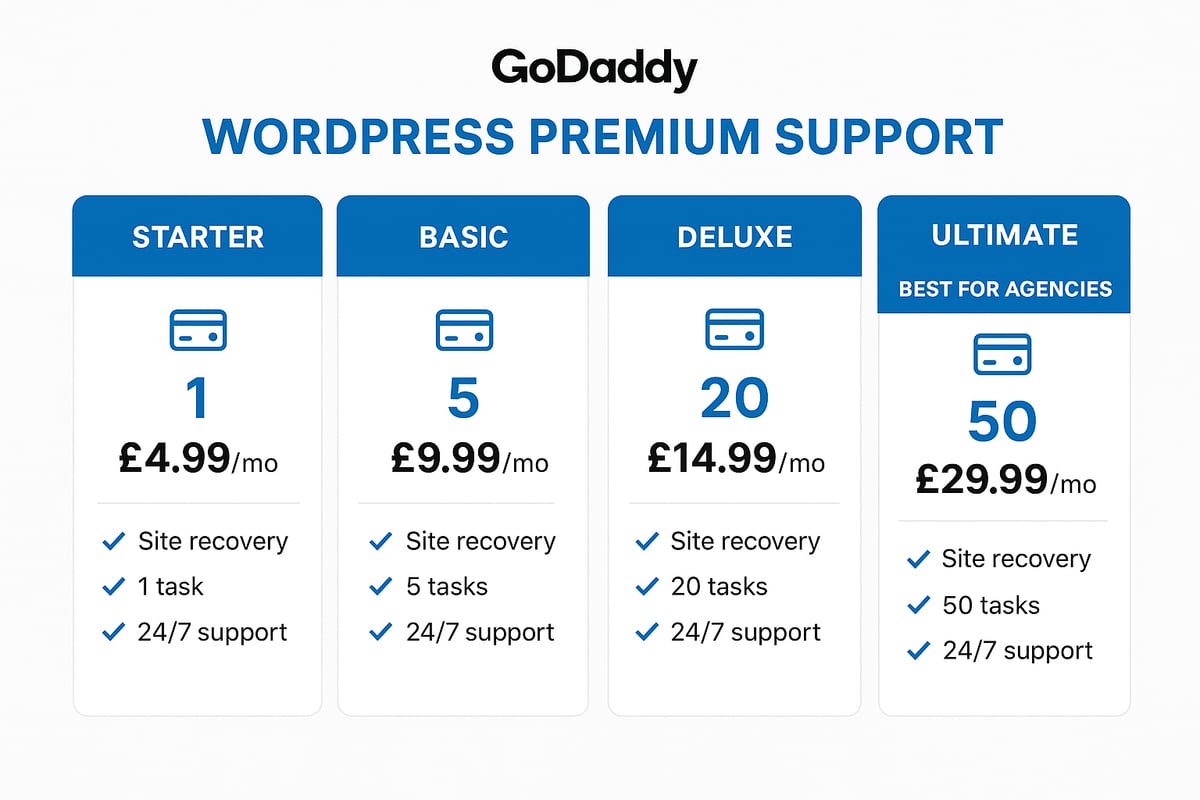
Navigating the range of wordpress premium support godaddy plans can feel overwhelming at first glance. Understanding the differences between Starter, Basic, Deluxe, and Ultimate plans is crucial for making an informed decision. Each plan is priced to suit varying business needs, from individuals to agencies. Here is a quick summary table to help you compare:
| Plan | Credits/Month | Price/Month (2025) | Key Features |
|---|---|---|---|
| Starter | 1 | £39.99 | Site recovery, task catalogue |
| Basic | 3 | £59.99 | More credits, priority access |
| Deluxe | 5 | £79.99 | For multiple sites/tasks |
| Ultimate | 10 | £99.99 | High volume, agencies |
All plans offer 24/7 access to expert help, site recovery, and a comprehensive service catalogue. For the latest details on features and pricing, visit GoDaddy’s WordPress Premium Support Plans and Pricing.
How the credits system works
The credits system is the backbone of wordpress premium support godaddy. Each plan provides a set number of credits per month, and every support task consumes one credit, no matter how complex. This makes it easy to budget and predict your support needs.
Credits reset at the start of each monthly cycle. If you run out, you can purchase extra credits or upgrade your plan on the fly. Unused credits do not roll over, so it is wise to schedule regular maintenance or updates each month. For example, a business might use three credits for a plugin update, a theme fix, and database optimisation within a single month.
Choosing the right plan for your business
Selecting the best wordpress premium support godaddy plan depends on your website’s complexity, traffic, and the frequency of required updates or fixes. A single-site owner with occasional needs may find the Starter plan sufficient. In contrast, agencies or e-commerce operators with multiple sites or critical uptime requirements will benefit from Deluxe or Ultimate.
Consider these factors:
- How often do you need expert intervention?
- Are emergencies frequent or rare?
- Does your team lack in-house technical skills?
A small business might start with Basic and scale up as its online presence grows. Agencies managing several client sites often opt for higher plans for flexibility and peace of mind.
Value for money and ROI
Investing in wordpress premium support godaddy can lead to significant savings compared to hiring freelance developers for each incident. The predictable monthly cost simplifies budgeting, especially for SMEs. With 24/7 access to experts, downtime is minimised, reducing the risk of lost sales or reputation damage.
One user review highlighted how ongoing maintenance through this service saved them hundreds of pounds per year, while ensuring their site ran smoothly. For many, the value lies not just in the fixes, but in the reassurance and continuity it provides.
Upgrades, downgrades, and cancellation policies
Flexibility is a strong point of wordpress premium support godaddy. You can upgrade or downgrade your plan at any time as your needs shift. The process is straightforward and managed through your GoDaddy account dashboard. If you experience a surge in support requests, upgrading from Basic to Deluxe can be done instantly.
Cancellations are handled easily in your account settings. Refunds and pro-rating policies are governed by GoDaddy’s terms and conditions. This flexibility means you are never locked into a plan that no longer fits your business.
Step-by-Step: Getting Started with GoDaddy WordPress Premium Support
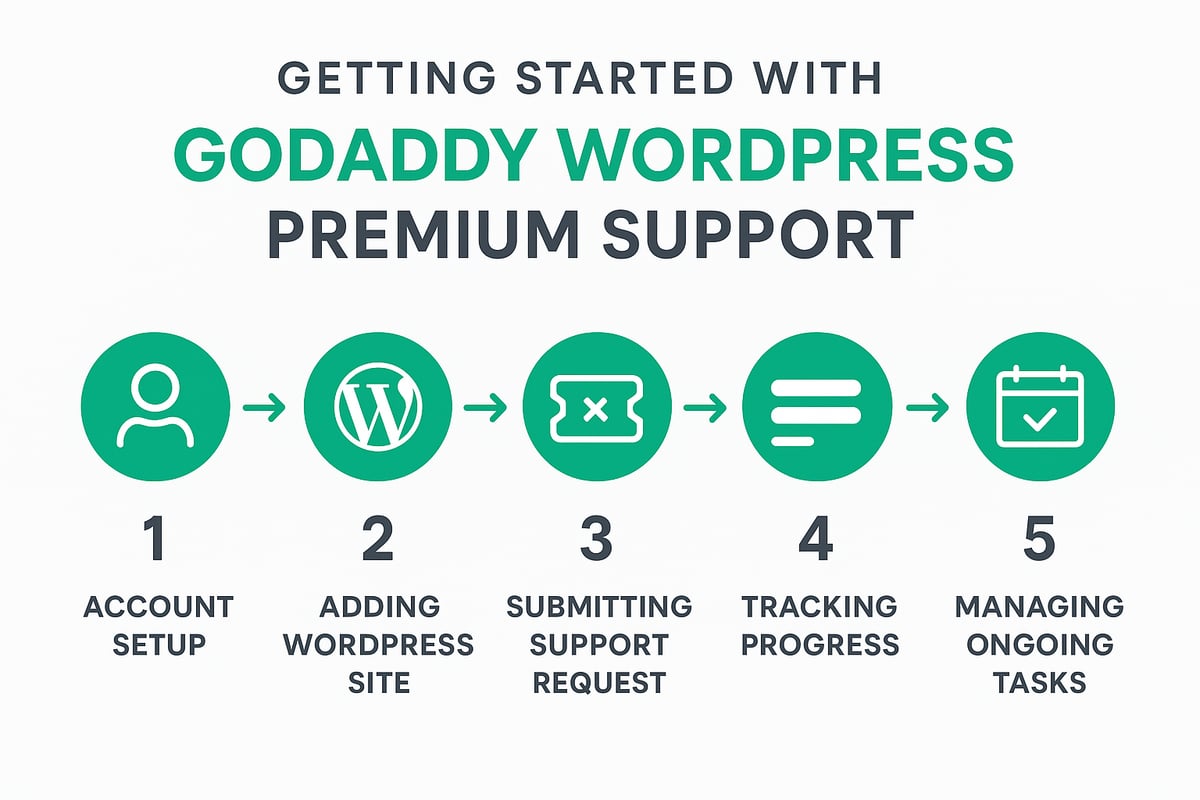
Embarking on your wordpress premium support godaddy journey is straightforward, but following a clear process ensures you unlock the full benefits. Below, we outline each step, from account creation to ongoing task management, so UK businesses can confidently get started.
Signing up and account setup
To begin with wordpress premium support godaddy, create or log into your GoDaddy account. Navigate to the WordPress Premium Support area within your dashboard. Here, you will see available plans and pricing options tailored to your needs.
Select the plan that matches your business requirements. Enter your payment details securely, and confirm your subscription. Once complete, you will receive a welcome email with an overview of your new support features.
If you are unsure which plan is best, consult the comparison chart provided during signup. This ensures you start with the right level of support for your WordPress site.
Adding your WordPress site(s)
After activation, the next step in using wordpress premium support godaddy is to add your website. For GoDaddy-hosted sites, the process is seamless. Simply select the site from your dashboard and link it directly to the support service.
If your WordPress site is hosted elsewhere, you will be prompted to provide secure credentials. GoDaddy uses encrypted channels, ensuring your login information remains safe. A verification check confirms successful integration.
For example, if you run a WooCommerce store on a third-party host, follow the guided steps to link your site. This prepares your website for expert support and ongoing maintenance.
Submitting your first support request
With your site connected, you can submit your first request via the wordpress premium support godaddy dashboard. Click the 'Create Request' button and fill in the details of your issue or task.
Describe the problem clearly, including relevant information such as affected pages, error messages, or expected outcomes. Attach screenshots or logs if available to speed up diagnosis.
Here is a sample support request template:
Issue: Contact form not sending emails
Steps to reproduce: Fill out the form on /contact and submit
Expected result: Email notification received
Actual result: No email received, no error displayed
This approach ensures your request is actioned quickly and accurately.
Tracking progress and communication
Once your request is submitted, the wordpress premium support godaddy dashboard provides real-time status updates. You can monitor progress, view responses from support experts, and communicate directly via chat or email.
For urgent issues, phone support is available around the clock. Notifications keep you informed at every stage, from initial assignment to final resolution.
If your task requires additional credits or clarification, you will be notified promptly. This transparent communication reduces stress and ensures every issue is addressed efficiently.
Managing ongoing support and tasks
Ongoing management with wordpress premium support godaddy is simple and effective. Monitor your credit usage from the dashboard, and review upcoming monthly resets. You can also schedule recurring maintenance tasks such as plugin updates or performance checks.
To see the full range of tasks you can request, visit GoDaddy’s WordPress Premium Support Service Catalog. This helps you plan and prioritise work for maximum impact.
After each completed task, review the outcome and provide feedback. Regularly updating your site information and reviewing past support tickets further streamlines your support experience.
Exploring the GoDaddy WordPress Premium Support Service Catalogue
WordPress site owners in the UK often face a wide variety of technical challenges, from plugin conflicts to database errors. The wordpress premium support godaddy service catalogue is designed to address these issues efficiently, offering a robust range of support tasks tailored to business needs. Understanding what is included can help you make the most of your support plan, and comparing these services with other options is vital. For a broader perspective on support options, see this WordPress website support explained article.
Types of tasks covered
The wordpress premium support godaddy offering covers a comprehensive set of technical tasks essential for website stability and growth. Typical support requests from UK businesses include:
- Theme maintenance and updates
- Plugin installation, configuration, and troubleshooting
- Database management and MySQL optimisation
- Website evaluation for SEO and speed
- Administrative updates, such as redirects and image optimisation
With this breadth of coverage, businesses can ensure their sites remain secure, up to date, and high performing.
Performance and speed optimisation
Performance is a top priority for any online business. With wordpress premium support godaddy, experts identify and resolve slow-loading pages, optimise caching, compress images, and minify scripts. These actions directly impact both SEO and user experience.
For example, a retail site struggling with slow checkout pages might see faster load times after targeted optimisation, leading to higher conversion rates. Regular speed checks can be scheduled as part of ongoing support, reducing the risk of lost revenue due to performance issues.
Security and site recovery
Security incidents can happen at any time. The wordpress premium support godaddy team provides round-the-clock malware scanning, rapid removal of infections, and restoration from backups if your site is hacked or crashes.
Proactive security hardening is also included, helping to prevent future attacks. In a real-world scenario, a site that was compromised due to a plugin conflict was quickly restored by the support team, minimising downtime and reputational impact for the business.
Core WordPress and database issues
Core WordPress errors and database problems can bring a site to a halt. The wordpress premium support godaddy service addresses installation errors, update failures, and core file corruption.
Support experts also troubleshoot permalink and connection string issues, and manage database backup and recovery. For instance, a busy e-commerce site experiencing database connection errors can rely on swift expert intervention to restore full functionality and maintain customer trust.
Limitations and out-of-scope services
While the wordpress premium support godaddy service catalogue is extensive, some tasks remain outside its scope. These include:
- Major custom development projects
- Third-party integrations not supported by GoDaddy
- Unsupported plugins and themes
To check if your specific request is eligible, always review the official service catalogue and exclusions list. This transparency ensures you know exactly what to expect from your support plan.
Best Practices and Expert Tips for Maximising WordPress Premium Support
Getting the most from wordpress premium support godaddy requires a proactive approach. By preparing your site, communicating clearly, scheduling regular maintenance, and measuring impact, you can maximise the value of your investment. These expert tips ensure that support is efficient, reliable, and aligned with your business goals.
Preparing your site for support
Preparation is key to a smooth experience with wordpress premium support godaddy. Start by keeping all your site credentials, hosting details, and admin access up to date. This ensures the support team can act quickly when issues arise.
Regularly back up your website, even though site recovery is included. Store copies offsite for added peace of mind. Document recurring problems or previous fixes, so experts can spot patterns and resolve them faster.
Here’s a quick onboarding checklist:
- Update all login details
- Back up files and databases
- Note recurring issues or errors
For more on available support options, see WordPress support services in detail.
Communicating effectively with support experts
Clear communication helps the wordpress premium support godaddy team resolve your issues efficiently. Always describe the problem in detail, including when it started and what changes preceded it.
Attach screenshots, URLs, or error messages to illustrate the issue. Prioritise tasks by urgency, specifying if something is business critical. Use a simple template for requests:
Issue: [Describe the problem]
Steps to reproduce: [List them]
Screenshots: [Attach if possible]
Urgency: [High/Medium/Low]
For urgent problems, consider referencing WordPress emergency support solutions to understand rapid response options.
Scheduling proactive maintenance tasks
Proactive maintenance prevents many common WordPress problems. With wordpress premium support godaddy, use your credits for regular updates, security checks, and performance reviews.
Schedule tasks such as monthly plugin updates, theme checks, and database optimisation. Align maintenance with business cycles, like before sales events or peak traffic periods.
A sample monthly maintenance plan:
- Update plugins and themes
- Optimise images and database
- Test site speed and security
Consistent scheduling reduces the risk of emergencies and keeps your site running smoothly.
Evaluating the impact of support on business performance
Tracking the results of wordpress premium support godaddy helps you measure its value. Monitor metrics such as uptime, site speed, and the number of support requests resolved.
Gather feedback from staff and users about site reliability. Compare downtime and lost revenue before and after using premium support. Use this data to adjust your plan or request different services as your business evolves.
A simple evaluation matrix:
| Metric | Before Support | After Support |
|---|---|---|
| Uptime (%) | 97 | 99.9 |
| Support Tickets | 10/month | 3/month |
| Lost Revenue | £500/month | £50/month |
Regular reviews ensure your support investment delivers measurable results.
Alternatives and Choosing the Right WordPress Support Solution
Businesses evaluating wordpress premium support godaddy in 2025 should take time to compare all available options. The right support framework can make a significant difference in uptime, security, and business growth. Let us explore how GoDaddy’s premium service stacks up against competitors, when to consider in-house expertise, and what bespoke alternatives exist for UK companies.
Comparing GoDaddy Premium Support to other providers
When weighing wordpress premium support godaddy against other UK providers, consider factors like scope, response times, and pricing. GoDaddy offers predictable plans with 24/7 access, while independent specialists may deliver more bespoke troubleshooting but less scalability. Here is a comparison table:
| Feature | GoDaddy Premium Support | UK Specialist Agency | Freelancer |
|---|---|---|---|
| Scope | Broad, fixed catalogue | Customisable | Varies |
| Response Time | Fast, 24/7 | Standard business | Unpredictable |
| Cost (monthly) | £39.99 – £99.99 | £100+ | £40+/incident |
| Expertise | Certified team | Niche expertise | Mixed |
For a deeper look at how hosting, maintenance, and support interplay, see WordPress hosting and maintenance insights.
When to consider in-house vs outsourced support
Deciding between in-house expertise and outsourcing to wordpress premium support godaddy or another provider is crucial. In-house teams offer direct control and deep familiarity with your site, but require ongoing training and salaries. Outsourcing provides access to a pool of experts, scalability, and predictable budgets, but may lack the same level of personalisation.
Pros of in-house:
- Immediate response
- Custom solutions
- Direct oversight
Cons of in-house:
- Higher overheads
- Recruitment challenges
- Limited coverage outside office hours
Pros of outsourcing:
- 24/7 support
- Access to specialists
- Flexible costs
Cons of outsourcing:
- May need credential sharing
- Less control over processes
WPCTO: expert WordPress support and consultancy
WPCTO stands out as an alternative to wordpress premium support godaddy, offering tailored WordPress solutions for UK businesses. WPCTO provides:
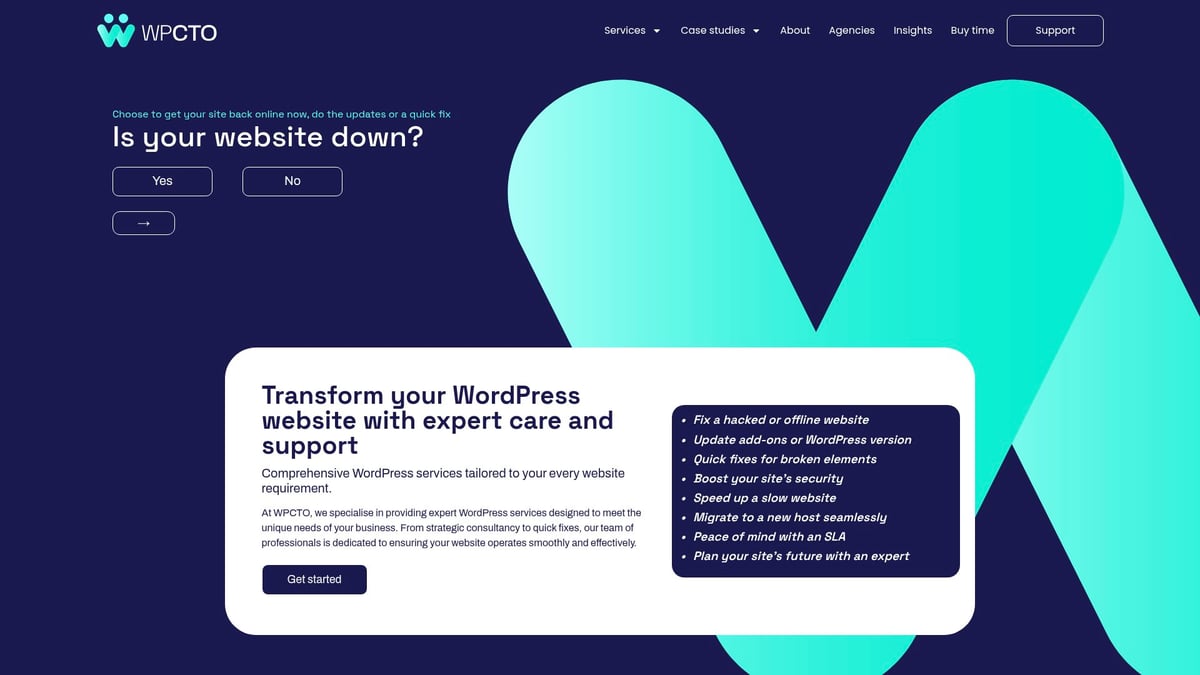
- Consultancy and strategic planning
- Emergency fixes and ongoing maintenance
- Flexible models, from ad hoc support to fractional CTO roles
- Trusted by hundreds of brands for rapid, reliable results
For businesses needing a more strategic or hands-on approach, WPCTO is ideal.
Making the right choice for your business in 2025
Selecting between wordpress premium support godaddy and other solutions requires a clear assessment of your technical needs, growth plans, and budget. Use this decision matrix to clarify your next steps:
| Consideration | GoDaddy Premium Support | In-house Team | WPCTO Consultancy |
|---|---|---|---|
| Budget flexibility | High | Low | Medium |
| Customisation | Medium | High | High |
| 24/7 support | Yes | Rare | Yes |
| Strategic guidance | Limited | Possible | Extensive |
Match your support choice to your business objectives and risk tolerance. Review your priorities, then select the solution that best aligns with your vision for 2025.
Now that you’ve seen how GoDaddy’s WordPress Premium Support can take the stress out of website management in 2025, it’s clear that having the right expertise on hand makes all the difference. Whether you’re focused on security, performance or just need someone to step in when things go wrong, the right support partner can help you get more from your WordPress investment. If you’re ready to elevate your site’s reliability and tap into tailored solutions designed for your business goals, Ready to transform your WordPress website? Let’s make your online presence work harder for you this year.