

If you run WordPress for clients, treat these operational controls as non-negotiable: verified backups, controlled updates, strict access controls, continuous monitoring, and documented runbooks. Together they turn NCSC and WordPress’s own guidance into something you can actually schedule, assign and bill for, and the WordPress Profit Calculator shows you what that work is worth before you build it.
TL;DR:
- Store backups in separate locations, include the full database and every file, protect older versions from deletion, and schedule documented restore tests.
- NCSC sets targets of five days for services exposed online and seven days for operating system or application updates; accelerate response to active exploitation.
- Require multifactor authentication for every management account, give contractors individual accounts with limited access, and assess plugin and hosting suppliers before deployment.
- Set tighter recovery objectives for e-commerce and lead-generation sites than brochure sites, and document recovery owners, restore steps, test history, and escalation contacts.
Table of Contents
- 1. A 12-point checklist you can run this week
- 2. Backups: what to store and why restore tests matter
- 3. Updates and patching: a controlled rollout model
- 4. Access, identity and supplier governance
- 5. Monitoring, logging and incident readiness
- 6. Documentation, SLAs and packaging maintenance for clients
- Marcel’s perspective: productising maintenance frees your team for creative work
- Turn this checklist into recurring revenue
- FAQ
- Sources
1. A 12-point checklist you can run this week
Most agencies know what good site management looks like. The gap is usually between knowing and doing it consistently across every client site. This checklist gives each priority one concrete, measurable action.
- Confirm every backup set includes the database and all files, stored independently of the live server, with a named recovery owner on record.
- Run a test restore before trusting any backup, and always take a fresh one before an upgrade or migration, as WordPress’s own backup guidance recommends.
- Use a staging environment for every update and keep a one-click rollback path ready in case something breaks.
- Set internal rollout targets using NCSC’s vulnerability-management timescales as the benchmark rather than ad hoc judgement.
- Switch on multi-factor authentication for every management account and restrict who holds privileged access.
- Turn on file integrity monitoring and keep logs detailed enough to support a forensic timeline if something goes wrong.
- Set uptime and error-rate alerts that map directly to the SLA you’ve promised each client.
- Record recovery point and recovery time objectives per client, and keep backup copies spread across different locations.
- Add a supplier assurance step for any third-party plugin or host before it goes near a client site.
- Check cookie and privacy basics on every client site against UK PECR requirements where applicable.
- Automate the routine checks, but keep a manual verification step in the process so nothing silently fails.
- Price this work as a packaged product rather than absorbing it as unbilled support time.
Pro Tip: Build this list into a shared checklist template once, then reuse it for every client onboarding instead of reconstructing it from memory each time.
If you want to see what a checklist like this is worth across your client base, the WordPress Profit Calculator turns it into a revenue figure.
2. Backups: what to store and why restore tests matter
A backup you’ve never restored is a guess, not a plan. WordPress’s backup guidance is specific: every set needs the full database and every file, not just the parts that feel important at the time.
- Store copies across separate locations, never relying on a single server or a single provider.
- Follow NCSC’s ransomware-resistant backup principles: protect previous versions from deletion, encrypt the copies and restrict who can access them.
- Schedule restore tests on a calendar, not a hope, and log the result each time.
- Take a fresh, verified backup before every upgrade or migration, with no exceptions.
- Name a recovery owner for each client and log their recovery point objective in the ticketing system.
A backup that has never been restored functions as an assumption, not a recovery plan, according to NCSC’s guidance on ransomware-resistant backups. That single test, run on a schedule, is what separates a documented control from a false sense of safety.
3. Updates and patching: a controlled rollout model
Updating everything the moment a notification appears feels responsible, but it’s how agencies break client sites on a Friday afternoon. A controlled process protects you from your own good intentions.
- Take a verified backup before touching anything.
- Test the update in staging first, every time.
- Roll it out in phases rather than across the whole portfolio at once.
- Keep a rollback plan ready before you start, not after something fails.
- Log the action so you can show a client exactly what changed and when.
NCSC’s vulnerability-management guidance sets out timescales worth adopting as internal KPIs: internet-facing services tested and rolled out within five days, and operating system or application updates completed within seven days. For a vulnerability under active exploitation, that window shrinks: assess whether the site has already been compromised, isolate it if needed, and rebuild rather than patch when the compromise looks established.
Pro Tip: Automate what you can, but only where the rollback path survives the automation. A one-click update with no backup behind it is not a safety net.
4. Access, identity and supplier governance
Weak or compromised credentials can put WordPress sites at risk, as can vulnerable code. NCSC’s guidance on building secure online services treats identity controls as the foundation, not an add-on.
- Require multi-factor authentication on every management and privileged account across your portfolio.
- Give contractors their own accounts with the minimum access they need, and log admin actions so changes are traceable.
- Consider privileged access workstations for anyone handling sensitive site administration regularly.
- Add supplier assurance questions to your contracts: ask plugin vendors and hosts how they handle vulnerabilities and patching.
- Check UK cookie and PECR basics on client sites: disclose what you set, explain what it does, and obtain consent where it’s required.
These checks are easier to carry out once they’re part of your onboarding process, and they help close gaps that can lead to costly incidents.
5. Monitoring, logging and incident readiness
You can’t fix what you can’t see, and most agencies only discover a problem when a client calls. Watching the right signals changes that.
- Track uptime, error rates, file integrity changes, authentication anomalies and backup health as a single dashboard.
- Keep logs detailed enough to reconstruct a timeline if you need to investigate an incident.
- Review alerts regularly and tune out the noise, or your team will start ignoring the ones that matter.
- Write an incident runbook that states who decides between a restore and a rebuild, who owns client communication, and when to escalate to a specialist incident response provider.
Pro Tip: Run a tabletop exercise once a year, walking through a mock incident on paper, and keep the notes as evidence you can show a client when they ask how prepared you are.
6. Documentation, SLAs and packaging maintenance for clients
A runbook that only lives in one developer’s head isn’t a runbook. Write down the recovery owner, the recovery point and recovery time objectives, the exact restore steps, the test history and the escalation contacts for every client, matched to how much risk that client can tolerate.
- Set tighter recovery objectives for e-commerce or lead-generation sites than for a static brochure site.
- Record retention periods and verification dates so you can prove the backup policy was followed, not just claimed.
- Price this as a defined package rather than folding it into “general support.”
- Keep a short script ready for client conversations about scope, so an emergency fix doesn’t quietly become unpaid work.
Our guide to matching recovery objectives to regular WordPress backups walks through how to translate these objectives into SLA language clients actually understand, and the Profit Calculator shows what that packaged work could be worth across your client list.
Marcel’s perspective: productising maintenance frees your team for creative work
The agencies we talk to lose creative hours to WordPress firefighting that nobody budgeted for: the Sunday plugin failure, the client who assumes updates are “just included.” Packaging maintenance as a defined, white-labelled retainer turns that unpredictable drain into recurring revenue and far fewer surprises.
— Marcel
Turn this checklist into recurring revenue
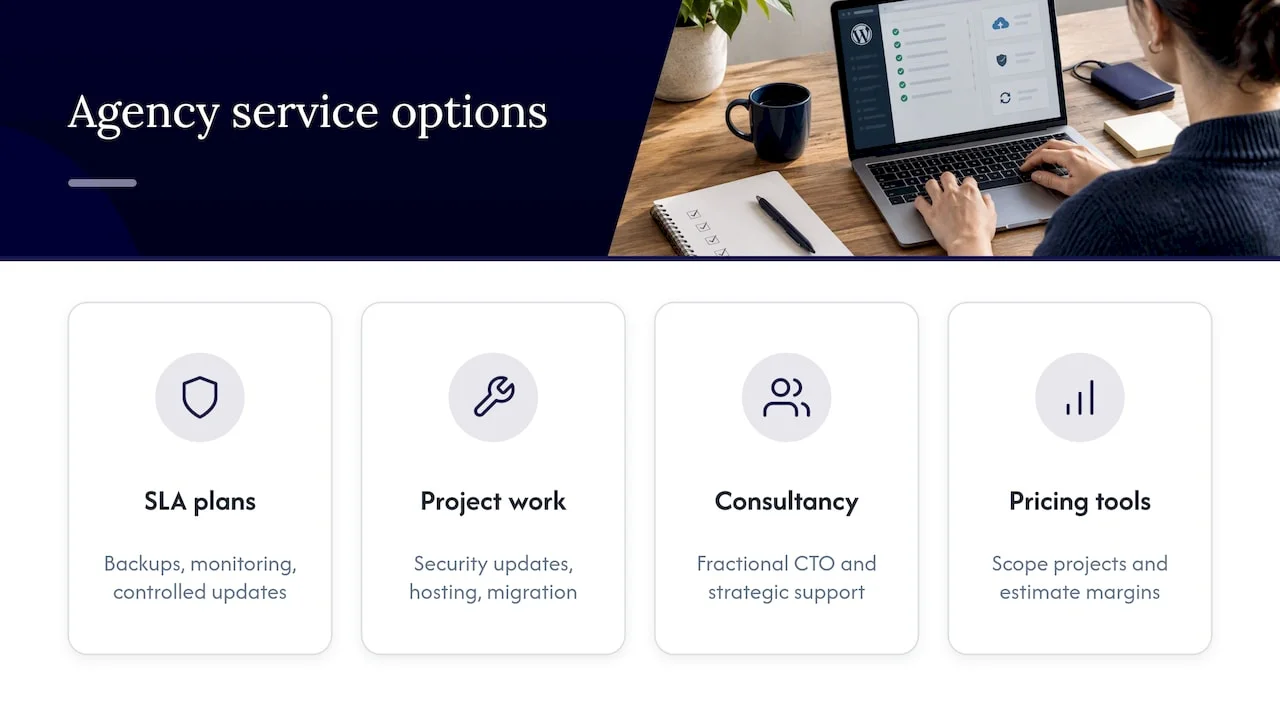
We help agencies turn exactly this checklist into a packaged, white-label service: our Bronze, Silver and Gold SLA plans cover backups, monitoring and controlled updates so you don’t have to run them in-house. Current prices are on our SLA plans page. For project work outside a retainer, our Security Updates and Enhancements and Hosting, Re-hosting and Migration Services cover the rest, and our fractional CTO and consultancy services sit behind you for anything more strategic.
For agencies building out their own project pricing and client proposals alongside this, Roadbase’s agency software is worth a look for scoping and margin estimation.
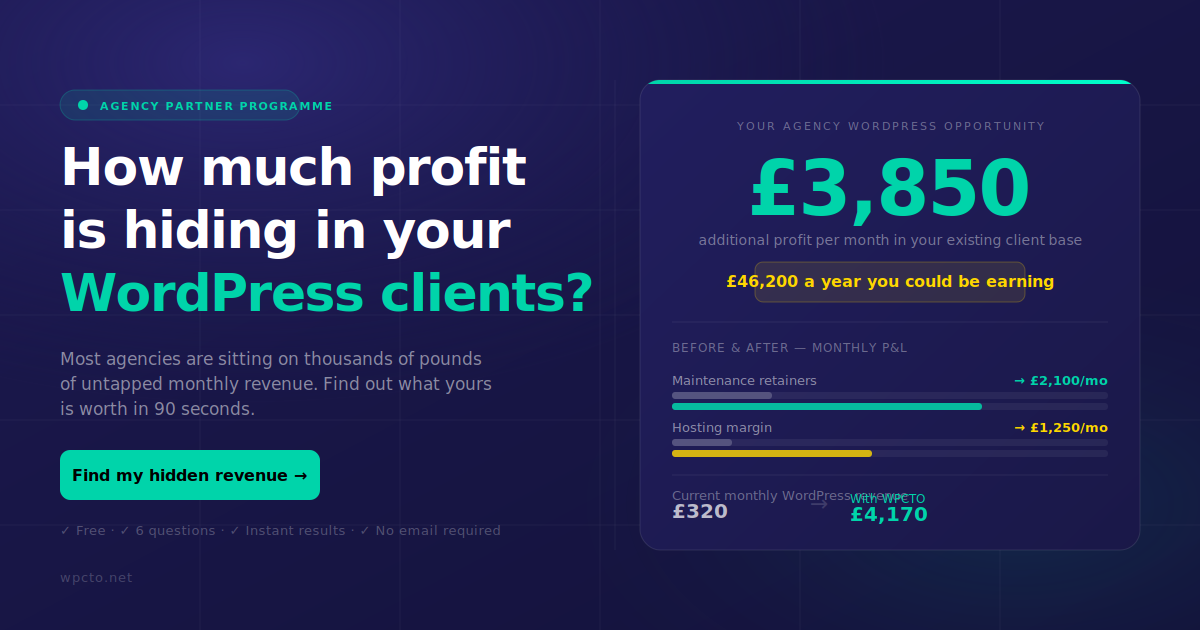
Before you decide what to package, run the WordPress Profit Calculator to see how much unbilled maintenance work is already sitting inside your existing client base.
FAQ
What is the single most important WordPress site management task?
Verified backups come first because every other control depends on being able to recover. A backup that has never been restored is unproven, not reliable.
How quickly should agencies apply WordPress security updates?
NCSC guidance sets internet-facing services at five days and operating system or application updates at seven days as practical targets. Actively exploited vulnerabilities need a faster, accelerated response that may include isolating or rebuilding the site.
How many backup copies should an agency keep per client site?
Keep copies stored in separate locations rather than relying on a single server or provider. This follows NCSC’s ransomware-resistant backup principles, which also call for protecting previous versions from deletion.
How much should a WordPress maintenance package cost?
Our own SLA plans range from 450 GBP per year for Bronze to 1850 GBP per year for Gold, depending on the level of monitoring, updates and support included. Pricing elsewhere varies by scope, so compare what’s actually covered rather than the headline figure alone.
What should a WordPress incident runbook include?
A usable runbook names a recovery owner, states the recovery point and recovery time objectives, lists exact restore steps and records when they were last tested, and sets out who to escalate to during an incident. Without that detail, a runbook is a document rather than something your team can actually follow under pressure.