

A site migration improves SEO when it removes something that was holding the site back: slow hosting, a tangled URL structure, a dated platform or a poor mobile experience. It does not improve SEO by itself. Done carelessly, a move is one of the quickest ways to lose rankings. Done with a plan, it is one of the few moments when you can fix technical problems in bulk and come out ahead.
This guide is written for agency owners and directors who look after WordPress sites for clients. We explain where the gains come from, what the evidence says about recovery time, and the checks that keep a client’s traffic safe while you make the move.
TL;DR
- A migration can improve SEO by fixing speed, site structure, mobile usability and redirect clutter, but traffic often dips first, even on well-run moves.
- The type of migration sets the risk. A hosting change with no URL changes is far safer than a domain change, a CMS switch or a redesign.
- The work that protects rankings is unglamorous: benchmarks, a full URL map, 301 redirects, launch-day checks and weekly monitoring.
- Plan for recovery in weeks to months, and tell the client before launch that a dip is possible.
- If WordPress migrations are not what your agency wants to spend time on, we can handle them behind your brand.
Table of Contents
- What a migration can realistically do for SEO
- Not all migrations carry the same risk
- Plan the move before you touch the server
- Where agencies can make a migration help rather than hurt
- Calculate what WordPress care is worth to your agency
- Common mistakes that cost rankings
- After launch: monitoring and realistic recovery times
- Our perspective: treat migration as a project with an owner
- Let us handle the WordPress side of the move
- FAQ
- Sources
What a migration can realistically do for SEO
Let’s be straight about the claim in the keyword. Search engines do not reward you for moving. They reward what the new site does better. The Bing Webmaster team makes the same point: a migration should be treated as a chance to refine and improve SEO signals, not only as an exercise in holding on to what you have.
In practice, the gains come from a short list of causes:
- Faster, more stable hosting. Moving a client off an overloaded shared server can cut response times and reduce downtime, which helps both crawling and user experience.
- A cleaner site structure. A migration is a natural moment to reorganise architecture. One widely read migration guide notes that it is a great opportunity to improve the site architecture and consolidate thin or duplicate sections.
- A responsive design. Moving to a layout that works properly on small screens can boost SEO performance and engagement, though you should treat that as a design benefit, not a guarantee.
- Fewer broken links and redirect chains. Old sites collect dead URLs and chained redirects. A proper URL map lets you tidy them up. Our guide to fixing dead links in WordPress covers the clean-up side.
- HTTPS, canonical tags and metadata done properly. These are easy to get wrong over years of edits and easy to correct when a site is being rebuilt or moved.
A real example of dip, then growth
The best-known case is the move from Transferwise to Wise. Search Engine Land’s migration guide reports that organic traffic fell from about 32.3 million to about 13.0 million visits a month after the domain change, then later grew well beyond the original level. That is a very large international brand with a dedicated team, so treat it as an illustration of the pattern, not a forecast for a 40-page brand site. The pattern is what matters: a drop, a recovery, then growth driven by the improvements that justified the move.
Not all migrations carry the same risk
The first job is naming the type of move. Google’s own Search Central team splits site moves into two broad groups: moves without URL changes, such as changing hosting, and moves with URL changes, such as a new protocol, domain or URL paths.
That gives you a rough risk ladder for client work:
| Migration type | URLs change? | Typical SEO risk | Where the upside is |
|---|---|---|---|
| Hosting move (same domain, same site) | No | Low, if DNS and server settings are right | Speed, uptime, server response |
| HTTP to HTTPS | Yes (protocol) | Low to medium | Security signal, clean canonicals |
| URL structure change | Yes | Medium to high | Tidier architecture |
| Domain change or rebrand | Yes | High | Brand consistency, consolidation |
| CMS or platform switch | Usually | High | Better tooling, performance |
| Redesign with new navigation | Often | Medium to high | Usability, mobile experience |
One point from Google’s John Mueller is worth repeating to clients. He has said that changing internal linking, significantly altering the design or switching CMS can have a larger potential impact on search than a simple 1:1 domain change. A redesign that quietly reshuffles the menu is not a cosmetic job. It is a migration.
If you want a second framework for classifying moves and managing the risk of domain, hosting or platform changes, this site migration SEO plan sets out a staged timeline you can adapt.
Plan the move before you touch the server
Most migration damage is baked in before launch day. The planning stage has four parts.
1. Set goals you can measure
Search Engine Land’s migration plan guidance says to document measurable goals, audit current rankings and traffic, and build a phased plan with time for testing. For an agency client, that means agreeing in writing what “better” means: page speed, organic sessions to key templates, leads or revenue. Without a baseline you cannot prove the migration worked, and you cannot prove it did not break anything.
Capture before you start:
- A full crawl of the current site (URLs, status codes, titles, canonicals, internal links)
- Organic landing pages ranked by traffic and conversions
- Top keyword positions and the pages that hold them
- Backlinks pointing at the most valuable URLs
- Core page speed measurements on the main templates
2. Change one thing at a time where you can
Google’s advice, relayed by John Mueller, is to split large revamps into smaller, staggered steps instead of one big-bang launch. When a new domain, new CMS and new design arrive together, staggering them helps isolate the cause of any fluctuation. Moving hosting in March and redesigning in June is slower on the project plan and far easier to diagnose.
For the same reason, avoid rewriting content during the move if you can. Changing content makes it harder to diagnose drops in rankings, so keep copy edits for a later phase.
3. Assign roles and a rollback plan
Patrick Stox of Ahrefs argues that success takes more than a checklist: it needs project management, clear roles and a documented rollback plan for extreme scenarios. Note the nuance. Bing identifies attempting to roll back a migration that is not going smoothly as one of the most problematic mistakes a site operator can make. So the rollback plan is for genuine disaster, decided in advance, not a panic reaction to a first-week dip.
4. Warn the client
SEO practitioner Zoe Ashbridge advises telling stakeholders that traffic may drop during a domain change while you plan to limit the impact and recover quickly. That conversation is much easier before launch than after. A client who has been told to expect a wobble sees it as the plan working. A client who has not will see it as your mistake.
Where agencies can make a migration help rather than hurt
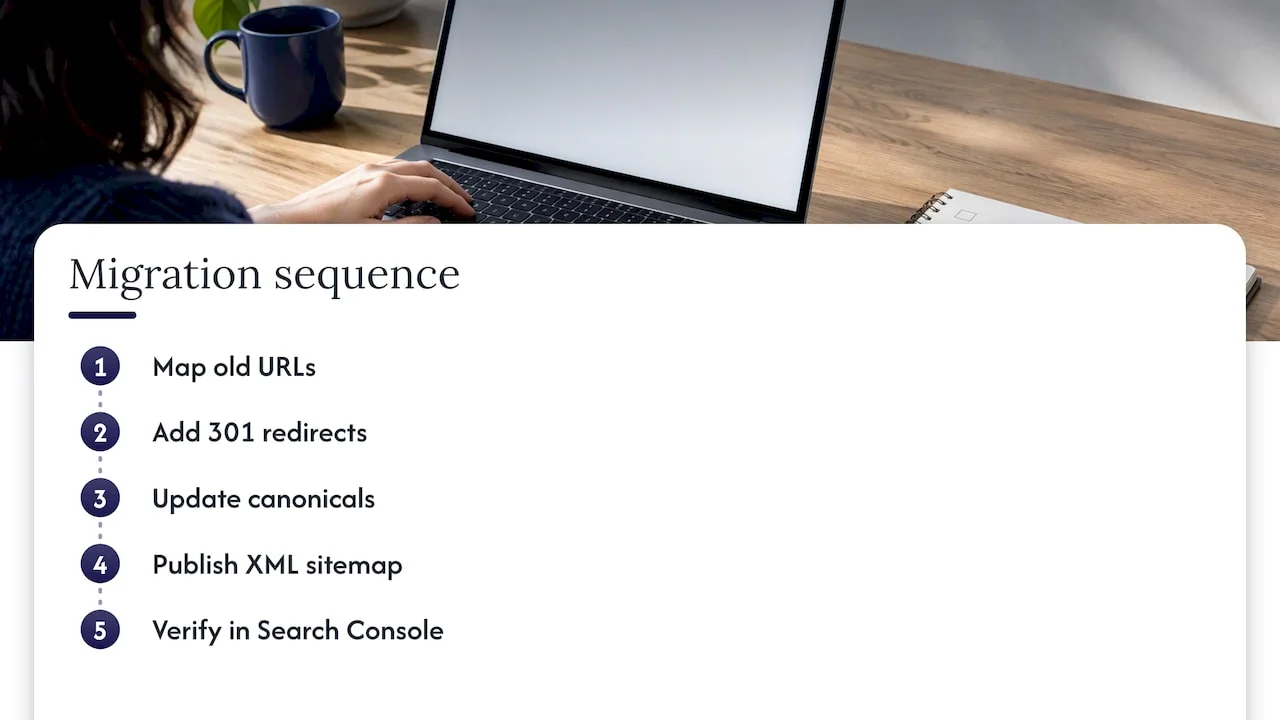
This is the technical core. The order matters: URL mapping first, then 301 redirects, canonical updates, a fresh XML sitemap and Search Console verification, in that sequence.
Build the URL map
Export every URL from your benchmark crawl and decide where each one goes. For pages with traffic, links or rankings, map to the closest equivalent on the new site. For e-commerce, Search Engine Land’s guidance is to map old URLs to their new counterparts with 301 redirects and flag high-value transactional pages for post-launch checks. On a WooCommerce store that means product pages, category archives and any landing pages that feed paid or email campaigns. If the store is part of the job, our note on WooCommerce checkout efficiency covers what to review once the move is stable.
Test on staging, then clear the blocks
Staging sites are usually set to discourage indexing, and that setting has a habit of travelling to production. Launch-day tasks include removing staging noindex tags and crawl blocks, confirming live pages return 200 and redirects return 301, and submitting the new sitemap to Search Console. Also check that canonicals point to the final production URLs and that robots.txt is not blocking pages you want found. In WordPress, the “Discourage search engines” setting under Reading is the first thing we look at. Our piece on staging checks shows how we treat staging as a gate, not a formality.
Back up before anything moves
A migration with no restore point is a gamble with a client’s livelihood. Take a full file and database backup, store it off the server and confirm it restores. Our guides on WordPress backups for agencies and matching recovery objectives to backup frequency explain how often and how.
Keep your SEO plugin settings in step
Titles, meta descriptions, XML sitemaps and canonical settings usually live in an SEO plugin. Confirm they carried over exactly. If the client uses Yoast, this practical Yoast SEO guide walks through the settings worth checking after a move.
Crawl the redirects
After launch, run a crawler against the old URL list. You are looking for redirects that fail to reach the new destination, chains, loops, temporary redirects and redirects to non-indexable pages. Fix them in the first week, not the first quarter.
Leave the redirects in place
Google recommends keeping permanent migration redirects live for at least a year so it has time to recrawl old URLs and pass signals to their replacements. Agencies that clean up “old” redirect rules after a few weeks undo their own work.
Calculate what WordPress care is worth to your agency
Migration work is exactly the kind of job that eats a week of a studio’s time and is rarely priced properly. If you are not sure how much recurring revenue sits in your existing WordPress client base, the free WPCTO WordPress Profit Calculator shows you in under 90 seconds. Run it before you quote the next move.
Common mistakes that cost rankings
The same few errors appear again and again. Without proper planning a site move can cause ranking drops, broken links, data loss, indexing issues and downtime. The specific ones we see in WordPress projects:
- Missing redirects. Old URLs that return 404 lose their links and rankings. Map every URL that has value.
- Staging blocks left on. A noindex tag or password protection on the live site removes pages from search.
- Gutted navigation. Dropping menu items to simplify a design removes strong internal linking signals. Search Engine Journal lists gutting menu navigation and launching JavaScript-heavy sites without pre-rendering among the technical causes of migration problems.
- Broken internal and external links. Structural changes can frustrate users and raise bounce rates.
- Plugin conflicts on the new server. Different PHP versions or server settings can break plugins that worked before. See how PHP updates affect WordPress performance.
- No monitoring. Teams launch, celebrate and look at analytics a month later.
After launch: monitoring and realistic recovery times
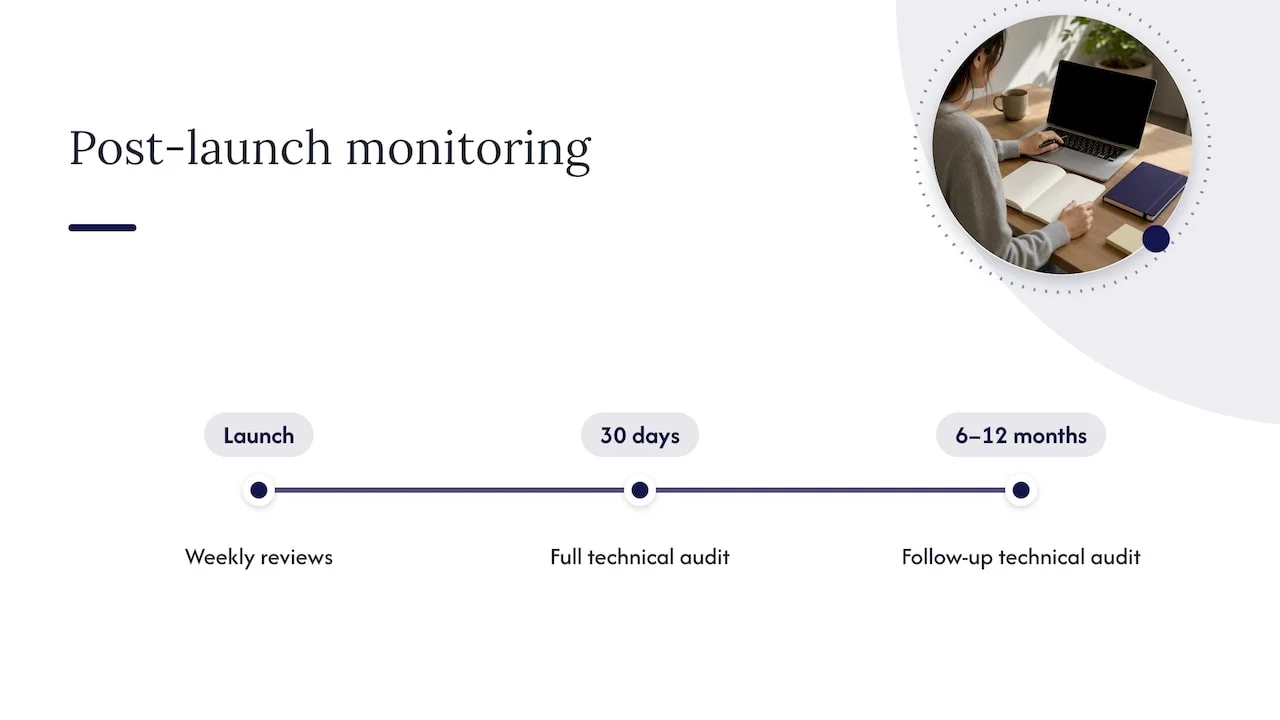
Watch rankings, traffic, revenue and conversion rate against your pre-launch benchmarks, with weekly reviews at first. Submit the new sitemap, check Search Console for crawl errors and indexation problems, and run a full technical audit about 30 days after launch to review canonicals, structured data and metadata.
How long should recovery take? Honest answer: it varies a lot. Google says that for medium-sized sites it may take several weeks or longer for search systems to move from old URLs to new ones, depending on server responsiveness and the number of URLs. Bing adds that even well-planned migrations can see temporary declines in visibility, because engines must recrawl a critical mass of URLs to transfer authority.
The largest dataset we found is sobering. A Search Engine Journal study of 892 migrations found it took on average 523 days for a new domain to match the old domain’s pre-migration organic traffic, and 17% had not returned to previous levels after 1,000 days. The fastest cases took under six weeks. That study looks at domain changes, which are the riskiest type, so a straight hosting move should recover much faster. But it is a good reason to avoid domain changes without a business reason.
Bing also suggests a follow-up technical audit six to twelve months after launch as part of an annual review. That is a natural fit for a care plan.
Our perspective: treat migration as a project with an owner
We look after WordPress for agencies, and the pattern is consistent. The migrations that go badly are rarely technically exotic. They go badly because nobody owned the checklist. The designer assumed the developer would handle redirects, the developer assumed the SEO person had a URL map, and the client assumed the agency had a backup.
Our view is simple. Separate hosting moves from redesigns and platform changes. Benchmark first. Treat the URL map as a deliverable the client can see. Keep the old redirects live, and agree a monitoring period before you quote, so the post-launch work is paid for instead of absorbed. Agencies that do this tend to find that migration is a billable service, not a favour.
We built WPCTO so agencies do not have to carry this. We sit behind your brand, handle the WordPress side and leave you with the client relationship and the recurring revenue.
— Marcel
Let us handle the WordPress side of the move
Our hosting, re-hosting and migration service covers moving client sites safely, with backups, staging and post-launch checks built in. Once the site is settled, our Service Level Agreements keep it maintained: Bronze is £450 per year, Silver £750 per year and Gold £1,850 per year. If you need a second opinion on a risky move first, our consultancy is there for it, and you can buy time for smaller jobs. Want to see what your client base could earn you? Try the WordPress Profit Calculator and then talk to us.
FAQ
Does changing hosting affect SEO?
A hosting move with no URL changes is one of the lower-risk migrations. Google groups it with moves that do not change URLs. Faster response times can help, but you still need to check DNS, SSL, robots.txt and plugin behaviour on the new server.
Will my traffic drop after a site migration?
It can, even when the project is well run. Bing notes that temporary declines are possible while search engines recrawl your URLs. Benchmark beforehand and tell the client what to expect.
How long does SEO take to recover after a migration?
For a medium-sized site, Google says the changeover can take several weeks or longer. Domain changes can take far longer, as the 892-migration study above shows.
Should I redesign and migrate at the same time?
Where possible, no. Google’s guidance, passed on by John Mueller, is to stagger major changes, so you can see which change caused any movement in search performance.
How long should 301 redirects stay in place?
Google recommends keeping them for at least one year. Longer is better if the old URLs still attract links or visits.
Sources
- Making site moves easier, Google Search Central Blog
- Site move with URL changes, Google Search Central
- Website Migration with Bing, Bing Webmaster Blog
- Site Migration SEO Guide, Search Engine Land
- How to run a successful site migration, Search Engine Land
- Revamping Your Web Site? Google Says Split It Up, Search Engine Roundtable
- How Long Should An SEO Migration Take? Study, Search Engine Journal
- Site Migration and SEO: Common Mistakes, Search Engine Journal
- SEO Site Migration Checklist, Shopify
- SEO Website Migration Checklist, Pantheon
- Website Migration Guide, Netguru
- Website Migration Checklist, Bluehost
- Website Migration Checklist, Similarweb
- A Website Migration Takes More Than A Checklist, Ahrefs
- How to Run a Flawless SEO Migration, Screaming Frog Club
- Site migration SEO plan